Are Store Themes SEO-Friendly by Default? The Truth
Most ecommerce themes ship broken. We audit what Shopify, BigCommerce, and WooCommerce get wrong out-of-the-box—and what founders need to fix first.
**
ECOMMERCE SEO INFRASTRUCTURE
Are Store Themes SEO-Friendly by Default? The Truth About Ecommerce Platforms
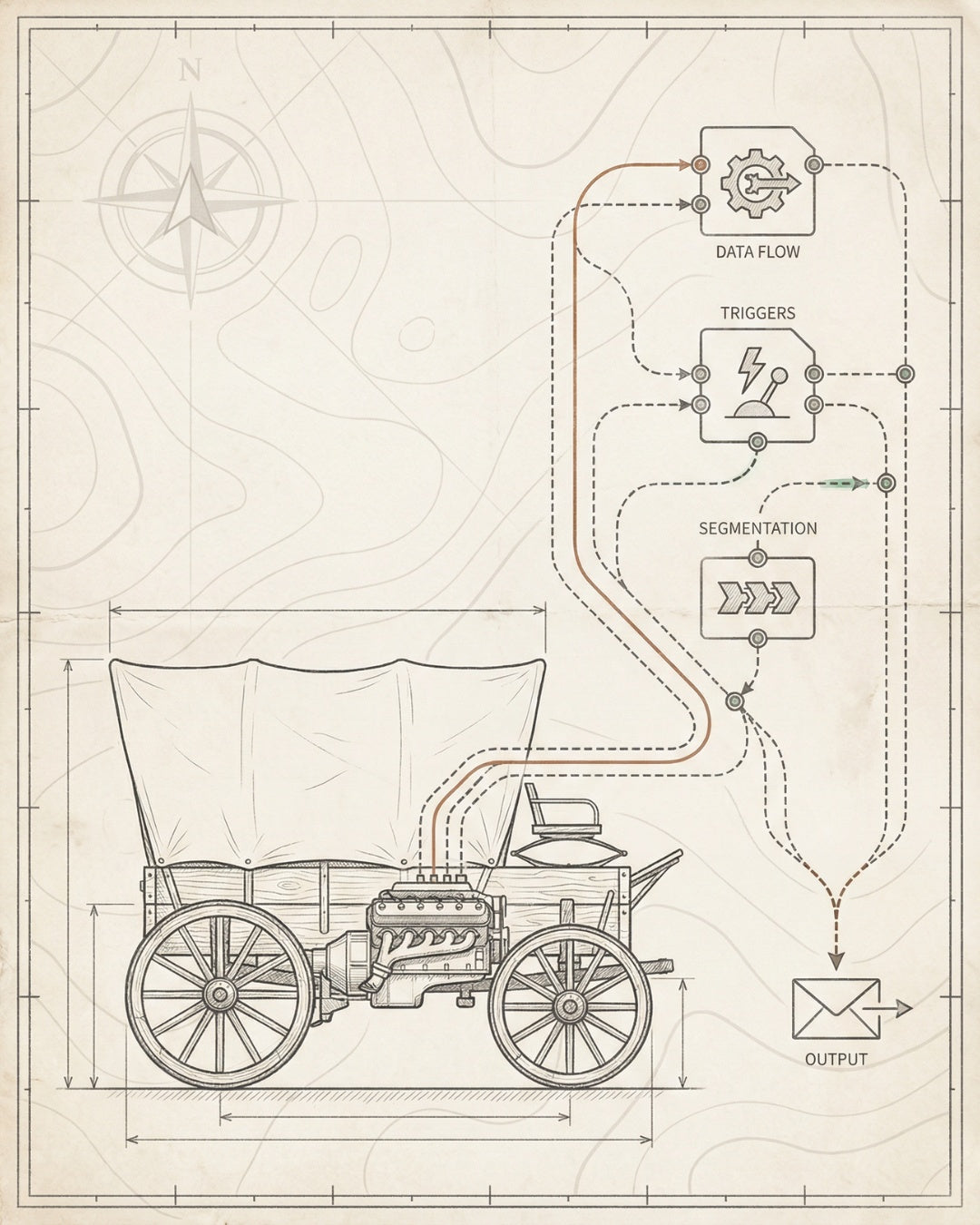
Most ecommerce themes ship broken.** Not visibly broken—your store loads, products display, checkout works. But underneath? The SEO infrastructure is either missing or misconfigured. And you won’t notice until you’re six months in, wondering why organic traffic flatlined at 200 visitors per month.
The question “are store themes SEO-friendly by default on ecommerce platforms?” has a frustrating answer: sort of, but not enough. Platforms like Shopify, BigCommerce, and WooCommerce handle some basics—they generate sitemaps, they don’t actively block crawlers, they include meta tag fields. But the gap between “technically crawlable” and “built to rank” is where most founders lose six figures in organic revenue.
This isn’t about blaming platforms. It’s about understanding what you inherit out-of-the-box versus what you need to install. Because technical SEO for ecommerce isn’t a theme feature—it’s infrastructure work that compounds over time.
Default themes handle crawlability but miss schema, performance optimization, and internal linking architecture—the layers that drive rankings.
Shopify gets Product schema right. BigCommerce ships fast. WooCommerce gives control. But none build the full SEO foundation by default.
The 4-Layer SEO Foundation—crawlability, indexability, rankability, convertibility—requires manual installation on every platform.
Fix Core Web Vitals first: lazy-load images, minimize JS, set explicit dimensions. Performance gaps kill rankings before content even matters.
Audit your theme with Screaming Frog and PageSpeed Insights. Prioritize fixes by impact: indexation blockers first, then schema, then speed.
What You’ll Learn
- Platform-by-Platform SEO Reality Check
- The 4 Critical SEO Gaps in Default Themes
- What Good SEO Infrastructure Actually Requires
- How to Audit Your Current Theme for SEO Issues
- Implementation Guide: Fixing Theme-Level SEO
- Frequently Asked Questions
Platform-by-Platform SEO Reality Check
Not all platforms start equal. Here’s what Shopify, BigCommerce, and WooCommerce actually deliver out-of-the-box—and what they leave for you to build.
Shopify: The Best Default, Still Not Enough
Shopify themes handle more SEO fundamentals than most platforms. Product schema is built in. The platform generates clean URLs by default. Core Web Vitals performance is decent if you don’t overload the theme with apps. Canonical tags work correctly out-of-the-box.
What Shopify gets right:
- Product schema markup — Automatically outputs JSON-LD for products, which makes you eligible for rich results in Google Shopping
- Mobile responsiveness — Most modern Shopify themes pass mobile-friendly tests without customization
- SSL and HTTPS — Enabled by default, no configuration required
- Sitemap generation — Auto-generated at /sitemap.xml and submitted to search engines
What Shopify misses:
- Breadcrumb schema — Not included by default; you need to add it manually or via an app
- Organization and LocalBusiness schema — Critical for brand entity signals, completely absent
- Internal linking architecture — Themes link to collections and recent products, but there’s no strategic topic clustering or contextual linking
- Core Web Vitals optimization — Themes often ship with unoptimized images (no lazy loading on secondary images, no explicit dimensions) and heavy JavaScript that tanks Interaction to Next Paint (INP)
- Duplicate content handling — Products that appear in multiple collections create duplicate URLs unless you configure canonical tags carefully
Shopify is the closest to “SEO-ready” out-of-the-box, but it’s still only 60% of the way there. The remaining 40%—schema depth, performance tuning, internal linking—requires manual installation. This is where ecommerce SEO best practices diverge from platform defaults.
BigCommerce: Technical Advantages, Execution Gaps
BigCommerce markets itself as the “SEO-friendly” platform. And technically, it has advantages: better out-of-the-box URL structures, more granular control over meta tags, and faster baseline performance than Shopify. But “better defaults” doesn’t mean “fully optimized.”
What BigCommerce gets right:
- URL customization — You can control product and category URLs without app dependencies
- 301 redirects — Built-in redirect management (Shopify requires apps for this)
- Microdata support — Older schema format, but it’s there
- Performance — Generally faster page loads than Shopify due to leaner JavaScript execution
What BigCommerce misses:
- Modern JSON-LD schema — Most themes still use Microdata instead of JSON-LD, which is harder to validate and less flexible
- Image optimization — No automatic lazy loading, no next-gen format conversion (WebP/AVIF)
- Internal linking depth — Same problem as Shopify—no strategic architecture, just surface-level navigation links
- Crawl budget optimization — Faceted navigation and filter URLs often get indexed unnecessarily, wasting crawl budget
BigCommerce gives you more control, but control without a blueprint just means more ways to misconfigure things. You still need to build the SEO infrastructure that makes rankings inevitable.
WooCommerce: Maximum Flexibility, Maximum Risk
WooCommerce is WordPress plus ecommerce. That means infinite customization potential—and infinite ways to break SEO. Out-of-the-box, WooCommerce does almost nothing for SEO. You’re starting from zero and building up.
What WooCommerce gets right:
- Plugin ecosystem — Yoast, Rank Math, and other SEO plugins can fill gaps (if you configure them correctly)
- Full control — You can customize every aspect of the technical stack
What WooCommerce misses (everything):
- No schema by default — You need plugins to add Product, Breadcrumb, and Organization schema
- Performance is a disaster — Default WooCommerce installs are slow. Bloated themes, unoptimized databases, and plugin conflicts kill Core Web Vitals
- Duplicate content everywhere — Tag pages, category pages, pagination—all create duplicate content unless you actively manage canonicals and noindex tags
- Crawl traps — Faceted navigation, infinite scroll, and AJAX filtering create crawl loops that waste Google’s budget
WooCommerce can be SEO-dominant—if you treat it like a custom build. But if you’re asking “are store themes SEO-friendly by default?”—WooCommerce is a hard no. You’re building from scratch, which is why most WooCommerce stores need dedicated ecommerce SEO services just to reach baseline functionality.

Platform Comparison: What’s Included vs. What You Build
SEO Component Shopify BigCommerce WooCommerce
Product Schema (JSON-LD) ✓ Included ✗ Microdata only ✗ Plugin required
Breadcrumb Schema ✗ Manual install ✗ Manual install ✗ Plugin required
Clean URL Structure ✓ Good defaults ✓ Highly customizable ✗ Requires configuration
Core Web Vitals Performance ✗ Needs optimization ✓ Better baseline ✗ Often poor
Internal Linking Architecture ✗ Surface-level only ✗ Surface-level only ✗ Surface-level only
Canonical Tag Management ✓ Auto-generated ✓ Auto-generated ✗ Plugin required
Image Optimization ✗ Manual/app required ✗ Manual required ✗ Plugin required
Duplicate Content Handling ✗ Needs configuration ✗ Needs configuration ✗ Major issue by default
The pattern is clear: every platform requires manual SEO infrastructure work. The only question is how much of a head start you get.
The 4 Critical SEO Gaps in Default Themes
Whether you’re on Shopify, BigCommerce, or WooCommerce, these four infrastructure gaps exist in almost every default theme. And they’re not cosmetic—they directly limit your ability to rank, get indexed, and convert organic traffic.
Gap #1: Incomplete or Missing Schema Markup
Schema markup is machine-readable data that tells Google (and other search engines) what your content is—not just what it says. Product schema enables rich results in search: star ratings, price, availability. Breadcrumb schema helps Google understand your site hierarchy. Organization schema builds your brand entity in the knowledge graph.
What default themes get wrong:
- Shopify includes Product schema but skips Breadcrumb, Organization, and FAQ schema
- BigCommerce uses outdated Microdata instead of JSON-LD
- WooCommerce has zero schema unless you install a plugin—and most plugins implement it incorrectly
The fix: Install complete JSON-LD schema for Product, Breadcrumb, Organization, and (where relevant) FAQ and HowTo. Validate it with Google’s Rich Results Test. This is non-negotiable infrastructure—not an optimization. It’s the difference between being eligible for enhanced search listings and being invisible.
We cover this in depth in our guide to on-page SEO for ecommerce, where schema is Layer 3 of the foundation.
Gap #2: Core Web Vitals and Performance Issues
Google uses Core Web Vitals as a ranking factor. Specifically: Largest Contentful Paint (LCP), Interaction to Next Paint (INP), and Cumulative Layout Shift (CLS). Default themes often fail all three.
Common performance problems in default themes:
- Unoptimized images — No lazy loading, no next-gen formats (WebP/AVIF), no explicit width/height attributes (causing CLS)
- Render-blocking JavaScript — Themes load every script on every page, even when it’s not needed
- Third-party app bloat — Every app you install adds JavaScript and CSS, compounding the problem
- No CDN or edge caching — Images and assets served from origin servers instead of geographically distributed edge nodes
The fix: Run your store through PageSpeed Insights. Prioritize these fixes:
- Add loading=“lazy” to all images below the fold
- Set explicit width and height attributes on all images to prevent layout shift
- Convert images to WebP or AVIF formats
- Defer non-critical JavaScript
- Minimize third-party scripts—audit every app and remove what you don’t actively use
Performance isn’t just a ranking factor—it’s a conversion factor. A 1-second delay in page load time costs you 7% of conversions. This is where performance-first website builds pay for themselves in weeks.
Gap #3: Weak Internal Linking Architecture
Default themes link to your homepage, main navigation, and maybe a “related products” module. That’s not internal linking architecture—that’s surface-level navigation.
What’s missing:
- Topic clusters — Grouping related products and content around core topics (e.g., “running shoes” as a hub with links to trail running, road running, and minimalist shoes)
- Contextual links — Links embedded in product descriptions, blog content, and category pages that guide users (and crawlers) through your site
- PageRank distribution — Strategic linking from high-authority pages (like your homepage or top blog posts) to priority product and category pages
The fix: Map your site architecture. Identify your top 10-20 “money pages” (high-converting products or categories). Build internal links from high-traffic pages to those money pages. Use descriptive anchor text that includes target keywords naturally.
Internal linking is how you tell Google what matters on your site. Without it, your most valuable pages stay buried. This is a core component of our ecommerce SEO strategy framework.

Gap #4: Duplicate Content and Indexation Conflicts
Ecommerce sites generate duplicate content by design. The same product appears in multiple categories. Filter pages create parameterized URLs. Pagination splits content across multiple pages. Default themes rarely handle this correctly.
Common duplicate content issues:
- Product in multiple categories — /collections/mens-shoes/product-a and /collections/running-shoes/product-a both exist
- Filter and faceted navigation URLs — /collections/shoes?color=red&size=10 gets indexed as a separate page
- Pagination — /collections/shoes?page=2 competes with /collections/shoes
- HTTP vs. HTTPS — If not configured correctly, both versions get indexed
The fix: Use canonical tags to consolidate duplicate URLs. Set a single “preferred” URL for each product and category. Use noindex tags on filter pages, search result pages, and low-value utility pages (like cart and checkout). Configure your sitemap to exclude these pages.
This is indexation management—Layer 2 of the 4-Layer SEO Foundation. Get it wrong, and Google wastes crawl budget on duplicate pages instead of your best content. We walk through this step-by-step in our ecommerce SEO checklist.
What Good SEO Infrastructure Actually Requires
Default themes give you a starting point. But SEO infrastructure is what you build on top of the platform. It’s the difference between a site that technically works and a site that compounds organic traffic over time.
At Founding Engine, we install SEO infrastructure using the 4-Layer SEO Foundation. This is the blueprint that takes a store from “crawlable” to “dominant in organic search.”
Layer 1: Crawlability — Can Google Access Your Site?
Crawlability is the baseline. If Google can’t crawl your pages, nothing else matters.
What you need:
- Robots.txt configured correctly — Don’t accidentally block important pages (yes, this happens)
- XML sitemap submitted to Google Search Console — Include only indexable pages, exclude filters and utility pages
- Internal linking that creates clear crawl paths — Every important page should be within 3 clicks of the homepage
- No orphan pages — Pages with zero internal links pointing to them are invisible to crawlers
Most default themes handle robots.txt and sitemaps. But internal linking and orphan page prevention? That’s on you.
Layer 2: Indexability — Does Google Index the Right Pages?
Indexability is about control. You want Google to index your money pages and ignore low-value pages.
What you need:
- Canonical tags on every page — Consolidate duplicate URLs to a single preferred version
- Noindex tags on utility pages — Cart, checkout, account pages, search results, and filter pages should not be indexed
- Proper use of 301 redirects — When you delete or rename pages, redirect old URLs to new ones to preserve link equity
- Sitemap hygiene — Only include indexable pages in your sitemap; remove noindexed and redirected URLs
Default themes often auto-generate canonicals, but they don’t always get it right—especially with filtered and paginated URLs. You need to audit and configure this manually. This is core to any ecommerce SEO audit.
Layer 3: Rankability — Can You Compete for Target Keywords?
Rankability is where content, schema, and technical optimization converge. This is what separates page 3 from page 1.
What you need:
- Keyword-mapped content — Every product and category page should target a specific keyword cluster
- Complete schema markup — Product, Breadcrumb, Organization, FAQ, and HowTo schema where relevant
- Core Web Vitals optimization — LCP under 2.5s, INP under 200ms, CLS under 0.1
- Strategic internal linking — Topic clusters, contextual links, and PageRank distribution
- Content depth — Product descriptions that answer search intent, not just list features
This is where most default themes completely fail. They give you fields to fill in, but they don’t guide you on what to fill in or how to structure it for ranking. This is the layer where SEO infrastructure services deliver the most leverage.
Layer 4: Convertibility — Does Organic Traffic Turn Into Revenue?
Convertibility is the final layer. You can rank #1 and still make zero dollars if your pages don’t convert.
What you need:
- Clear CTAs — Every page should guide users toward a conversion action (add to cart, email signup, contact form)
- Trust signals — Reviews, testimonials, security badges, return policies
- Fast page speed — Slow pages kill conversions, even if they rank
- Mobile-first design — 70%+ of ecommerce traffic is mobile; your theme must be optimized for it
Default themes handle some of this—mobile responsiveness is usually fine. But CTA placement, trust signal integration, and conversion-focused design? That requires intentional UX architecture, not just a theme install.
This is the full stack. Crawlability → Indexability → Rankability → Convertibility. Default themes give you maybe 40% of Layer 1, 20% of Layer 2, and almost nothing in Layers 3 and 4. The rest is infrastructure you install.
How to Audit Your Current Theme for SEO Issues
Before you fix anything, you need to know what’s broken. Here’s the step-by-step technical audit process we use at Founding Engine to evaluate whether a store’s theme is SEO-ready or needs infrastructure work.
Step 1: Run a Full-Site Crawl
Use Screaming Frog or Sitebulb to crawl your entire site. This will surface:
- Pages with missing or duplicate title tags and meta descriptions
- Broken internal links (404 errors)
- Redirect chains (301 → 301 → 200 instead of direct 301 → 200)
- Pages blocked by robots.txt or noindex tags
- Orphan pages (pages with zero internal links)
What to look for: If more than 5% of your pages have duplicate titles or missing canonicals, your theme isn’t handling SEO fundamentals correctly.
Step 2: Check Core Web Vitals
Run your homepage and top 5 product pages through PageSpeed Insights. Check both mobile and desktop scores.
What to look for:
- LCP (Largest Contentful Paint) — Should be under 2.5 seconds. If it’s over 4 seconds, your theme has serious performance issues.
- INP (Interaction to Next Paint) — Should be under 200ms. High INP usually means too much JavaScript.
- CLS (Cumulative Layout Shift) — Should be under 0.1. High CLS means images don’t have explicit dimensions or ads/embeds are shifting the layout.
If any of these metrics are in the “Poor” range (red), your theme is actively hurting your rankings.
Step 3: Validate Schema Markup
Use Google’s Rich Results Test to check your product pages, category pages, and homepage.
What to look for:
- Is Product schema present and valid?
- Is Breadcrumb schema present?
- Is Organization schema present on your homepage?
- Are there any schema errors or warnings?
If Product schema is missing or invalid, you’re not eligible for rich results in Google Shopping. If Breadcrumb and Organization schema are missing, you’re not building entity signals that help Google understand your brand.
Step 4: Audit Internal Linking
Go to Google Search Console → Links → Internal Links. Look at your top-linked pages.
What to look for: Are your most important product and category pages in the top 20 most-linked pages? Or are utility pages (cart, account, contact) getting more internal links than your money pages?
If your homepage has 500 internal links but your best-selling product page has 3, your internal linking architecture is broken.
Step 5: Check Indexation Status
Go to Google Search Console → Coverage (or “Pages” in the new interface). Look at:
- Indexed pages — How many pages are indexed?
- Excluded pages — Why are pages excluded? (Noindex tags, canonical issues, crawl errors?)
- Errors — Any server errors (5xx) or not found errors (404)?
What to look for: If you have 500 products but only 200 indexed pages, something is blocking indexation. Check your robots.txt, canonical tags, and sitemap.
Step 6: Priority Ranking Framework
Once you’ve identified issues, prioritize fixes using this framework:
- Critical (fix immediately): Indexation blockers, broken canonicals, missing Product schema, Core Web Vitals in “Poor” range
- High (fix within 1 week): Missing Breadcrumb/Organization schema, slow page speed, weak internal linking to money pages
- Medium (fix within 1 month): Duplicate content issues, orphan pages, redirect chains
- Low (ongoing optimization): Meta description improvements, image alt text, content depth
This is the Audit-to-Throttle Pipeline—identify what’s broken, prioritize by impact, fix the foundation first, then optimize for velocity. We use this exact framework in our advanced ecommerce SEO builds.
Implementation Guide: Fixing Theme-Level SEO
You’ve audited your theme. You know what’s broken. Now here’s how to fix it—systematically, in the right order, so you’re building infrastructure that compounds over time.
Fix #1: Install Complete Schema Markup
What to do:
- Add Product schema (JSON-LD format) to all product pages. Include name, image, price, availability, SKU, and reviews if you have them.
- Add Breadcrumb schema to all pages. This helps Google understand your site hierarchy.
- Add Organization schema to your homepage. Include your business name, logo, social profiles, and contact information.
- If you have FAQ or how-to content, add FAQ and HowTo schema.
How to do it:
- Shopify: Use a schema app like Schema Plus or JSON-LD for SEO, or manually edit your theme’s product.liquid and theme.liquid files to add JSON-LD blocks in the .
- BigCommerce: Edit your theme’s template files (e.g., product.html) to add JSON-LD schema. Use their developer documentation as a guide.
- WooCommerce: Use Rank Math or Yoast SEO Premium, or manually add schema via a custom plugin or theme functions.
Validate: After adding schema, test every page type with Google’s Rich Results Test. Fix any errors or warnings before deploying.
Fix #2: Optimize Core Web Vitals
What to do:
- Reduce LCP: Optimize your hero image. Use next-gen formats (WebP/AVIF). Preload critical images with .
- Reduce INP: Defer non-critical JavaScript. Remove unused scripts. Minimize third-party app bloat.
- Reduce CLS: Add explicit width and height attributes to all images. Reserve space for ads and embeds to prevent layout shift.
How to do it:
- Use a CDN (Cloudflare, Shopify’s built-in CDN, or WP Rocket for WooCommerce) to serve images from edge locations.
- Lazy-load all images below the fold. Set loading=“lazy” on
tags.
- Audit your installed apps. Remove any app you’re not actively using—every app adds JavaScript overhead.
- Use a performance monitoring tool like DebugBear or SpeedCurve to track Core Web Vitals over time.
Performance optimization is ongoing, but the biggest wins come from the first pass. This is where custom website builds outperform default themes—performance is baked in from day one, not bolted on later.
Fix #3: Build Internal Linking Architecture
What to do:
- Map your site’s topic clusters. Group related products and content around core topics (e.g., “running shoes” as a hub linking to trail, road, and minimalist subcategories).
- Identify your top 10-20 “money pages”—high-converting products or categories.
- Add contextual internal links from high-traffic pages (homepage, blog posts, popular categories) to those money pages.
- Use descriptive anchor text that includes target keywords naturally (e.g., “best trail running shoes” instead of “click here”).
How to do it:
- Edit your homepage, category pages, and blog content to add 3-5 contextual internal links per page.
- Use your theme’s “related products” module strategically—customize it to show products from the same topic cluster, not just random items.
- Create a “Resources” or “Buying Guides” section on your site. Write content that links to multiple products within a topic cluster.
Internal linking is manual work, but it’s high-leverage. This is how you tell Google what matters on your site. We build this into every ecommerce SEO optimization project.
Fix #4: Clean Up Duplicate Content and Indexation
What to do:
- Set canonical tags on all product pages to point to a single preferred URL (even if the product appears in multiple categories).
- Add noindex tags to filter pages, search result pages, and utility pages (cart, checkout, account).
- Configure your sitemap to exclude noindexed pages and redirected URLs.
- Set up 301 redirects for any deleted or renamed pages to preserve link equity.
How to do it:
- Shopify: Canonical tags are auto-generated, but you may need to customize them for products in multiple collections. Use a canonical URL app or edit theme files.
- BigCommerce: Configure canonical URLs in the admin panel. Use the built-in redirect manager for 301s.
- WooCommerce: Use Yoast or Rank Math to manage canonicals and noindex tags. Install a redirect plugin like Redirection for 301s.
Indexation management is Layer 2 of the foundation. Get this right, and Google stops wasting crawl budget on duplicate pages and starts focusing on your best content.
Fix #5: Monitor and Iterate
SEO infrastructure isn’t “set it and forget it.” You need to monitor performance and iterate based on data.
What to track:
- Google Search Console: Impressions, clicks, average position, Core Web Vitals, indexation status
- Google Analytics: Organic traffic, bounce rate, conversion rate, top landing pages
- Rank tracking: Monitor keyword rankings for your top 20-50 target keywords
How often to check: Weekly for Search Console and Analytics. Monthly for rank tracking and full-site audits.
This is the infrastructure mindset: build, measure, iterate. Not campaigns. Not retainers. Systems that compound. This is the model we use in our ecommerce SEO case studies—30-day focused cycles, then throttle.

Frequently Asked Questions
Are Shopify themes SEO-friendly out-of-the-box? +
Shopify themes handle more SEO basics than most platforms—Product schema, clean URLs, SSL, and mobile responsiveness are included by default. But they’re still only about 60% of the way to a complete SEO foundation. You’ll need to manually add Breadcrumb and Organization schema, optimize Core Web Vitals, build internal linking architecture, and configure duplicate content handling. Shopify gives you a head start, but it’s not “SEO-ready” without additional infrastructure work.
Which ecommerce platform is best for SEO? +
There’s no single “best” platform—it depends on your technical resources and growth stage. Shopify has the best out-of-the-box SEO for non-technical founders. BigCommerce offers more granular control and better baseline performance. WooCommerce gives maximum flexibility but requires the most manual configuration. The platform matters less than the infrastructure you build on top of it. A well-optimized WooCommerce store will outrank a poorly configured Shopify store every time.
Do I need to hire an SEO agency if my theme is already “SEO-optimized”? +
“SEO-optimized” is marketing copy, not a technical standard. Even premium themes marketed as “SEO-ready” are missing critical infrastructure: complete schema markup, strategic internal linking, Core Web Vitals optimization, and indexation management. If you’re technical and have time, you can build this yourself using guides like this one. If you want it done correctly and quickly, you need expert execution—not a retainer agency, but a team that installs infrastructure in focused 30-day cycles.
Matt Hyder
SEO infrastructure and AI search optimization at Founding Engine.
Want SEO that actually holds?
Get a free infrastructure audit from the Founding Engine team.
Get Your Free Audit