Comprehensive Ecommerce SEO Checklists That Actually Work
Stop using generic SEO checklists. Build a comprehensive ecommerce SEO system that compounds—crawlability to conversions. The infrastructure blueprint for DTC brands.
**
ECOMMERCE SEO / SYSTEMS THINKING / FEB 14, 2026
Comprehensive Ecommerce SEO Checklists That Actually Work
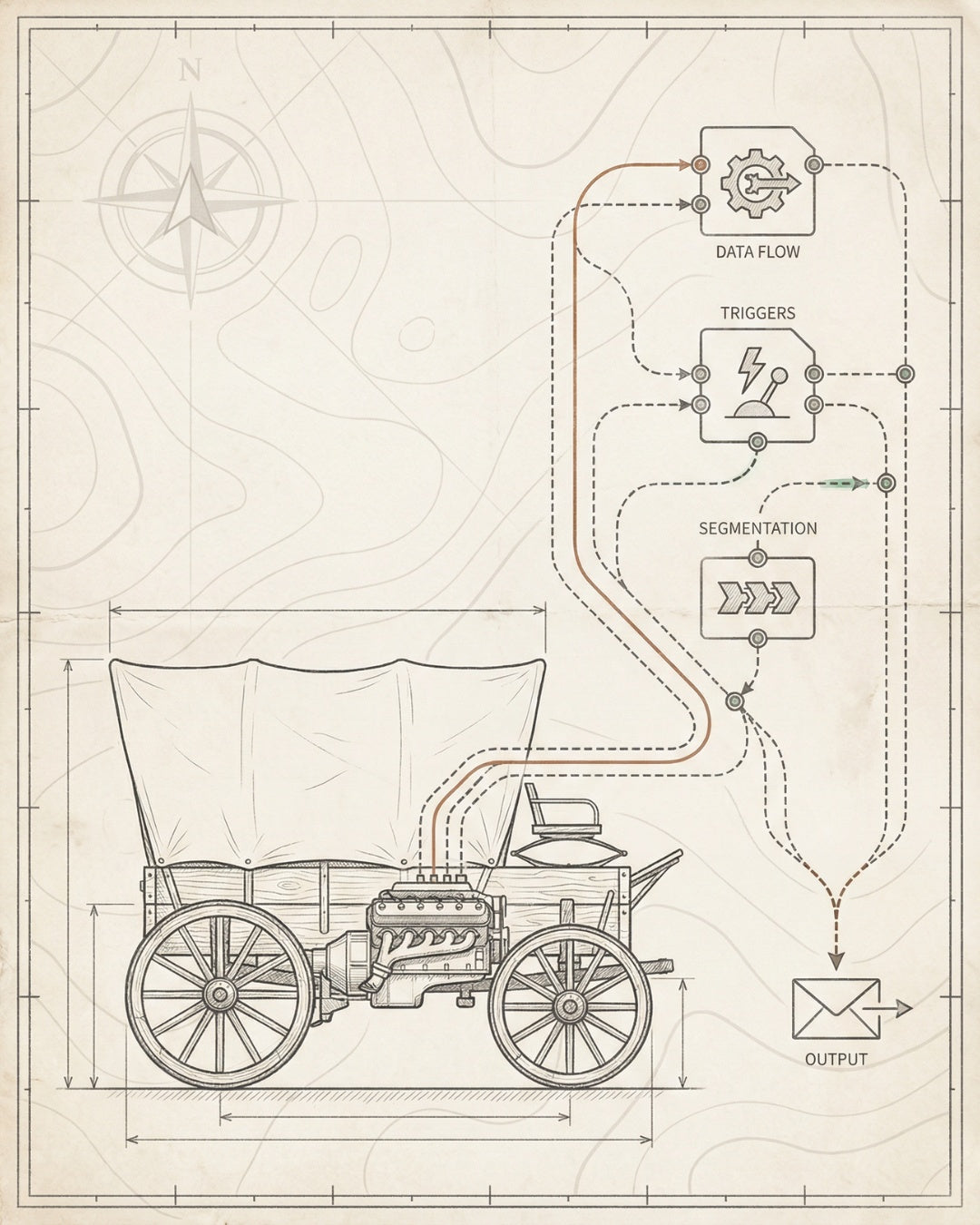
Most ecommerce SEO checklists are expensive to-do lists. You download them, check off tasks, and six months later you’re still not ranking.
The problem isn’t the tasks. It’s the architecture. You’re installing features without building infrastructure. You’re optimizing pages without fixing the foundation. You’re adding content without creating a system that compounds.
This isn’t another generic SEO checklist. This is the infrastructure blueprint we install for brands that generate real organic revenue—the kind that scales from $0 to $500K to $5M without breaking.
01 / THE PROBLEM Most SEO checklists treat symptoms, not systems. They optimize pages without fixing what makes pages discoverable, rankable, and convertible in the first place.
02 / THE SHIFT Build the 4-Layer Foundation first: Crawlability → Indexability → Rankability → Convertibility. Every task maps to infrastructure, not just deliverables.
03 / TECHNICAL LAYER Fix site architecture, Core Web Vitals, schema markup, and crawl budget before touching content. The foundation determines what scales and what breaks.
04 / CONTENT SYSTEM Map keywords to product categories, build internal linking architecture, and install AI-readable structured data. Content without structure is noise.
05 / THE RESULT A comprehensive SEO system that compounds over time. Not pages—systems. Not tasks—infrastructure. Build once, scale forever.
What You’ll Build
- The 4-Layer SEO Foundation for Ecommerce
- Technical SEO Infrastructure Checklist
- Content Infrastructure Checklist
- AI Search Optimization Checklist
- Internal Linking Architecture
- Distribution and Monitoring Systems
- How to Implement This System in 30 Days
The 4-Layer SEO Foundation for Ecommerce
Before you touch a single product description or write one blog post, you need to understand how SEO infrastructure actually works. Most brands skip this and wonder why their content doesn’t rank.
We use the 4-Layer SEO Foundation** at Founding Engine because it maps directly to how search engines evaluate ecommerce sites. Each layer builds on the previous one. Skip a layer, and everything above it becomes unstable.
Layer 1: Crawlability
Can search engines find your pages? This sounds basic, but most ecommerce stores have crawl budget issues they don’t know about. Duplicate URLs from filters, broken internal links, orphaned product pages, pagination nightmares—all of this wastes crawl budget and keeps your best pages invisible.
The checklist item: Audit your site architecture. Fix robots.txt. Clean up your XML sitemap. Eliminate crawl traps. Make it easy for Googlebot to discover every important page in your catalog.
Layer 2: Indexability
Just because a page is crawlable doesn’t mean it’s indexable. Canonical tags pointing to the wrong URL, noindex tags left over from development, thin content that Google ignores—these are indexation killers.
The checklist item: Check Google Search Console for indexation errors. Verify canonical tags. Ensure every product and category page has unique, substantive content. Remove duplicate pages or consolidate them properly.
Layer 3: Rankability
Now we’re talking relevance signals. Does Google understand what each page is about? Do you have the right keywords mapped to the right pages? Is your schema markup telling search engines exactly what products you sell, what categories they belong to, and why they matter?
The checklist item: Map keywords to pages. Install Product, BreadcrumbList, and Organization schema. Build topical authority through internal linking. Create content hubs around your core product categories.
Systems Note: This is where most agencies stop. They optimize for rankings and call it done. But rankings without conversions are vanity metrics. Layer 4 is where revenue happens.
Layer 4: Convertibility
You’re ranking. Traffic is coming. Now what? If your Core Web Vitals are terrible, your product pages load slowly, or your mobile experience is broken, you’re burning money. Convertibility is about turning organic visibility into organic revenue.
The checklist item: Optimize Core Web Vitals. Fix mobile UX. A/B test product page layouts. Install conversion tracking. Monitor bounce rates and time-on-page by landing page type.
This is the foundation. Everything else in this comprehensive ecommerce SEO checklist builds on these four layers. If you skip ahead, you’re building on sand.

Technical SEO Infrastructure Checklist
Technical SEO is the architecture that holds everything else. Get this wrong and no amount of content will save you. Get it right and every piece of content you publish compounds faster.
Site Architecture and Navigation
✓ Flat site structure: Every product should be reachable within 3 clicks from the homepage. Deep hierarchies kill crawl efficiency and dilute link equity.
✓ Clean URL structure: Use descriptive, keyword-rich URLs. Avoid parameters and session IDs. Example: /products/organic-cotton-t-shirt not /p?id=12345.
✓ Breadcrumb navigation: Implement breadcrumbs on every page. They help users navigate and provide structured data signals to search engines.
✓ Faceted navigation control: If you have filters (size, color, price), use canonical tags or robots meta tags to prevent duplicate content issues. Don’t let every filter combination create a new indexable URL.
Core Web Vitals and Performance
Page speed isn’t just a ranking factor—it’s a conversion factor. A 1-second delay in mobile load time can reduce conversions by 20%. For ecommerce, this is revenue directly on the table.
✓ Largest Contentful Paint (LCP): Target
Validation: Test every schema implementation using Google’s Rich Results Test. Invalid schema is worse than no schema—it signals sloppiness to search engines.
Crawl Budget Optimization
If you have 10,000+ products, crawl budget matters. Google won’t crawl every page on every visit. You need to prioritize what gets crawled and how often.
✓ XML sitemap: Submit a clean, prioritized sitemap to Google Search Console. Include only indexable pages. Update it dynamically as products are added or removed.
✓ Robots.txt: Block search engines from crawling admin pages, checkout flows, search result pages, and filter URLs. Don’t waste crawl budget on pages that shouldn’t rank.
✓ Internal linking: Link to your most important pages more frequently. Search engines crawl pages with more internal links more often.
✓ Server response time: Faster servers = more pages crawled per session. Target
Metric What It Tells You How Often to Check
Organic Traffic Overall SEO health and visibility Weekly
Keyword Rankings Competitive position and ranking velocity Weekly
Indexation Status Technical health and crawl efficiency Monthly
Core Web Vitals Page speed and user experience Monthly
Conversion Rate Revenue impact of organic traffic Weekly
Backlink Profile Authority growth and link velocity Monthly
For pricing benchmarks and what to expect from an SEO investment, check out our ecommerce SEO pricing breakdown.

How to Implement This System in 30 Days
You don’t need six months to see results. You need 30 focused days and the right sequence. This is our Audit-to-Throttle Pipeline—the system we use at Founding Engine to install SEO infrastructure fast.
Week 1: Audit and Prioritize
Day 1-2: Technical audit
- Run a crawl with Screaming Frog or Sitebulb
- Check Google Search Console for indexation issues
- Test Core Web Vitals with PageSpeed Insights
- Document all technical issues in a spreadsheet
Day 3-4: Content audit
- Export all pages from Google Analytics
- Identify top-performing pages (traffic + conversions)
- Identify underperforming pages (high traffic, low conversions)
- Map keywords to pages and identify gaps
Day 5-7: Competitive analysis
- Identify your top 3-5 SEO competitors
- Analyze their keyword rankings, backlink profiles, and content strategy
- Identify quick wins—keywords they rank for that you don’t
- Build your prioritized task list based on impact and effort
Week 2: Fix the Foundation
Day 8-10: Technical fixes
- Fix critical crawl errors (404s, redirect chains, broken internal links)
- Update robots.txt and XML sitemap
- Implement or fix canonical tags
- Add missing schema markup (Product, BreadcrumbList, Organization)
Day 11-12: Core Web Vitals
- Optimize largest images (compress, resize, use next-gen formats like WebP)
- Defer non-critical JavaScript
- Implement lazy loading for below-the-fold images
- Add explicit width and height attributes to all images
Day 13-14: Site architecture
- Flatten site hierarchy where possible (reduce clicks to products)
- Implement breadcrumb navigation
- Add internal links from high-authority pages to new or underperforming pages
Week 3: Build Content Infrastructure
Day 15-17: Product page optimization
- Rewrite title tags and meta descriptions for top 20 product pages
- Add unique product descriptions (300+ words)
- Optimize images with descriptive alt text
- Add or improve Product schema markup
Day 18-19: Category page optimization
- Add unique category descriptions (400-600 words)
- Optimize title tags and meta descriptions
- Implement filters with proper canonical handling
- Build internal links from blog content to category pages
Day 20-21: Content creation
- Publish 2-3 high-value blog posts targeting commercial investigation keywords
- Use the hub-and-spoke model—link to related products and categories
- Include schema markup (Article, HowTo where relevant)
- Optimize for AI search with clear answers and structured data
Week 4: Install Distribution and Monitor
Day 22-23: Search Console and Analytics
- Verify Google Search Console setup
- Submit updated sitemap
- Set up GA4 ecommerce tracking (if not already done)
- Create custom reports for organic traffic, conversions, and landing page performance
Day 24-25: Rank tracking
- Set up rank tracking for 30-50 target keywords
- Segment by page type (product, category, blog)
- Create a baseline report—you’ll compare against this in 30 days
Day 26-28: AI search optimization
- Optimize top 10 pages for AI Overviews (clear answers, structured data, E-E-A-T signals)
- Add FAQ sections to high-traffic pages
- Ensure all schema markup is valid (test with Google’s Rich Results Test)
Day 29-30: Review and iterate
- Review all work completed
- Document what was done and what’s next
- Set up weekly monitoring cadence
- Plan next 30-day sprint based on initial results
Reality Check: This is aggressive. If you’re a solo founder or a small team, you might need 60 days instead of 30. That’s fine. The key is the sequence—foundation first, content second, distribution third. Don’t skip steps.
For a detailed breakdown of what to expect in the first 90 days, see our ecommerce SEO case study.
Why Most Comprehensive Ecommerce SEO Checklists Fail
Let’s be honest: you’ve probably downloaded a dozen SEO checklists before this one. Why didn’t they work?
1. They’re task lists, not systems. Checking boxes doesn’t build infrastructure. You need to understand how each task connects to the layer above and below it.
2. They ignore sequence. You can’t optimize content before fixing crawlability. You can’t build backlinks before establishing topical authority. Order matters.
3. They don’t account for resource constraints. Most checklists assume you have a full team. You don’t. You need a prioritized build sequence that works for lean teams.
4. They’re static, not iterative. SEO isn’t a one-time project. It’s a system that compounds. You need to build, measure, iterate, and scale.
This comprehensive ecommerce SEO checklist is different because it’s built around the Compound Visibility Stack—the framework we use at Founding Engine to generate $30M+ in organic revenue for clients.
Website × Content × Technical × Distribution. Every layer reinforces the others. Build all four, and you create a system that scales without breaking.
What to Do After the First 30 Days
You’ve installed the foundation. Now you throttle.
Month 2: Content velocity
- Publish 4-8 blog posts targeting commercial investigation and informational keywords
- Build out product comparison guides (e.g., “Product A vs Product B”)
- Add user-generated content to product pages (reviews, Q&A)
Month 3: Authority building
- Start outreach for backlinks (guest posts, product reviews, partnerships)
- Update and expand top-performing content from Month 1
- Build more internal links from new content to product and category pages
Month 4-6: Scale and optimize
- Double down on what’s working—identify top-performing content and create more like it
- A/B test product page layouts and CTAs
- Expand into new keyword clusters based on performance data
- Optimize for AI search visibility—track citations in AI Overviews and Perplexity
For more on scaling SEO systems, check out our guide to advanced ecommerce SEO.
Frequently Asked Questions
How long does it take to see results from a comprehensive ecommerce SEO checklist?
If you’re starting from scratch, expect to see initial movement in 30-60 days—indexation improvements, crawl efficiency gains, and ranking velocity for low-competition keywords. Meaningful traffic increases typically happen at the 90-120 day mark. Revenue impact compounds over 6-12 months as you build topical authority and accumulate backlinks. The key is consistent execution and proper sequencing—foundation first, content second, distribution third.
What’s the difference between an SEO checklist and SEO infrastructure?
An SEO checklist is a list of tasks. SEO infrastructure is a system that compounds. Checklists focus on deliverables—“optimize this page, fix that tag.” Infrastructure focuses on architecture—“build a crawlable site structure, create a content hub model, install distribution systems.” Checklists are one-and-done. Infrastructure is build-once, scale-forever. Most agencies sell checklists. We install infrastructure.
Can I implement this comprehensive ecommerce SEO checklist myself, or do I need an agency?
You can absolutely implement this yourself if you’re technical enough to evaluate systems and have the time to execute. The checklist is designed to be actionable for founders and in-house marketers. That said, most founders hit a bottleneck around Week 2-3—technical fixes require developer time, content creation is slower than expected, and monitoring systems need ongoing attention. If you’re doing $500K+ in revenue and SEO is a priority channel, hiring an expert (agency or freelancer) accelerates execution and reduces mistakes. If you’re pre-$500K, DIY with this checklist and invest in an audit or consultation to validate your approach.
What’s the most common mistake ecommerce brands make with SEO checklists?
Skipping the foundation and jumping straight to content. They write blog posts before fixing crawlability issues. They optimize product pages before addressing Core Web Vitals. They build backlinks before establishing topical authority. SEO is sequential. If you skip Layer 1 (Crawlability) and jump to Layer 3 (Rankability), you’re building on sand. The second most common mistake: not monitoring results. They implement tasks but never track what’s working. Set up Search Console, GA4, and rank tracking from Day 1.
How do I prioritize tasks in a comprehensive ecommerce SEO checklist?
Use the Impact vs. Effort matrix. High-impact, low-effort tasks go first—these are your quick wins (fixing broken internal links, adding missing schema markup, optimizing title tags on high-traffic pages). High-impact, high-effort tasks go second—these are your foundation builders (site architecture overhaul, Core Web Vitals optimization, content hub creation). Low-impact tasks get deprioritized or ignored. Focus on what moves the needle. For ecommerce, technical fixes and product page optimization are almost always high-impact.
What tools do I need to execute this comprehensive ecommerce SEO checklist?
Minimum viable stack: Google Search Console (free), Google Analytics 4 (free), Screaming Frog (free up to 500 URLs), and PageSpeed Insights (free). If you have budget, add Ahrefs or Semrush ($99-199/month) for keyword research and rank tracking, and Sitebulb ($35/month) for more advanced technical audits. For schema markup validation, use Google’s Rich Results Test (free). For Core Web Vitals monitoring, use web.dev (free). You don’t need expensive tools to get started—you need execution discipline.
How does AI search optimization fit into a comprehensive ecommerce SEO checklist?
AI search optimization is Layer 5
Matt Hyder
SEO infrastructure and AI search optimization at Founding Engine.
Want SEO that actually holds?
Get a free infrastructure audit from the Founding Engine team.
Get Your Free Audit