The Ecommerce SEO Site Audit That Actually Builds Systems
Most ecommerce SEO site audits are expensive to-do lists. Here's the systems-first framework Shopify founders use to build compound visibility from crawlability to conversions.

The Problem
Traditional ecommerce SEO site audits deliver spreadsheets of issues, not infrastructure. Founders get overwhelmed with 200-item task lists but no system to prioritize or compound gains.
The Framework
The 4-Layer SEO Foundation treats audits as architectural blueprints: Crawlability → Indexability → Rankability → Convertibility. Each layer builds on the last. Fix foundation first.
Technical First
Shopify-specific constraints require custom audit approaches. robots.txt, liquid templates, app bloat, and theme performance all impact crawl budget before content ever matters.
AI Discovery Layer
Modern ecommerce SEO site audits must assess LLM readability. Structured data, entity mapping, and schema markup determine whether AI search engines can understand and recommend your products.
The Execution
Audit-to-Throttle Pipeline prioritizes fixes by impact and effort. Address technical blockers in week one, content architecture in weeks two-three, then distribution and measurement in week four.
You’ve paid for an ecommerce SEO site audit before. You got a 47-page PDF with color-coded severity ratings, a Lighthouse score breakdown, and 183 line items flagged as “critical.” Three months later, nothing shipped. The audit sat in a Notion doc while you argued with your developer about whether canonical tags actually matter.
Here’s what went wrong: the audit was diagnostic, not architectural. It told you what was broken. It didn’t tell you what to build, in what order, or why each layer compounds the next.
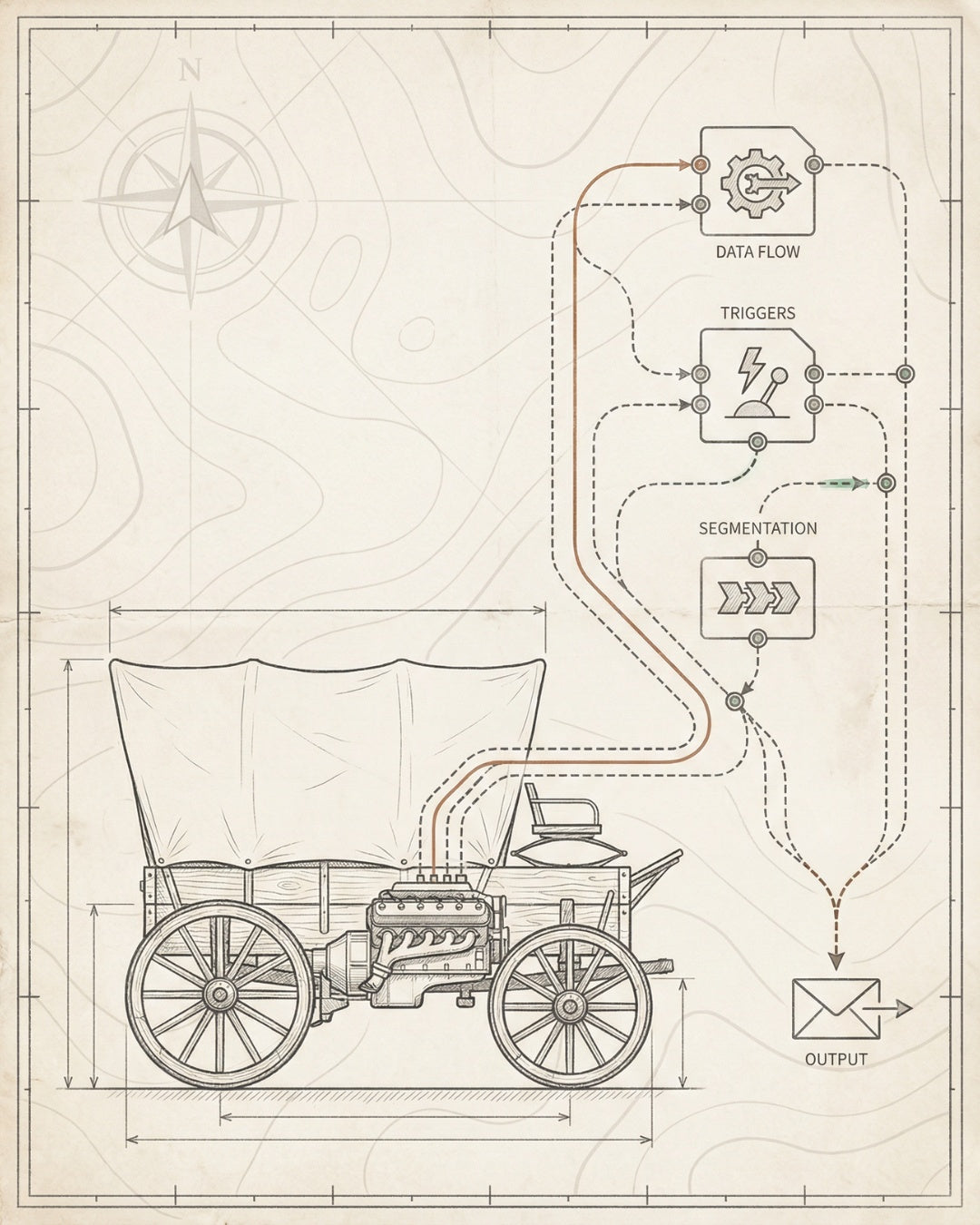
A systems-first ecommerce SEO site audit is different. It’s a blueprint. It treats your Shopify store as infrastructure—crawlability feeds indexability, indexability enables rankability, rankability drives convertibility. Each layer is a dependency, not a task. You don’t fix 183 issues. You install four systems.
This is the audit methodology we use at Founding Engine for Shopify founders launching to $5M. It’s built on the Compound Visibility Stack: Website × Content × Technical × Distribution. And it delivers prioritized, executable sprints—not spreadsheets.
What Makes an Ecommerce SEO Site Audit Different
Ecommerce SEO is not blog SEO. Your site architecture is dynamic. Product pages proliferate. Filters create infinite URL variations. Inventory changes daily. Shopify’s liquid templating system introduces technical constraints that WordPress audits don’t account for.
A proper ecommerce SEO site audit must address:
- Product-scale indexation: How do you manage 10,000 SKUs without wasting crawl budget on out-of-stock variants?
- Faceted navigation: How do you prevent filter combinations from creating duplicate content nightmares?
- Shopify app bloat: How many third-party scripts are tanking your Core Web Vitals?
- Conversion tracking infrastructure: Is your GA4 setup actually measuring SEO-attributed revenue?
- Schema markup for products: Are you using Product schema correctly, or just hoping Google figures it out?
Most agencies run the same audit template for every site. They check for broken links, missing alt tags, and slow load times. That’s table stakes. What founders need is an audit that maps to business outcomes—not just technical hygiene.
The Diagnostic vs. Architectural Distinction:
A diagnostic audit tells you your site has 42 redirect chains. An architectural audit tells you those chains exist because your collection structure doesn’t match your keyword taxonomy, and fixing that unlocks 3X more organic landing pages. One is a symptom. The other is a system.
When you’re evaluating an ecommerce SEO expert or considering whether to run your own audit, ask this: Does this audit tell me what to build, or just what’s broken?

The 4-Layer SEO Foundation Framework
Every ecommerce SEO site audit we run at Founding Engine follows the same sequential architecture. We call it the 4-Layer SEO Foundation: Crawlability → Indexability → Rankability → Convertibility.
This isn’t a checklist. It’s a dependency tree. You can’t rank content that isn’t indexed. You can’t index pages that can’t be crawled. You can’t convert traffic you haven’t earned. Each layer is a prerequisite for the next.
Layer 1: Crawlability
Can search engines access and navigate your site architecture efficiently?
What we audit:
- robots.txt configuration and crawl directives
- XML sitemap structure and submission status
- Internal linking topology and orphaned pages
- Site architecture depth (are products buried 5+ clicks from homepage?)
- Crawl budget waste (pagination, filters, duplicate URLs)
- Server response codes and redirect chains
Shopify’s default robots.txt blocks important paths. Your theme might generate hundreds of paginated collection pages that waste crawl budget. If Google can’t efficiently crawl your store, nothing else matters.
Layer 2: Indexability
Are the right pages being indexed, and are duplicate/low-value pages excluded?
What we audit:
- Canonical tag implementation across products, collections, and blog posts
- Meta robots directives (noindex, nofollow usage)
- Duplicate content patterns (variant pages, filter URLs, /pages/ vs. /blogs/)
- Indexation status in Google Search Console (submitted vs. indexed)
- Thin content and doorway pages that dilute authority
We’ve seen Shopify stores with 80% of their pages flagged as “Discovered - currently not indexed” in Search Console. That’s not a Google penalty. That’s an architecture problem. Your site is telling Google it has 10,000 pages, but only 2,000 are worth indexing.
Layer 3: Rankability
Is your content mapped to search intent, optimized for target keywords, and structured to compete?
What we audit:
- Keyword mapping across product pages, collections, and content
- Title tag and meta description optimization
- Content depth and information gain per page
- Internal linking strategy and anchor text distribution
- Keyword cannibalization (multiple pages competing for the same query)
- Competitor content gap analysis
This is where most ecommerce stores fail. They have great products, clean technical SEO, and zero keyword strategy. Product titles are brand-speak, not search-optimized. Collections are named for internal logic, not user queries. There’s no content layer addressing top-of-funnel search intent.
Layer 4: Convertibility
Are you measuring SEO performance correctly, and is organic traffic converting?
What we audit:
- Google Analytics 4 configuration and ecommerce tracking
- Conversion tracking for organic traffic segments
- Core Web Vitals and page experience metrics
- Mobile usability and responsive design issues
- CTA placement and conversion funnel optimization
- Attribution modeling for multi-touch SEO journeys
SEO without conversion tracking is theater. You need to know which landing pages drive revenue, which keywords convert at 8% vs. 0.3%, and whether your organic traffic has a higher LTV than paid. This layer connects SEO to business outcomes—not just vanity metrics.
For more on how these layers integrate with overall ecommerce strategy, see our guide on ecommerce website SEO packages and how we structure 30-day sprints around this framework.
Technical Audit Components for Shopify Stores
Shopify is a closed platform. You don’t have server-level access. You can’t edit .htaccess files. Your theme controls most of your technical SEO, and if it’s poorly built, you’re limited in what you can fix without custom development.
Here’s what a Shopify-specific technical audit must include:
Robots.txt and Crawl Directives
Shopify’s default robots.txt blocks /admin, /cart, /checkout, and other non-public paths. But it also sometimes blocks important paths like /collections/ or /search. Check your robots.txt file at yourdomain.com/robots.txt and verify:
- Are important pages accidentally disallowed?
- Is your sitemap.xml referenced correctly?
- Are you blocking low-value paths like /account and /policies to preserve crawl budget?
Core Web Vitals and Performance
Shopify themes are notoriously bloated. Between app scripts, unoptimized images, and render-blocking JavaScript, many stores fail Core Web Vitals thresholds. Audit:
- Largest Contentful Paint (LCP): Should be under 2.5s. Check image optimization and lazy loading.
- First Input Delay (FID) / Interaction to Next Paint (INP): Minimize JavaScript execution time. Remove unused apps.
- Cumulative Layout Shift (CLS): Ensure images and embeds have explicit width/height attributes.
Use Google PageSpeed Insights and Search Console’s Core Web Vitals report to identify problem pages. Then prioritize fixes by traffic volume—optimize your top 20% of landing pages first.
Structured Data and Schema Markup
Shopify auto-generates basic Product schema, but it’s often incomplete. A proper ecommerce SEO site audit checks:
- Is Product schema present on all product pages with price, availability, and review markup?
- Are you using BreadcrumbList schema for navigation?
- Do you have Organization and LocalBusiness schema (if applicable)?
- Are reviews marked up with AggregateRating schema?
- Is your schema valid per Google’s Rich Results Test?
Schema isn’t just for rich snippets. It’s how AI search engines and LLMs parse your content. If your product data isn’t structured, you’re invisible to the next generation of search.
URL Structure and Canonicalization
Shopify creates duplicate content by default. Product pages are accessible via multiple URLs:
- /products/product-name
- /collections/collection-name/products/product-name
- /collections/another-collection/products/product-name
Without proper canonical tags, Google sees these as separate pages. Audit your canonical implementation and ensure all product variants point to a single canonical URL. Check Search Console for “Duplicate without user-selected canonical” errors.
Mobile Usability
Over 70% of ecommerce traffic is mobile. Google uses mobile-first indexing. If your Shopify theme isn’t mobile-optimized, you’re losing rankings and conversions. Check:
- Are tap targets appropriately sized?
- Is text readable without zooming?
- Are CTAs accessible on mobile viewports?
- Does your site pass Google’s Mobile-Friendly Test?
For conversion-focused technical optimization, our Denver conversion rate optimization guide covers mobile UX auditing in depth.
Content Architecture Audit
Technical SEO gets you crawled and indexed. Content architecture gets you ranked and clicked. This is where most ecommerce SEO site audits fall short—they check for keyword stuffing and meta descriptions, but they don’t evaluate content as infrastructure.
Internal Linking Topology
Your internal linking structure determines how authority flows through your site. A good content architecture audit maps:
- Which pages have the most internal links pointing to them?
- Are high-value product pages buried 5+ clicks from the homepage?
- Are you using contextual anchor text, or generic “click here” links?
- Do you have orphaned pages with zero internal links?
Use Screaming Frog or Ahrefs to crawl your site and visualize link depth. Your best-selling products should be 1-2 clicks from the homepage. Your blog content should link to relevant product pages with commercial anchor text.
Keyword Cannibalization Detection
Keyword cannibalization happens when multiple pages target the same query. Google doesn’t know which page to rank, so it ranks none of them well. Common patterns in ecommerce:
- Product page and collection page both targeting “organic cotton t-shirts”
- Blog post and product page competing for “best running shoes for flat feet”
- Multiple collection pages with overlapping keyword themes
To detect cannibalization, export your Search Console performance data and filter for queries where 2+ pages are ranking. Then decide: consolidate, differentiate, or redirect.
Content Gap Analysis
Most Shopify stores have product pages and maybe a blog. They’re missing the middle layer: category content, buying guides, comparison pages, and FAQ hubs. These pages capture top-of-funnel traffic and build topical authority.
A content gap audit identifies:
- High-volume keywords your competitors rank for that you don’t
- Informational queries related to your products with no corresponding content
- Comparison and “best of” queries where you could build landing pages
Use tools like Ahrefs Content Gap or Semrush Keyword Gap to compare your keyword coverage against 3-5 competitors. Prioritize gaps where search volume is high and your domain authority is competitive.
Example Content Gap: A Shopify store selling hiking boots ranks for product-specific queries like “Merrell Moab 3 review” but has zero visibility for “best hiking boots for wide feet” or “how to break in hiking boots.” Building those guides creates new entry points and positions the brand as an authority, not just a retailer.
AI Discovery & LLM Visibility Audit
Traditional SEO optimizes for Google’s crawler and ranking algorithm. But search is evolving. ChatGPT, Perplexity, Google’s AI Overviews, and other LLM-powered tools are becoming primary discovery channels. If your ecommerce SEO site audit doesn’t assess AI readability, you’re optimizing for yesterday’s search.
AI Discovery auditing focuses on three areas:
Structured Data Beyond Traditional Schema
LLMs parse structured data to understand entities, relationships, and context. Beyond basic Product schema, audit for:
- Entity markup: Are your brand, products, and categories clearly defined as entities?
- FAQ schema: Even though Google removed FAQ rich results for most sites, LLMs still use FAQ markup to extract answers.
- HowTo schema: For guides and tutorials, HowTo schema helps AI engines parse step-by-step instructions.
- Review and rating schema: AggregateRating data influences LLM recommendations.
Natural Language Content Optimization
LLMs don’t parse keyword density. They parse meaning, context, and answer completeness. Audit your content for:
- Does each page answer a specific question or solve a specific problem?
- Is the content written in natural, conversational language?
- Are definitions, explanations, and context provided for technical terms?
- Is the content structured with clear headings and logical flow?
AI engines prioritize content that can be extracted and summarized. If your product descriptions are just bullet points and specs, there’s nothing for an LLM to recommend. Add context, use cases, and comparisons.
Citation and Source Authority
LLMs are trained to cite sources. If your content is referenced by authoritative sites, linked to from high-trust domains, or cited in industry publications, it’s more likely to be surfaced in AI-generated answers. Audit:
- Do you have backlinks from authoritative industry sources?
- Are your product pages and guides cited or referenced elsewhere?
- Do you publish original research, data, or insights that others might cite?
This is the frontier of ecommerce SEO. Most founders aren’t thinking about LLM visibility yet. That’s the opportunity. Build AI-readable infrastructure now, and you’ll own discovery channels your competitors don’t even know exist.

The Audit-to-Throttle Implementation Pipeline
An ecommerce SEO site audit is worthless if it doesn’t ship. The problem with most audits: they deliver 200 issues with no prioritization framework. Founders stare at the spreadsheet, get overwhelmed, and do nothing.
The Audit-to-Throttle Pipeline is our prioritization and execution methodology. It’s built for lean teams who need to ship fast, measure impact, and iterate. Here’s how it works:
Step 1: Triage by Impact and Effort
Every issue identified in the audit gets scored on two axes:
Impact Effort Priority
High Low Ship Week 1
High High Ship Week 2-3
Low Low Ship Week 4
Low High Backlog
High Impact / Low Effort issues are your foundation fixes. Examples: fixing broken canonical tags, submitting an XML sitemap, removing noindex from important pages. These ship in week one.
High Impact / High Effort issues are your content and architecture builds. Examples: creating 20 new category landing pages, restructuring internal linking, implementing comprehensive schema markup. These ship in weeks two and three.
Step 2: Build in Sequential Layers
You can’t optimize for rankability if your indexability is broken. The pipeline enforces sequential execution:
- Week 1: Fix crawlability and indexability blockers
- Week 2: Build content architecture and keyword mapping
- Week 3: Implement schema, optimize existing content, build internal links
- Week 4: Set up tracking, measure baseline, document systems
This isn’t arbitrary. It’s dependency-driven. You’re building infrastructure that compounds. Each week’s work amplifies the next.
Step 3: Measure Velocity, Not Volume
Most agencies measure deliverables: “We fixed 87 issues this month.” That’s theater. What matters is ranking velocity—how fast are you gaining visibility?
Track these metrics weekly:
- Total indexed pages (Search Console)
- Average ranking position for target keywords
- Organic impressions and clicks (Search Console)
- Pages ranking in positions 1-10, 11-20, 21-50
If you’re not seeing ranking movement within 2-3 weeks, the audit missed something or the prioritization is wrong. Adjust and iterate.
Step 4: Throttle for Scale
Once foundation is installed and you’re seeing ranking velocity, you throttle—scale what’s working. This means:
- Building more content in high-performing topic clusters
- Expanding internal linking to new product pages
- Replicating schema patterns across the entire catalog
- Launching new collections based on keyword gap analysis
Throttle isn’t “do more SEO.” It’s “systematically replicate what’s already compounding.” That’s how you go from $500K to $5M without hiring an agency on retainer.
This is the methodology behind our 30-day SEO sprint packages. No retainers. No bloated contracts. Just foundation, velocity, and throttle.
How to Run Your Own Ecommerce SEO Site Audit
If you’re a technical founder or have an in-house marketer, you can run a foundational ecommerce SEO site audit yourself. Here’s the step-by-step implementation guide:
Tools You’ll Need
- Google Search Console: Free. Essential for indexation, crawl errors, and performance data.
- Google Analytics 4: Free. Required for conversion tracking and traffic analysis.
- Screaming Frog SEO Spider: Free up to 500 URLs, or $259/year for unlimited. Best for technical crawling.
- Google PageSpeed Insights: Free. For Core Web Vitals analysis.
- Rich Results Test: Free. For schema validation.
- Ahrefs or Semrush: Paid ($99-$199/month). For backlink analysis, keyword research, and competitor comparison.
Step 1: Audit Crawlability
- Check your robots.txt file at yourdomain.com/robots.txt. Ensure important paths aren’t blocked.
- Verify your sitemap.xml is submitted in Search Console and contains all important pages.
- Run a Screaming Frog crawl. Look for orphaned pages, redirect chains, and 404 errors.
- Check site architecture depth. Are products accessible within 3 clicks from the homepage?
Step 2: Audit Indexability
- In Search Console, navigate to Coverage report. Identify “Excluded” pages and determine if they should be indexed.
- Check for “Duplicate without user-selected canonical” errors. Fix canonical tags on product and collection pages.
- Review meta robots tags. Ensure you’re not accidentally noindexing important pages.
- Compare submitted URLs vs. indexed URLs. If there’s a large gap, investigate why Google isn’t indexing.
Step 3: Audit Rankability
- Export Search Console performance data. Identify which queries drive traffic and which pages rank.
- Map your top 20 product pages and collections to target keywords. Are they optimized for those terms?
- Check for keyword cannibalization. Look for queries where multiple pages are ranking.
- Run a content gap analysis using Ahrefs or Semrush. Identify high-volume keywords you’re not ranking for.
Step 4: Audit Convertibility
- Verify GA4 ecommerce tracking is configured correctly. Check that purchase events are firing.
- Run a Core Web Vitals report in Search Console. Identify pages failing LCP, FID/INP, or CLS thresholds.
- Test mobile usability with Google’s Mobile-Friendly Test.
- Review conversion rates by landing page. Identify high-traffic, low-conversion pages for optimization.
Step 5: Audit AI Discovery
- Use Google’s Rich Results Test to validate schema markup on product pages.
- Check for missing schema types: Product, BreadcrumbList, Organization, AggregateRating.
- Review content for natural language optimization. Is it written for humans or keyword bots?
- Assess entity clarity. Are your brand, products, and categories clearly defined and linked?
Step 6: Document and Prioritize
- Create a prioritization matrix using the Impact/Effort framework above.
- Build a 4-week sprint plan. Assign issues to weeks 1-4 based on priority.
- Document your baseline metrics: indexed pages, average position, organic traffic, conversion rate.
- Set a review cadence. Check ranking velocity weekly. Adjust prioritization if you’re not seeing movement.
Founder Reality Check: Running your own audit takes 10-15 hours if you know what you’re doing. If you don’t, it takes 40+ hours and you’ll miss Shopify-specific issues. The question isn’t “Can I do this?” It’s “Is this the highest-value use of my time?” If you’re pre-$1M, maybe. If you’re scaling past $1M, probably not.

Frequently Asked Questions
How long does an ecommerce SEO site audit take? +
A comprehensive ecommerce SEO site audit takes 3-5 days for a professional to complete, depending on site size and complexity. For a Shopify store with 500-2,000 products, expect 15-20 hours of analysis covering technical crawlability, indexation, content architecture, and conversion tracking. DIY audits take longer—budget 10-15 hours if you’re experienced, 40+ hours if you’re learning as you go.
What’s the difference between a technical SEO audit and an ecommerce SEO site audit? +
A technical SEO audit focuses on crawlability, indexability, and site performance—robots.txt, sitemaps, canonicals, Core Web Vitals. An ecommerce SEO site audit includes all of that plus product-specific elements: schema markup for products, faceted navigation issues, conversion tracking, keyword mapping across product catalogs, and content architecture for category pages. Ecommerce audits also assess business outcomes, not just technical hygiene.
How much does an ecommerce SEO site audit cost? +
Professional ecommerce SEO site audits range from $1,000 to $5,000+ depending on scope and site complexity. At Founding Engine, our Launch SEO package ($1,000) includes a foundational audit and 30-day implementation sprint. Larger agencies charge $3,000-$10,000 for audit-only deliverables with no execution. The real cost isn’t the audit—it’s the opportunity cost of not fixing what’s broken.
Can I use the same SEO audit template for Shopify and WordPress? +
No. Shopify and WordPress have different technical constraints. Shopify is a closed platform with limited server access, theme-controlled technical SEO, and platform-specific issues like app bloat and liquid templating. WordPress gives you full control over .htaccess, server configuration, and plugin-based optimization. An effective ecommerce SEO site audit must account for platform-specific limitations and opportunities.
How often should I run an ecommerce SEO site audit? +
Run a full ecommerce SEO site audit every 6-12 months, or whenever you make significant changes to your site (theme updates, major product launches, site migrations). Between full audits, conduct quarterly health checks focusing on indexation status, Core Web Vitals, and ranking velocity. If you’re actively scaling (adding hundreds of products or launching new categories), audit more frequently to catch issues before they compound.
What tools do I need to run a Shopify SEO audit? +
Essential tools: Google Search Console (free), Google Analytics 4 (free), Screaming Frog SEO Spider (free up to 500 URLs), Google PageSpeed Insights (free), and Rich Results Test (free). Optional but recommended: Ahrefs or Semrush ($99-$199/month) for keyword research, backlink analysis, and competitor comparison. For Shopify-specific issues, use Shopify’s built-in SEO features and apps like SEO Manager or Plug in SEO for quick diagnostics.
What’s the most common issue found in ecommerce SEO site audits? +
The most common issue is poor indexation management—specifically, too many low-value pages being indexed (variants, filters, pagination) and too few high-value pages (product pages, collections, content) being crawled efficiently. This wastes crawl budget and dilutes authority. The fix: proper canonical implementation, strategic use of noindex, and sitemap optimization to guide Google toward your best pages.
How do I know if my ecommerce SEO site audit is working? +
Track ranking velocity, not just rankings. Within 2-3 weeks of implementing audit fixes, you should see: increased indexed pages in Search Console, improved average position for target keywords, and higher organic impressions. Within 4-8 weeks, you should see measurable traffic growth to optimized landing pages. If you’re not seeing movement, either the audit missed critical issues or the prioritization was wrong. Adjust and iterate.
Foundation First. Built to Scale.
Stop auditing. Start building. Founding Engine delivers ecommerce SEO site audits as systems—not spreadsheets. 4-Layer SEO Foundation. Audit-to-Throttle Pipeline. 30-day sprints. No retainers.
View SEO Packages Shopify SEO + Design Email Marketing Systems
What You Just Built
This isn’t a blog post. It’s a blueprint. You now understand the difference between diagnostic audits and architectural audits. You know the 4-Layer SEO Foundation: Crawlability → Indexability → Rankability → Convertibility. You have a prioritization framework (Audit-to-Throttle Pipeline) and a step-by-step implementation guide.
Most ecommerce SEO site audits deliver a list of problems. This one delivered a system. The question now is execution. Do you have the time, tools, and technical depth to ship this yourself? Or do you need a builder who’s already installed this foundation for dozens of Shopify stores?
If you’re a founder launching to $5M and you want SEO infrastructure that compounds—not consulting that bills hours—we built Founding Engine for you. No retainers. No bloated contracts. Just 30-day sprints that install systems, measure velocity, and throttle what’s working.
Foundation first. Built to scale. That’s the methodology. That’s the audit. That’s how you build compound visibility in a market where everyone else is still chasing keywords.
For more on building ecommerce systems that survive scale, explore our guides on ecommerce SEO best practices and how we structure SEO packages for founders who need execution, not education.
Matt Hyder
SEO infrastructure and AI search optimization at Founding Engine.
Want SEO that actually holds?
Get a free infrastructure audit from the Founding Engine team.
Get Your Free Audit