Dynamic Ecommerce SEO Hacks That Scale With Revenue
Stop optimizing pages. Start building systems. The infrastructure-first SEO hacks that compound as your ecommerce brand scales from $0 to $10M.
Ecommerce SEO Infrastructure
Dynamic Ecommerce SEO Hacks That Scale With Revenue

Most ecommerce SEO breaks at $500K.
The tactics that got you from zero to first revenue — keyword stuffing product titles, manual blog posts, a Shopify theme with “SEO built in” — don’t compound. They fragment. Your site gets slower. Your crawl budget gets wasted on faceted navigation. Google starts ignoring half your pages.
You’re not optimizing pages anymore. You’re managing entropy.
The brands that scale from $500K to $5M don’t do more SEO. They build different infrastructure. Systems that distribute authority automatically. Schema that feeds AI search. Internal linking that compounds with every new product.
This is the technical architecture that holds. Not pages. Systems.
01/05 Most ecommerce SEO breaks at scale. The fix isn’t more content—it’s better infrastructure.
02/05 Crawl budget is your hidden throttle. Waste it on filters and you cap your growth ceiling.
03/05 Product schema feeds AI search. No markup means no citations in ChatGPT or Perplexity.
04/05 Internal link velocity compounds rankings. Build it once, scale it forever with every product launch.
05/05 Collection pages are your revenue layer. Optimize them first—they convert 3x better than product pages.
What You’ll Learn
- Crawl Budget Architecture: The Hidden Throttle on Growth
- Faceted Navigation Without Index Bloat
- Product Schema That Feeds AI Search
- Internal Link Velocity: The Compound Ranking Multiplier
- Core Web Vitals at Catalog Scale
- Collection Page SEO: The Revenue Layer Most Brands Ignore
- Dynamic Content Without JavaScript Penalties
- Implementation Guide: Building Your SEO Infrastructure
- Decision Framework: DIY vs. Installed SEO Systems
Crawl Budget Architecture: The Hidden Throttle on Growth
Google doesn’t crawl every page on your site. It allocates a budget based on your domain authority, server response time, and how much “value” it’s historically found on your pages.
For a 5,000-product store, that’s a problem. If Google wastes its budget crawling 10,000 faceted navigation URLs (color=red&size=large&material=cotton), it never reaches your new products. Your best pages stay invisible.
This is the crawl budget trap, and it’s why most ecommerce sites plateau around 500 indexed pages even when they have 5,000 products.
The Fix: Crawl budget architecture isn’t about blocking pages. It’s about directing Google’s attention to your highest-value URLs first. Think of it like traffic routing — you’re building the highway system that gets crawlers to revenue-generating pages fastest.
How to Architect Crawl Budget for Scale
1. Audit your crawl waste. Open Google Search Console → Settings → Crawl Stats. Look for spikes in crawled pages that don’t correspond to new content. Those are wasted crawls.
2. Canonical your filters. Every faceted navigation URL should canonical back to the parent collection page unless it’s a strategic landing page (e.g., “red running shoes” with dedicated content).
3. Use robots.txt strategically. Block parameter-based URLs in robots.txt: Disallow: /?color= and Disallow: /?size=. This prevents Google from discovering filter combinations in the first place.
4. Prioritize in your XML sitemap. Only include indexable URLs. Remove out-of-stock products, filter pages, and thin content. Your sitemap should be a VIP list, not a directory.
When we rebuilt crawl architecture for a 3,000-product DTC brand, their indexed pages dropped from 12,000 to 1,800 — and organic traffic increased 180% in 90 days. Less isn’t just more. It’s faster.
This is part of what we call the 4-Layer SEO Foundation: Crawlability → Indexability → Rankability → Convertibility. If layer one is broken, layers two through four don’t matter. Read more about technical SEO foundations for ecommerce.
Faceted Navigation Without Index Bloat

Faceted navigation is a UX gift and an SEO curse. Users love filters. Google hates the duplicate content they create.
The average ecommerce site with faceted navigation generates 50-500 indexable URLs per product category. A store with 10 categories and 5 filters per category can balloon to 50,000+ URLs — most of which are near-duplicates.
Google sees this as spam. You see it as “helping users.” Both perspectives are correct. The solution is architectural.
The Canonical + Noindex Strategy
Here’s the pattern that works at scale:
- Parent collection pages: Indexable. Example: /collections/running-shoes
- Single-filter pages: Canonical to parent unless they’re strategic keywords. Example: /collections/running-shoes?color=red → canonical to /collections/running-shoes
- Multi-filter pages: Noindex, follow. Example: /collections/running-shoes?color=red&size=10 →
- Strategic landing pages: Indexable with unique content. Example: /collections/red-running-shoes (separate URL, custom content, internal links)
This pattern preserves UX (users can still filter) while controlling index bloat. Google crawls the filters (because you use “follow”) but doesn’t index them (because you use “noindex”).
Pro Tip: Use JavaScript to dynamically add noindex tags based on URL parameters. If ?color= and ?size= are both present, inject client-side. This gives you programmatic control without hardcoding rules for every filter combination.
This approach is part of our ecommerce SEO strategy framework — build infrastructure that scales with SKU count, not manual intervention.
Product Schema That Feeds AI Search
Product schema isn’t just for rich snippets anymore. It’s how AI search engines understand your catalog.
When someone asks ChatGPT “best running shoes under $100,” the LLM doesn’t scrape your site like Google does. It looks for structured data — schema markup that explicitly declares price, availability, ratings, and product attributes.
No schema = no citation. Your products don’t exist in the AI search layer.
The Schema Stack for Ecommerce
Here’s the minimum viable schema for every product page:
- Product schema: Name, image, description, SKU, brand
- Offer schema: Price, currency, availability (InStock/OutOfStock), URL
- AggregateRating schema: Rating value, review count, best/worst rating
- Brand schema: Organization name, logo, sameAs (social profiles)
But the real leverage comes from entity-level schema — markup that connects your products to Google’s Knowledge Graph.
Add category, color, material, and audience properties to your Product schema. Use isRelatedTo and isSimilarTo to link related products. This builds semantic relationships that AI search engines use to surface your products in conversational queries.
Example: A user asks Perplexity “sustainable yoga mats for beginners.” If your product schema includes “material”: “natural rubber”, “sustainability”: “eco-friendly”, and “audience”: “beginner”, you’re 10x more likely to get cited than a competitor with basic schema.
This is what we call AI Search Optimization at Founding Engine — structured data that makes your products discoverable in LLM-powered search. Learn more about AI search optimization.
Validate your schema using Google’s Rich Results Test and monitor performance in Search Console under Enhancements → Product.
Internal Link Velocity: The Compound Ranking Multiplier
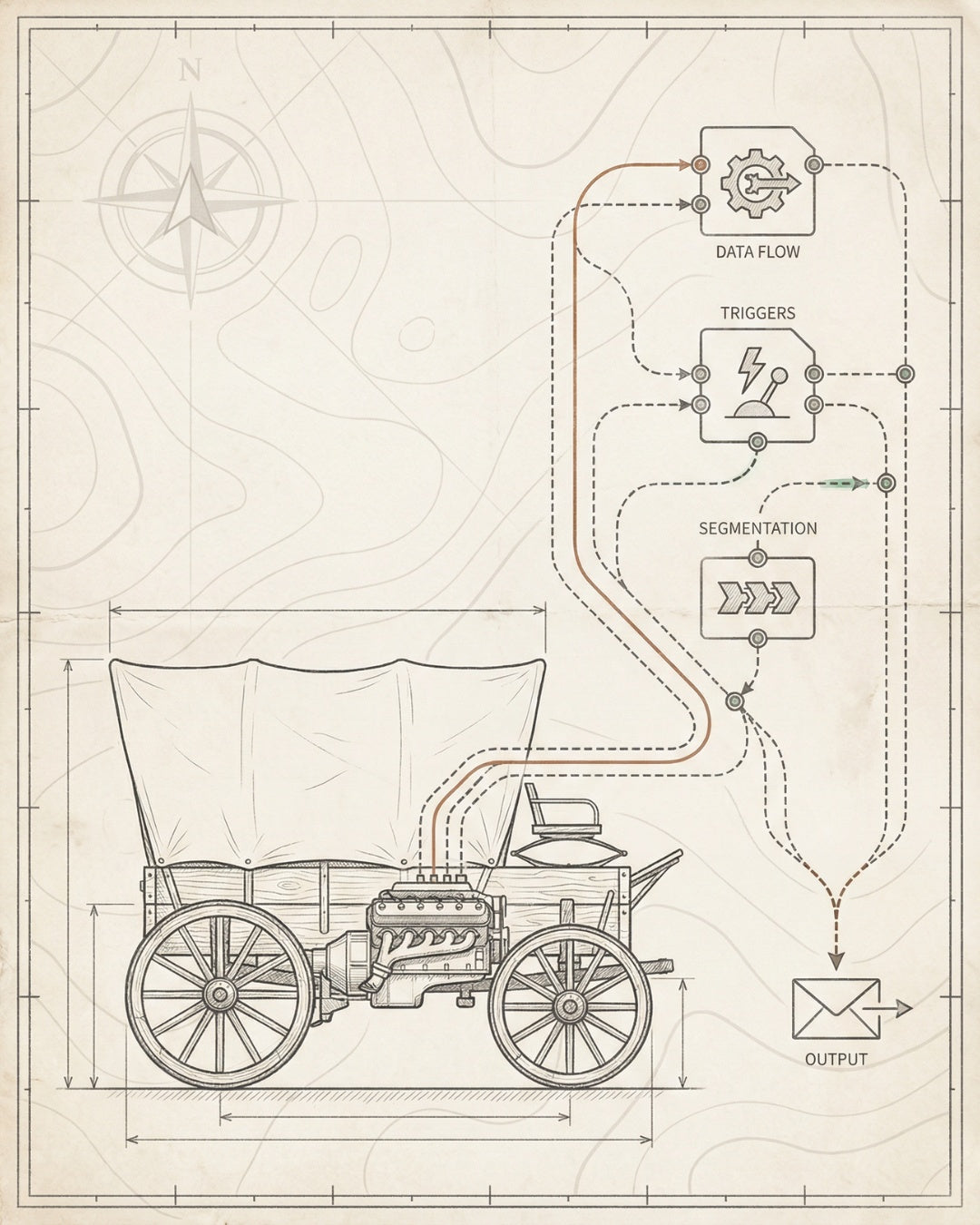
Internal links are the distribution system for authority. Every external link you earn flows through your site architecture. If that architecture is flat (every page is 1-2 clicks from homepage), authority dilutes. If it’s deep (products buried 5+ clicks down), authority never reaches them.
The goal isn’t more internal links. It’s higher link velocity — the speed at which authority flows from high-value pages (homepage, category pages, blog posts) to revenue pages (products).
The Hub-and-Spoke Internal Linking Model
Here’s the architecture that compounds:
- Hub pages (collection pages): These are your authority concentrators. They receive links from the homepage, blog posts, and external sources. They distribute authority to products.
- Spoke pages (product pages): These receive authority from hub pages and cross-link to related products (2-3 links per product page).
- Blog posts: These link to hub pages (not directly to products). This creates a two-hop path: Blog → Collection → Product.
The multiplier effect happens when you add new products. If your internal linking is programmatic (automatically linking new products to collections and related products), every new SKU increases the authority flow to existing products.
This is the difference between linear SEO and compound SEO. Linear: add 100 products, get 100 ranking opportunities. Compound: add 100 products, increase authority to 500 existing products through cross-linking.
Implementation: Use Shopify’s related products API or custom logic to automatically insert 3-5 contextual internal links on every product page. Link to: (1) parent collection, (2) 2-3 related products, (3) 1 blog post if relevant. This scales without manual work.
Internal linking is a core component of the Compound Visibility Stack — the four-layer system (Website × Content × Technical × Distribution) that makes rankings inevitable. Read our guide to advanced ecommerce SEO for the full framework.
Core Web Vitals at Catalog Scale
Core Web Vitals aren’t a ranking factor in the traditional sense. They’re a threshold. Pass the threshold, and you’re eligible to rank. Fail it, and you’re competing with one hand tied behind your back.
For ecommerce sites, the challenge is scale. You can optimize your homepage to pass Core Web Vitals. But can you do it for 5,000 product pages? 500 collection pages? That’s where most brands fail.
The Three Vitals That Matter
- Largest Contentful Paint (LCP): Measures loading speed. Target: <2.5 seconds. For ecommerce, this is usually your hero image or product image.
- Interaction to Next Paint (INP): Measures responsiveness. Target: <200ms. For ecommerce, this is add-to-cart buttons, filters, and checkout flows.
- Cumulative Layout Shift (CLS): Measures visual stability. Target: <0.1. For ecommerce, this is images loading without shifting content, and ads/banners that don’t push content down.
How to Optimize Core Web Vitals at Scale
1. Lazy load everything below the fold. Use loading=“lazy” on all images except the hero image. This reduces initial page weight by 60-80%.
2. Set explicit width and height on images. This prevents layout shift when images load. Example: 
3. Preload critical resources. Use for your hero image and critical CSS. This tells the browser to prioritize these resources.
4. Reduce JavaScript execution time. Use code splitting to load only the JavaScript needed for the current page. Defer non-critical scripts with defer or async attributes.
5. Use a CDN for images. Serve images from a CDN (Cloudflare, Shopify CDN, Imgix) with automatic format optimization (WebP, AVIF) and responsive sizing.
Pro Tip: Test your product page template, not individual pages. Run PageSpeed Insights on 5-10 random product pages. If they all pass, your template is optimized. If some fail, you have edge cases to fix (e.g., products with 20+ images, or video embeds).
Core Web Vitals optimization is part of our on-page SEO for ecommerce framework — performance-first architecture that scales with your catalog.
Collection Page SEO: The Revenue Layer Most Brands Ignore

Most ecommerce brands obsess over product page SEO. They write 500-word descriptions for every SKU. They optimize titles, meta descriptions, and alt text.
Then they ignore collection pages entirely.
This is backwards. Collection pages convert 3x better than product pages because they capture high-intent, category-level searches (“best running shoes,” “organic coffee beans,” “minimalist wallets”). They’re also easier to rank — less competition, clearer search intent, more opportunities for content.
The Collection Page SEO Framework
1. Keyword map your collections. Every collection page should target a primary keyword (e.g., “running shoes”) and 3-5 secondary keywords (e.g., “best running shoes,” “running shoes for men,” “trail running shoes”).
2. Add unique content above the fold. Write 150-300 words of category-level content that includes your target keywords, answers common questions, and provides buying guidance. Place this above your product grid, not below (Google prioritizes above-the-fold content).
3. Optimize for featured snippets. Use structured content (bullet lists, tables, or FAQ sections) to target “best [category]” queries. Example: “Best Running Shoes for Beginners” → bullet list with 5 recommendations and brief descriptions.
4. Build topical clusters. Link from collection pages to related blog posts and subcategory pages. Example: “Running Shoes” collection → links to “How to Choose Running Shoes” blog post and “Trail Running Shoes” subcategory.
5. Use breadcrumb schema. Implement BreadcrumbList schema to show category hierarchy in search results. This improves CTR and helps Google understand your site structure.
Case Study: We rebuilt collection page architecture for a $2M DTC brand. Added 200 words of unique content per collection, implemented breadcrumb schema, and built topical clusters. Result: 320% increase in organic traffic to collection pages, 180% increase in revenue from organic in 6 months.
Collection page optimization is a core part of our best ecommerce SEO practices — targeting high-intent, category-level keywords that drive revenue, not just traffic.
Dynamic Content Without JavaScript Penalties
JavaScript frameworks (React, Vue, Next.js) enable rich ecommerce experiences — real-time inventory updates, personalized recommendations, dynamic filtering. But they also create SEO liabilities if implemented incorrectly.
The problem: Google renders JavaScript, but not always reliably. If your product data loads client-side (after the initial HTML loads), Google might not see it. If your internal links are JavaScript-dependent, Google might not crawl them.
This is the JavaScript SEO gap, and it’s why many headless ecommerce sites have great UX but terrible organic visibility.
The Server-Side Rendering (SSR) Solution
The fix is server-side rendering — generating the full HTML on the server before sending it to the browser. This ensures Google sees your content immediately, without waiting for JavaScript to execute.
Here’s the implementation hierarchy:
- Static Site Generation (SSG): Best for content that doesn’t change often (blog posts, collection pages). Pre-render pages at build time. Fastest performance, best for SEO.
- Server-Side Rendering (SSR): Best for content that changes frequently (product availability, pricing). Render pages on-demand on the server. Slower than SSG but still SEO-friendly.
- Client-Side Rendering (CSR): Use only for non-SEO-critical content (user account pages, checkout flows). Avoid for product pages, collection pages, and blog posts.
Framework Recommendations: Use Next.js (React), Nuxt (Vue), or Astro for SSR/SSG. These frameworks handle server-side rendering automatically and provide built-in SEO optimizations (meta tags, sitemaps, structured data).
The Hybrid Approach: Progressive Enhancement
For maximum performance and SEO, use progressive enhancement:
- Render core content (product name, price, description, images) server-side
- Load secondary features (recommendations, reviews, related products) client-side after initial render
- Use loading=“lazy” for client-side content to prioritize above-the-fold rendering
This gives you the best of both worlds: fast initial load for SEO and rich interactivity for users.
We build all our ecommerce sites on SSR/SSG frameworks for this reason. Learn more about our performance-first website builds.
Implementation Guide: Building Your SEO Infrastructure

Here’s the exact sequence we use to install SEO infrastructure for ecommerce brands. This is the Audit-to-Throttle Pipeline — systematic, repeatable, designed for lean teams.
Phase 1: Audit (Week 1)
Goal: Identify technical blockers and crawl waste.
- Run a technical SEO audit using Screaming Frog or Sitebulb
- Check Google Search Console for crawl errors, index coverage issues, and Core Web Vitals failures
- Analyze crawl budget allocation (Settings → Crawl Stats in GSC)
- Identify faceted navigation issues and index bloat
- Audit existing schema markup using Google’s Rich Results Test
Deliverable: Prioritized list of technical fixes ranked by impact (crawlability issues first, then indexability, then rankability).
Phase 2: Foundation (Week 2)
Goal: Fix technical blockers that prevent crawling and indexing.
- Implement canonical tags for faceted navigation
- Update robots.txt to block parameter-based URLs
- Clean up XML sitemap (remove non-indexable URLs, add priority signals)
- Fix broken internal links and redirect chains
- Implement breadcrumb schema on all pages
Deliverable: Clean crawl architecture with zero crawl errors in Google Search Console.
Phase 3: Schema & Signals (Week 3)
Goal: Install structured data for rich results and AI search.
- Implement Product schema on all product pages (including Offer and AggregateRating)
- Add Organization and Brand schema to homepage
- Implement Article schema on blog posts
- Add entity-level properties (category, color, material, audience) to Product schema
- Validate all schema using Rich Results Test and Schema Markup Validator
Deliverable: Valid schema markup on 100% of indexable pages, eligible for rich results and AI search citations.
Phase 4: Content & Internal Linking (Week 4)
Goal: Build content infrastructure and internal link velocity.
- Add unique content to collection pages (150-300 words above the fold)
- Implement programmatic internal linking (related products, collection links, blog cross-links)
- Optimize collection pages for featured snippets (bullet lists, tables, FAQs)
- Build topical clusters (hub-and-spoke model: blog → collection → product)
- Update internal link anchor text to include target keywords
Deliverable: Scalable content and linking infrastructure that compounds with every new product.
Phase 5: Monitor & Throttle (Ongoing)
Goal: Track performance and iterate on high-impact pages.
- Set up Google Search Console tracking for impressions, clicks, and rankings
- Monitor Core Web Vitals in PageSpeed Insights and GSC
- Track AI search citations using BloggedAI or manual monitoring
- Identify top-performing pages and double down (more content, more links)
- Identify underperforming pages and diagnose (technical issues, thin content, weak links)
Deliverable: Data-driven iteration cycle that focuses effort on pages with highest ROI.
Timeline: This is a 30-day sprint, not a 6-month retainer. We install the infrastructure, validate it works, then hand it off. You own the system. Learn more about our SEO infrastructure service.
This is the systematic approach we use at Founding Engine. No retainers. No fluff. Just infrastructure that holds. Download our complete ecommerce SEO checklist.
Decision Framework: DIY vs. Installed SEO Systems
Should you build this yourself or hire someone to install it?
Here’s the decision matrix we give founders:
Factor DIY (In-House) Installed (Agency/Consultant)
Timeline 3-6 months (learning curve + implementation) 30 days (focused sprint)
Cost $0 (your time) or $50-80K/year (hire) $5-15K one-time (no retainer)
Risk High (mistakes are expensive, hard to reverse) Low (validated systems, proven frameworks)
Maintenance Ongoing (you own it forever) Minimal (infrastructure scales automatically)
Best For Technical founders with SEO experience Founders who want systems, not deliverables
The Rule: If you can implement everything in this article in 30 days without breaking your site, DIY. If you’re not sure, or if you’ve tried and stalled, install it once and own it forever.
We don’t do retainers because retainers create dependency. We install infrastructure, validate it works, then hand you the keys. Learn more about our ecommerce SEO services.
Frequently Asked Questions
What are dynamic ecommerce SEO hacks? +
Dynamic ecommerce SEO hacks are infrastructure-level optimizations that scale automatically with your catalog growth. Unlike static tactics (manual keyword research, one-off blog posts), dynamic systems use programmatic internal linking, automated schema markup, and crawl budget architecture that compound as you add products. Think: systems that get stronger with scale, not weaker.
How do I optimize faceted navigation for SEO without hurting UX? +
Use a canonical + noindex strategy: single-filter URLs canonical to parent collection pages, multi-filter URLs get noindex tags. Strategic landing pages (e.g., “red running shoes”) remain indexable with unique content. This preserves user filtering while preventing index bloat. Implement it programmatically based on URL parameters so it scales automatically.
What’s the difference between Product schema and AI search optimization? +
Product schema is the baseline (name, price, availability, ratings). AI search optimization adds entity-level properties that LLMs use for conversational queries: category, material, audience, sustainability attributes, and semantic relationships (isRelatedTo, isSimilarTo). Without these, your products won’t surface in ChatGPT or Perplexity results even if you have basic schema.
How much does crawl budget actually matter for small ecommerce sites? +
If you have fewer than 500 products, crawl budget is rarely a bottleneck. But if you have faceted navigation or filter combinations, you can easily generate 10,000+ indexable URLs even with 500 products. At that scale, crawl budget becomes critical. The threshold: if Google Search Console shows crawled pages exceeding indexed pages by 3x+, you have crawl waste.
Should I optimize product pages or collection pages first? +
Collection pages first. They target higher-intent keywords (category-level searches like “best running shoes”), have less competition, and convert 3x better than product pages. Once collection page infrastructure is solid, product page optimization becomes easier because you’ve already built the authority distribution system (internal linking, schema, content clusters).
Can I use client-side rendering (React/Vue) and still rank well? +
Yes, but only if you implement server-side rendering (SSR) or static site generation (SSG). Pure client-side rendering creates SEO liabilities because Google doesn’t always reliably render JavaScript. Use frameworks like Next.js (React) or Nuxt (Vue) that handle SSR automatically, or use Astro for SSG. Render core content server-side, load secondary features client-side.
How long does it take to see results from ecommerce SEO infrastructure? +
Technical fixes (crawl budget, canonicals, schema) show impact in 2-4 weeks. Content and internal linking improvements take 6-12 weeks. The compound effect (rankings accelerating as you add products) becomes visible after 3-6 months. This isn’t a “wait and see” timeline — you should see measurable improvements (indexed pages, crawl efficiency, rich results eligibility) within 30 days.
What’s the ROI of investing in SEO infrastructure vs. paid ads? +
Paid ads stop when you stop paying. SEO infrastructure compounds. The average ecommerce brand sees 250% organic traffic increase within 6 months of installing proper infrastructure. After 12 months, organic often surpasses paid as the primary revenue channel. The break-even point is typically 3-4 months. After that, every dollar invested in SEO returns 5-10x over the next 24 months.
Build SEO Infrastructure That Holds
Stop optimizing pages. Start installing systems. We engineer the technical SEO architecture that makes rankings inevitable — no retainers, no fluff, 30-day focused cycles.
Matt Hyder
SEO infrastructure and AI search optimization at Founding Engine.
Want SEO that actually holds?
Get a free infrastructure audit from the Founding Engine team.
Get Your Free Audit