Ecommerce and SEO: Why Most Stores Build Backwards
Most ecommerce brands start with content and wonder why SEO doesn't work. Here's the infrastructure-first approach that makes rankings inevitable for online stores.
**
ECOMMERCE SEO SYSTEMS
Ecommerce and SEO: Why Most Stores Build Backwards

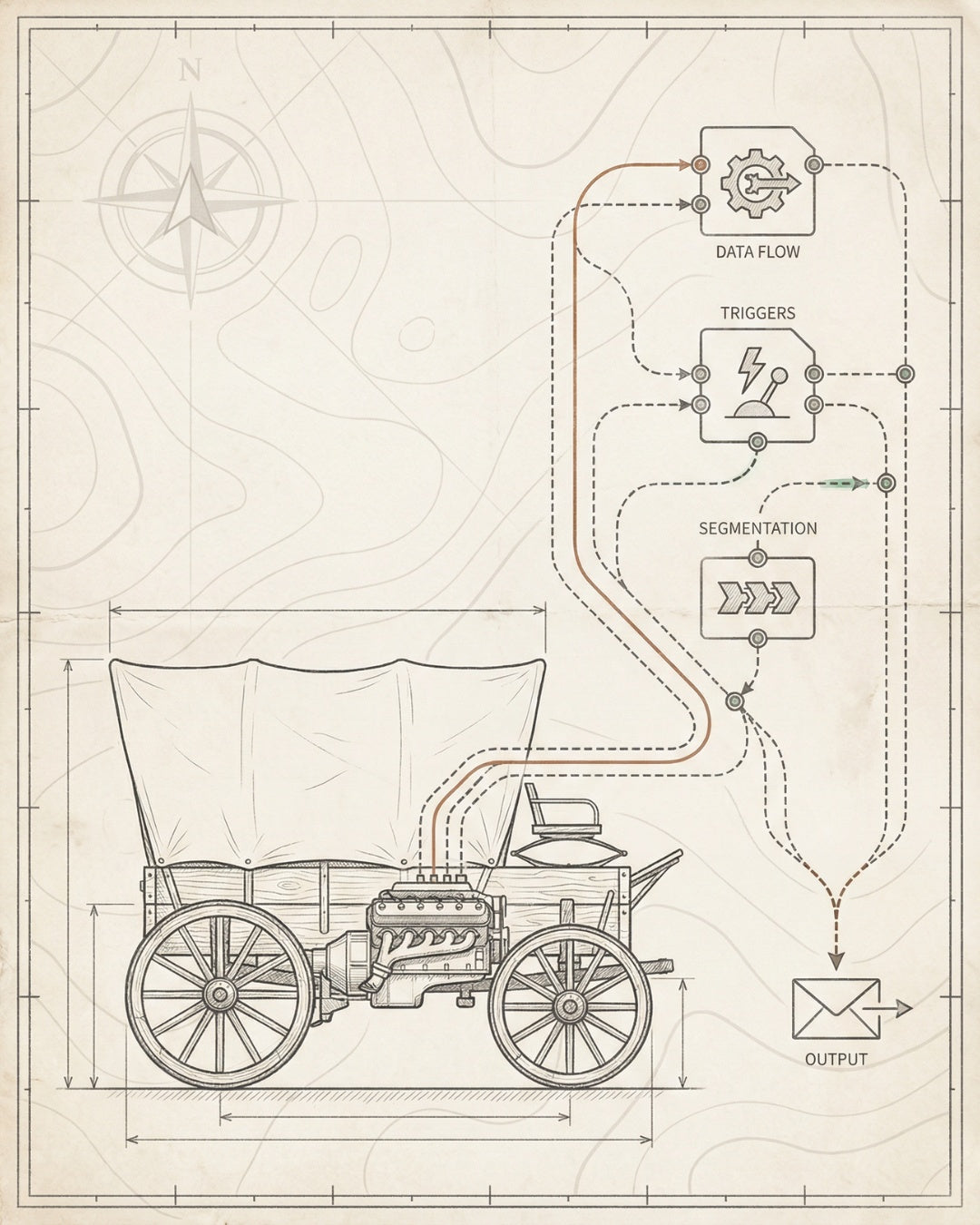
Here’s what kills most ecommerce SEO efforts:** Brands start with product descriptions and blog content, then wonder why they’re not ranking six months later. They’ve built the house before pouring the foundation.
The problem isn’t effort. It’s sequence. Most stores optimize in reverse — content first, technical infrastructure never. That approach doesn’t compound. It leaks.
If you’re running an ecommerce brand doing $0–$10M and your organic channel feels stuck, this is the rebuild sequence that unsticks it. Not more content. Not more backlinks. Infrastructure first, then throttle.
The Inversion Problem
Most stores optimize products before fixing crawlability. That’s like tuning an engine that isn’t connected to the wheels. Fix the foundation first.
4-Layer Foundation
Crawlability → Indexability → Rankability → Convertibility. Every layer builds on the last. Skip one, and the whole system underperforms.
Technical Architecture Compounds
Site structure, internal linking systems, and Core Web Vitals aren’t sexy. But they’re what make every piece of content you publish work harder over time.
AI Search Changes Everything
ChatGPT and Perplexity don’t crawl like Google. They need structured data, entity signals, and citation-ready content. Your store needs to speak their language.
30-Day Sprint Model
Replace open-ended retainers with focused build cycles. Audit, fix, build, install. Then measure. Ecommerce brands need infrastructure, not infinite consulting.
The Ecommerce SEO Inversion Problem
Most ecommerce brands approach SEO like this:
- Launch a Shopify store with a decent theme
- Write product descriptions with keywords
- Start a blog to “do content marketing”
- Maybe run a technical audit six months later when nothing’s ranking
This is the inversion problem. You’re optimizing the output layer before building the input infrastructure. It’s like hiring a sales team before you have a product that works.
Here’s what actually happens when you build backwards:
- Google can’t crawl your site efficiently because your URL structure is a mess, your internal linking is random, and your sitemap includes 10,000 filtered product variations
- Your product pages aren’t indexed because canonical tags are misconfigured, or you’ve accidentally blocked entire categories in robots.txt
- Your content doesn’t rank because there’s no topical authority structure — just isolated blog posts with no internal link equity flowing to product pages
- Your site is slow because you installed 15 Shopify apps that each add 400ms of JavaScript execution time
The result? You publish 50 blog posts and rank for nothing. You optimize 200 product pages and get traffic to 12 of them. You spend $5K on an SEO audit that generates a 47-page PDF you never implement.
The fix isn’t more content. It’s reversing the build sequence. Foundation first. Then content. Then distribution. That’s how you build an organic channel that compounds instead of leaks.
This is the insight behind our ecommerce SEO strategy framework — start with infrastructure, not tactics. Build the system that makes every tactic work better.
The 4-Layer Foundation Every Store Needs First

Before you touch a single product description or write a blog post, your store needs four foundational layers. Each one builds on the last. Skip a layer, and the whole system underperforms.
Layer 1: Crawlability
Can Google’s bots access and navigate your entire site efficiently?
Most ecommerce stores fail here because of:
- Bloated sitemaps — 50,000 URLs when you only have 500 real products (because every filter combination generates a new URL)
- Broken internal links — dead category pages, 404s on discontinued products, orphaned pages with zero inbound links
- Crawl budget waste — Google spends 80% of its crawl budget on low-value pages (filtered views, pagination, search results) instead of your money pages
- JavaScript rendering issues — critical content hidden behind client-side rendering that Googlebot can’t see without executing JavaScript
Fix crawlability first. Clean your sitemap. Implement strategic noindex tags on filtered views. Build a logical internal linking hierarchy. Make it easy for bots to find your best pages.
Layer 2: Indexability
Can Google index the pages you want to rank?
Crawlability gets bots to your pages. Indexability determines whether those pages actually make it into Google’s index. Common blockers:
- Canonical tag errors — product pages canonicalizing to category pages, or self-referencing canonicals pointing to the wrong URL
- Duplicate content — 12 product variations with identical descriptions, just different SKUs
- Thin content — product pages with 30 words and no unique value (Google won’t waste index space on these)
- Mobile usability issues — Google’s mobile-first index can’t properly render your pages on mobile
Run a technical SEO audit focused on indexation. Use Google Search Console’s Coverage report to find pages that should be indexed but aren’t. Fix the technical blockers before you optimize content.
Layer 3: Rankability
Can your indexed pages actually compete for rankings?
Now you’re in optimization territory. But rankability isn’t just about keywords in titles. It’s about:
- Page speed and Core Web Vitals — LCP under 2.5s, CLS under 0.1, INP under 200ms
- Schema markup — Product schema with price, availability, reviews, and aggregate ratings
- Topical authority — internal linking architecture that flows equity from high-authority pages to target pages
- Content depth — product pages that answer buyer questions, not just list specs
- Entity optimization — structured data that helps Google understand what your products are and how they relate to broader categories
This is where on-page SEO for ecommerce starts to matter. But only after layers 1 and 2 are solid.
Layer 4: Convertibility
Do your ranking pages actually convert traffic into revenue?
SEO without conversion optimization is just expensive traffic generation. Layer 4 connects SEO to revenue:
- Search intent alignment — ranking for “best running shoes” but your page is a category archive with no buying guidance
- Trust signals — reviews, testimonials, clear return policies, security badges
- Friction reduction — fast checkout, guest checkout enabled, mobile-optimized cart
- Attribution tracking — knowing which organic keywords drive revenue, not just traffic
This four-layer sequence is the foundation of our SEO infrastructure approach. Build it once, and every piece of content you create performs better.
Technical Architecture: The Unsexy Work That Compounds
Technical SEO for ecommerce isn’t about installing plugins. It’s about building systems that make every page on your site work harder over time.
Here’s what most stores get wrong, and what to build instead:
Site Structure: Hierarchy Over Flatness
Most ecommerce stores have flat site architecture — every product is two clicks from the homepage, with no logical hierarchy. This kills topical authority and wastes link equity.
Build a pyramid instead:
- Homepage → high-level category pages (e.g., “Men’s Running Shoes”)
- Category pages → subcategory pages (e.g., “Trail Running Shoes”)
- Subcategory pages → individual product pages
- Supporting content → buying guides, comparison pages, how-to content that links into product pages
This structure does three things:
- Concentrates link equity at the top of the pyramid (category pages become authority hubs)
- Creates clear topical clusters (Google understands your site’s information architecture)
- Enables strategic internal linking (you can flow equity from high-authority content to conversion pages)
Internal Linking: The Equity Distribution System
Internal links are how you tell Google which pages matter most. Most stores link randomly — footer links, related products, “you might also like” carousels that change every page load.
Build a strategic linking system instead:
- Hub-and-spoke model — category pages (hubs) link to all relevant product pages (spokes), and product pages link back to their parent category
- Contextual links in content — buying guides and blog posts link to specific product pages with descriptive anchor text
- Breadcrumbs — not just for UX; they create structural links that reinforce your site hierarchy
- Anchor text strategy — vary anchor text naturally, but ensure it includes target keywords for the destination page
This is the system we install in every technical SEO engagement — an internal linking architecture that compounds over time as you add more content.
Core Web Vitals: Speed as a Ranking Factor
Page speed has been a ranking factor since 2010. Core Web Vitals (LCP, CLS, INP) made it measurable and enforceable in 2021. Most ecommerce stores still fail.
Common performance killers:
- Unoptimized images — 3MB product photos when 150KB WebP images would look identical
- Third-party scripts — 15 tracking pixels, chat widgets, and review apps that each add 200–400ms of load time
- Render-blocking JavaScript — critical content hidden behind JS that blocks first paint
- No CDN — serving images and assets from a single origin server instead of edge locations
The fix:
- Audit your site with Google PageSpeed Insights and identify the biggest bottlenecks
- Implement lazy loading for below-the-fold images
- Use WebP or AVIF formats for product images
- Defer non-critical JavaScript
- Use a CDN (Cloudflare, Fastly, or your platform’s built-in CDN)
- Regularly audit third-party scripts — remove anything that isn’t directly driving revenue
We’ve seen stores go from 6-second LCP to 1.8-second LCP by fixing these five issues. That’s the difference between ranking on page 2 and page 1.
Schema Markup: Making Your Data Machine-Readable
Schema markup is how you communicate with search engines in their language. For ecommerce, Product schema is non-negotiable.
Minimum required Product schema fields:
- name — product name
- image — primary product image URL
- description — product description
- sku — stock keeping unit
- brand — brand name
- offers — price, currency, availability, URL
- aggregateRating — average rating and review count (if you have reviews)
Implement this on every product page. It enables rich results in search (price, availability, ratings) and feeds AI search engines like ChatGPT and Perplexity with structured data they can cite.
This is part of the ecommerce SEO best practices we install in every build — schema markup that works across Google, Bing, and AI search platforms.
Product Page SEO vs. Content SEO
Product pages and content pages serve different purposes. They need different optimization strategies.
Most stores make this mistake: They optimize product pages like blog posts (keyword-stuffed descriptions, 2,000 words of fluff) and optimize blog posts like product pages (thin content with CTAs every 100 words).
Here’s the difference:
Element Product Pages Content Pages
Primary Goal Convert traffic into sales Capture top-of-funnel traffic and build topical authority
Search Intent Transactional (ready to buy) Informational (researching, comparing)
Content Length 300–800 words (enough to answer questions, not so much it distracts from buying) 1,500–3,000 words (comprehensive, authoritative)
Schema Markup Product schema (price, availability, reviews) Article schema, HowTo schema, FAQ schema
Internal Linking Link to related products, parent category, buying guides Link to relevant product pages, other content, category pages
Conversion Elements Add to cart, product images, reviews, trust badges Email capture, product recommendations, CTAs to product pages
Optimizing Product Pages
Product pages need to do three things:
- Rank for product-specific keywords (e.g., “Nike Air Zoom Pegasus 40”)
- Answer buyer questions (sizing, materials, use cases)
- Convert traffic efficiently (clear CTAs, trust signals, friction-free checkout)
The optimization checklist:
- Title tag: Product name + key benefit + brand (under 60 characters)
- Meta description: Price, availability, key features, CTA (under 155 characters)
- H1: Product name (exact match to what people search)
- Product description: 300–800 words covering features, benefits, use cases, and FAQs
- Images: High-quality, optimized for speed, with descriptive alt text
- Schema: Product schema with all required fields
- Internal links: Link to parent category, related products, buying guides
- Reviews: Display aggregate ratings and individual reviews (use Review schema)
For a deeper dive, see our guide on SEO for ecommerce product pages.
Optimizing Content Pages
Content pages (buying guides, how-tos, comparisons) serve a different purpose: capture top-of-funnel traffic and build topical authority.
These pages shouldn’t sell directly. They should educate, answer questions, and link strategically to product pages.
The optimization checklist:
- Title tag: Target keyword + benefit or promise (under 60 characters)
- Meta description: What the reader will learn, why it matters (under 155 characters)
- H1: Clear, keyword-rich headline that matches search intent
- Content: 1,500–3,000 words, comprehensive, structured with H2s and H3s
- Internal links: Link to 5–10 relevant product pages with descriptive anchor text
- Schema: Article schema, HowTo schema (if applicable)
- CTAs: Email capture, product recommendations, links to related content
Content pages are where you build topical authority. The more comprehensive, well-structured content you publish in your niche, the more Google sees your site as an authority — which lifts all your pages, including product pages.
AI Search Visibility for Ecommerce

Google isn’t the only search engine that matters anymore. ChatGPT, Perplexity, and AI Overviews are changing how people discover products.
Here’s the shift: Traditional search is query-based (“best running shoes for flat feet”). AI search is conversation-based (“I have flat feet and need running shoes for trail running under $150 — what should I buy?”).
AI search engines don’t just crawl and rank. They synthesize, cite, and recommend. If your store isn’t optimized for AI search, you’re invisible in the fastest-growing discovery channel.
How AI Search Engines Discover Products
AI models like GPT-4 and Claude don’t browse the web in real-time (usually). They rely on:
- Pre-trained knowledge — data they were trained on (which includes your site if it’s been crawled and indexed)
- Retrieval-augmented generation (RAG) — real-time web searches that pull in fresh data to answer queries
- Structured data — schema markup, knowledge graphs, and entity signals that make your content machine-readable
- Citation-worthy content — authoritative, well-structured content that AI models can confidently cite
If your product pages lack structured data, your content is thin, or your site isn’t crawlable, AI search engines can’t surface your products.
Optimizing for AI Search: The 4-Part Framework
1. Entity Optimization
AI search engines think in entities (people, places, products, brands) and relationships (X is a type of Y, X is made by Z). Help them understand your products by:
- Using consistent brand and product names across your site
- Implementing Product schema with brand, category, and additionalType fields
- Building out category and subcategory pages that clearly define product relationships
- Creating knowledge base content (e.g., “What is [product type]?” pages) that establish your authority
2. Structured Data for LLMs
Large language models can parse structured data more reliably than unstructured text. Prioritize:
- Product schema — with all required fields plus optional fields like material, color, size
- Review schema — aggregate ratings and individual reviews
- FAQ schema — common questions and answers (though Google no longer shows FAQ rich results, LLMs still use this data)
- Breadcrumb schema — helps AI understand your site hierarchy
3. Citation-Ready Content
AI models cite sources when they provide recommendations. Make your content citation-worthy by:
- Writing authoritative, well-researched content (not thin, keyword-stuffed pages)
- Including data, statistics, and specific product details (AI models love specificity)
- Using clear, structured formatting (H2s, H3s, lists, tables)
- Adding author bios and credentials (helps establish E-E-A-T signals)
4. Conversational Query Optimization
AI search queries are longer and more conversational than traditional search queries. Optimize for:
- Long-tail, question-based keywords (e.g., “what are the best running shoes for overpronation?”)
- Natural language in your content (write like you’re answering a customer’s question, not stuffing keywords)
- FAQ sections that directly answer common questions
- Comparison content (e.g., “Product A vs. Product B” — AI models love these for recommendations)
This is the core of our AI search optimization service — making your products discoverable and citable in ChatGPT, Perplexity, and AI Overviews.
The future of ecommerce SEO isn’t just Google. It’s multi-platform visibility — Google, AI Overviews, ChatGPT, Perplexity, voice search. Build the infrastructure once, and you’re discoverable everywhere.
The Sprint Model: 30-Day SEO Infrastructure Builds
Most SEO agencies sell retainers. You pay $5K–$15K/month for ongoing optimization, reporting, and “strategy.” Six months in, you’ve spent $50K and you’re not sure what you own.
That model doesn’t work for ecommerce brands that need to move fast.
We replaced retainers with 30-day sprint cycles. Here’s how it works:
Sprint 1: Audit + Foundation (Days 1–30)
Goal: Identify blockers and fix the technical foundation.
- Week 1: Technical audit (crawlability, indexability, site structure, Core Web Vitals)
- Week 2: Fix critical blockers (robots.txt, canonicals, sitemap, broken links)
- Week 3: Install schema markup (Product schema on all product pages, Article schema on content pages)
- Week 4: Build internal linking architecture (hub-and-spoke model, breadcrumbs, contextual links)
Deliverable: A crawlable, indexable, schema-ready site with a strategic internal linking system.
Sprint 2: Content + Optimization (Days 31–60)
Goal: Build topical authority and optimize high-value pages.
- Week 1: Keyword research and content mapping (identify top-of-funnel and bottom-of-funnel keywords)
- Week 2: Optimize existing product pages (titles, meta descriptions, content, images)
- Week 3: Create new content (buying guides, comparison pages, how-tos)
- Week 4: Build out category and subcategory pages (topical hubs)
Deliverable: Optimized product pages, new authority content, and a topical cluster structure.
Sprint 3: Distribution + AI Search (Days 61–90)
Goal: Maximize visibility across Google, AI Overviews, ChatGPT, and Perplexity.
- Week 1: Entity optimization (structured data for LLMs, knowledge graph signals)
- Week 2: AI search optimization (citation-ready content, conversational query targeting)
- Week 3: Distribution setup (email capture, social signals, backlink outreach)
- Week 4: Tracking and attribution (Google Search Console, GA4, organic revenue tracking)
Deliverable: Multi-platform visibility, AI search optimization, and a system for measuring organic revenue.
Why Sprints Work Better Than Retainers
- Focused execution — you know exactly what’s being built each month
- Ownership — you own the infrastructure we build (no vendor lock-in)
- Measurable progress — clear deliverables at the end of each sprint
- Flexibility — pause, scale up, or shift priorities between sprints
This is the model we use at Founding Engine. No open-ended retainers. No infinite consulting. Just focused builds that install the infrastructure you need to grow organically.
For pricing and engagement details, see our ecommerce SEO pricing guide.
Implementation Framework

Here’s the exact sequence we use to install SEO infrastructure for ecommerce brands. Follow this, and you’ll build a system that compounds over time.
Step 1: Audit Current State
What to audit:
- Crawlability: Use Screaming Frog or Sitebulb to crawl your entire site. Identify crawl errors, broken links, redirect chains, orphaned pages.
- Indexability: Check Google Search Console’s Coverage report. Find pages that should be indexed but aren’t (and vice versa).
- Core Web Vitals: Run PageSpeed Insights on your top 10 pages. Identify LCP, CLS, and INP issues.
- Schema markup: Use Google’s Rich Results Test to check if your Product schema is valid.
- Internal linking: Analyze your site structure. Are there clear category hubs? Do product pages link back to parent categories?
Output: A prioritized list of technical blockers (high, medium, low impact).
Use our ecommerce SEO checklist to ensure you’re auditing the right elements.
Step 2: Fix the Foundation
What to fix first (in order):
- Robots.txt and sitemap: Ensure critical pages aren’t blocked. Clean your sitemap (remove filtered views, out-of-stock products, low-value pages).
- Canonical tags: Fix any canonical errors (self-referencing canonicals should point to the correct URL, no canonical chains).
- HTTPS: Ensure your entire site is on HTTPS (no mixed content warnings).
- Mobile usability: Fix any mobile rendering issues (Google’s mobile-first index requires this).
- Core Web Vitals: Optimize images, defer JavaScript, implement lazy loading. Get LCP under 2.5s.
Output: A crawlable, indexable, mobile-friendly site with passing Core Web Vitals.
Step 3: Build Content Infrastructure
What to build:
- Category and subcategory pages: Create clear topical hubs. Each category page should target a high-volume keyword and link to all relevant product pages.
- Product pages: Optimize titles, meta descriptions, and content. Add Product schema. Include reviews and trust signals.
- Authority content: Write 5–10 comprehensive guides, comparisons, or how-tos. Target top-of-funnel keywords. Link strategically to product pages.
- Internal linking: Build a hub-and-spoke model. Category pages link to product pages. Product pages link back to parent categories. Content pages link to both.
Output: A content architecture that flows link equity strategically and builds topical authority.
Step 4: Install Distribution
What to install:
- Google Search Console: Verify your site. Monitor indexation, rankings, and click-through rates.
- GA4: Set up conversion tracking. Track organic revenue, not just traffic.
- AI search signals: Optimize for entity recognition, structured data, and citation-ready content.
- Email capture: Build an email list from organic traffic (exit-intent popups, content upgrades).
- Backlink outreach: Identify high-authority sites in your niche. Pitch guest posts, product reviews, or data-driven content.
Output: A distribution system that amplifies every piece of content you publish.
Step 5: Monitor and Iterate
What to track:
- Organic traffic: Overall trend (up or down?)
- Keyword rankings: Track your top 20 target keywords. Monitor ranking velocity.
- Organic revenue: This is the only metric that matters. Traffic without revenue is vanity.
- Core Web Vitals: Monitor LCP, CLS, INP over time. Performance degrades as you add features — stay vigilant.
- Indexation rate: How many of your pages are indexed? Is it growing?
Output: A feedback loop that tells you what’s working and what needs adjustment.
This is the ecommerce SEO optimization process we use for every client. It’s systematic, measurable, and designed to compound over time.
Frequently Asked Questions
What’s the difference between ecommerce SEO and regular SEO? +
Ecommerce SEO focuses on optimizing product pages, category pages, and transactional search intent. Regular SEO (for blogs or SaaS sites) focuses more on informational content and lead generation. Ecommerce SEO requires Product schema, conversion optimization, and technical architecture that handles thousands of product pages efficiently. The goal is revenue, not just traffic.
How long does it take to see results from ecommerce SEO? +
Technical fixes (crawlability, indexability, Core Web Vitals) can show results in 2–4 weeks. Content and ranking improvements typically take 3–6 months. The key is building infrastructure first — once it’s in place, every piece of content you publish compounds faster. Stores that start with foundation work see 250% average organic traffic increases within 6 months.
Do I need to hire an agency or can I do ecommerce SEO myself? +
You can do the basics yourself (keyword research, product descriptions, basic schema). But technical infrastructure, Core Web Vitals optimization, and AI search optimization require specialized expertise. Most founders spend 6 months on DIY SEO, get frustrated, then hire an agency. If you’re doing $1M+ in revenue, your time is better spent elsewhere. See our guide on ecommerce SEO services to evaluate when to hire help.
What’s the most important technical SEO factor for ecommerce? +
Site architecture and internal linking. If Google can’t efficiently crawl your site and understand your product hierarchy, nothing else matters. Fix crawlability first, then indexability, then rankability. Most stores skip straight to content and wonder why they’re not ranking. Start with the foundation — see our technical SEO for ecommerce guide for the full framework.
How do I optimize for AI search like ChatGPT and Perplexity? +
AI search engines rely on structured data, entity signals, and citation-ready content. Implement Product schema on all product pages. Write authoritative, well-researched content that AI models can confidently cite. Optimize for conversational, long-tail queries (e.g., “what are the best running shoes for flat feet under $150?”). Build out FAQ sections and comparison content. This is the core of our AI search optimization service.
What’s a realistic SEO budget for an ecommerce store? +
For stores doing $0–$1M in revenue, expect $3K–$7K for a technical audit and foundation build. For stores doing $1M–$10M, expect $10K–$25K for a comprehensive SEO infrastructure build (technical, content, AI search). Ongoing optimization (if needed) runs $2K–$5K/month. We don’t do retainers — we do focused 30-day sprints. See our ecommerce SEO pricing guide for details.
How do I measure ROI from ecommerce SEO? +
Track organic revenue, not just traffic. Set up GA4 with ecommerce tracking enabled. Use Google Search Console to monitor which keywords drive clicks. Attribute revenue to organic sessions. The metric that matters: organic revenue per month. If you’re spending $10K on SEO and generating $50K/month in organic revenue within 6 months, that’s a 5X ROI. Most stores see 3–7X ROI within the first year.
What’s the biggest mistake ecommerce brands make with SEO? +
Starting with content before fixing the technical foundation. You can write 100 blog posts, but if Google can’t crawl your site efficiently, if your Core Web Vitals are failing, or if your internal linking is broken, those posts won’t rank. Fix crawlability, indexability, and site architecture first. Then publish content. That’s the ecommerce SEO strategy that actually compounds.
READY TO BUILD?
Install SEO Infrastructure That Compounds
Most ecommerce brands waste 6–12 months on tactics that don’t compound. We build the infrastructure first — technical foundation, content architecture, AI search visibility — in focused 30-day sprints.
No retainers. No fluff. Just systems that generate rankings, drive organic revenue, and scale over time.
SEO Infrastructure AI Search Optimization Get Started
Want to see how we’ve
Matt Hyder
SEO infrastructure and AI search optimization at Founding Engine.
Want SEO that actually holds?
Get a free infrastructure audit from the Founding Engine team.
Get Your Free Audit