Ecommerce SEO Tools That Install Systems, Not Subscriptions
Most ecommerce SEO tools generate reports. The right stack builds infrastructure. Here's what $5M brands use to engineer visibility that compounds.
**
INFRASTRUCTURE BREAKDOWN
Ecommerce SEO Tools That Install Systems, Not Subscriptions
By Matt Hyder • February 14, 2026 • 12 min read

Most ecommerce brands are drowning in subscriptions. Semrush. Ahrefs. Screaming Frog. Surfer. Clearscope. Schema generators. Rank trackers. Heatmap tools. A/B testing platforms. You’re spending $1,500/month on tools but still can’t answer the question: “Why isn’t our organic traffic growing?”
Here’s the problem: most ecommerce SEO tools generate reports. The right stack builds infrastructure.**
There’s a difference between monitoring what’s broken and installing the systems that prevent breakage. Between tracking rankings and engineering the technical foundation that makes rankings inevitable. Between paying for insights and paying for outcomes.
After generating $30M+ in organic revenue across 50+ ecommerce brands, we’ve learned this: the tool stack doesn’t matter until the infrastructure exists. And most brands have it backwards.
This guide breaks down the ecommerce SEO tools that actually compound — the ones that build crawlability, indexability, rankability, and convertibility into your store’s DNA. Not the ones that send you weekly emails about keyword opportunities you’ll never act on.
TL;DR — The 5-Slide Breakdown
01 / THE PROBLEM Most ecommerce brands over-subscribe to SEO tools but under-build infrastructure. You’re paying for reports, not systems that compound.
02 / THE SHIFT The right ecommerce SEO tools install the 4-Layer Foundation: Crawlability → Indexability → Rankability → Convertibility. Fix the base before optimizing the edges.
03 / TECHNICAL FOUNDATION Screaming Frog, Search Console, and PageSpeed Insights aren’t sexy. But they audit the infrastructure that prevents $100K+ in lost organic revenue from broken crawls and slow loads.
04 / AI SEARCH LAYER Schema markup, entity optimization, and structured data aren’t optional anymore. AI Overviews appear in 15%+ of commercial searches. If you’re not citation-ready, you’re invisible.
05 / THE SEQUENCE Deploy in order: Audit → Fix Foundation → Install Schema → Build Content Architecture → Optimize for AI → Track Velocity. Skip steps and nothing compounds.
What’s Inside
- Technical Foundation Tools — The Crawl-to-Index Stack
- Schema & Structured Data Systems — Entity Mapping for AI Search
- Performance & Core Web Vitals Stack — Speed as Infrastructure
- Content Infrastructure Tools — Keyword Mapping to Internal Linking
- AI Search Optimization Tools — Beyond Google to Perplexity & ChatGPT
- Analytics & Velocity Tracking — Measuring What Compounds
- The Audit-to-Throttle Pipeline — How to Deploy Your Stack
- Frequently Asked Questions
Technical Foundation Tools — The Crawl-to-Index Stack
Before you optimize a single product page, you need to know if Google can even crawl it. Most ecommerce stores have 20-40% of their pages blocked, orphaned, or stuck in indexation purgatory. You’re creating content that will never rank because the foundation is broken.
The 4-Layer SEO Foundation starts here: Crawlability → Indexability → Rankability → Convertibility. If layer one is broken, layers two through four are irrelevant.
The Core Technical Stack
Screaming Frog SEO Spider — This is the foundation audit tool. It crawls your site like Googlebot, exposing every broken link, redirect chain, missing canonical tag, orphaned page, and crawl blocker. The paid version ($259/year) is worth it for unlimited crawls and JavaScript rendering.
What to audit first:
- Crawl depth — Are product pages 4+ clicks from the homepage? That’s a ranking killer.
- Orphaned pages — Pages with zero internal links are invisible to Google.
- Redirect chains — Every redirect adds latency and dilutes PageRank.
- Canonicalization errors — Duplicate content from variant URLs, filters, or pagination.
- Robots.txt and meta robots — Are you accidentally blocking high-value pages?
Google Search Console — Free, non-negotiable, and criminally underused. Search Console tells you exactly what Google sees: which pages are indexed, which are blocked, and which have indexation errors. The Coverage report is your first stop after every site change.
Key reports to monitor weekly:
- Coverage — Errors, warnings, valid pages, and excluded pages. If your indexed count is dropping, you have a technical problem.
- Core Web Vitals — LCP, FID/INP, and CLS scores by page group. Poor scores = lower rankings.
- Mobile Usability — Google indexes mobile-first. If your mobile experience is broken, your rankings are too.
- Sitemaps — Submit and monitor your XML sitemap. If pages aren’t in the sitemap, Google may never find them.
INFRASTRUCTURE NOTE
Search Console is a diagnostic tool, not a fix. It tells you what’s broken. Screaming Frog tells you why. You need both to build technical SEO infrastructure that holds.
Sitebulb — Think of this as Screaming Frog with a UX designer. It visualizes crawl data, prioritizes issues by impact, and generates client-ready reports. The “Hints” feature is particularly useful for ecommerce — it flags common Shopify, WooCommerce, and BigCommerce issues automatically.
Sitebulb excels at:
- Internal linking visualization (shows orphaned pages and hub-spoke architecture gaps)
- Duplicate content detection across product variants and filtered URLs
- Structured data validation (more on this in the next section)
- Accessibility audits (which overlap with SEO best practices)
Cost: $35-99/month depending on crawl limits. Worth it if you’re managing multiple stores or need visual reports for stakeholders.

Schema & Structured Data Systems — Entity Mapping for AI Search
Schema markup is the bridge between your content and AI search engines. Google’s AI Overviews, Perplexity, ChatGPT, and other LLMs rely on structured data to understand entities, relationships, and context. If your product pages don’t speak machine-readable language, you’re invisible to the next generation of search.
Here’s the reality: schema markup increases CTR by an average of 30% for pages that earn rich results. But more importantly, it builds entity authority — the signal that tells Google (and AI systems) that your brand is a legitimate source on a topic.
The Schema Stack for Ecommerce
Google’s Rich Results Test — Free, essential, and the final validator for all schema deployments. Paste your URL or code snippet and Google tells you exactly what structured data it can read and which rich results you’re eligible for.
Priority schema types for ecommerce:
- Product schema — Name, image, price, availability, SKU, brand, reviews. Non-negotiable for product pages.
- Review schema — Aggregate ratings and individual reviews. Drives star ratings in SERPs.
- BreadcrumbList schema — Shows navigation path in search results. Improves crawlability and user experience.
- Organization schema — Brand name, logo, social profiles, contact info. Builds entity recognition.
- FAQPage schema — For support and content pages (note: FAQ rich results are limited to certain verticals as of 2023).
- VideoObject schema — If you have product videos, this unlocks video carousels in search.
Schema App — The most robust schema management platform for ecommerce. It auto-generates JSON-LD markup, integrates with Shopify/WooCommerce/BigCommerce, and provides ongoing monitoring to catch schema errors before they tank your rich results.
Key features:
- Automated schema deployment across product catalogs (no manual coding)
- Schema validation and error monitoring
- Entity relationship mapping (connects products to brand to category to organization)
- Knowledge graph optimization (builds entity authority beyond your site)
Cost: $600-2,400/year depending on page count. High ROI for stores with 500+ products.
AI SEARCH SIGNAL
AI Overviews cite sources with strong entity signals and structured data. If your product pages lack schema, you’re not citation-eligible. This isn’t optional anymore — it’s infrastructure. Learn more about AI search optimization.
Manual JSON-LD Implementation — For lean teams or custom builds, manual schema implementation via JSON-LD is still the gold standard. It’s lightweight, doesn’t require plugins, and gives you full control over entity relationships.
Best practices:
- Use JSON-LD format (not Microdata or RDFa) — it’s the easiest for Google to parse
- Place schema in the or at the end of
- Validate every deployment with Rich Results Test before pushing live
- Connect entities: Product → Brand → Organization → WebSite
- Include all available properties (price, availability, SKU, GTIN, image, description, reviews)
For a complete implementation guide, see our advanced ecommerce SEO breakdown.
Performance & Core Web Vitals Stack — Speed as Infrastructure
Page speed isn’t a nice-to-have. It’s a confirmed ranking factor for both mobile and desktop search. More importantly, it’s a conversion factor — every 100ms of delay costs you 1% in sales. If your product pages take 4+ seconds to load, you’re bleeding revenue before anyone sees your offer.
Google’s Core Web Vitals measure three things: Largest Contentful Paint (LCP), Interaction to Next Paint (INP), and Cumulative Layout Shift (CLS). These metrics directly impact your rankings and user experience.
The Performance Monitoring Stack
PageSpeed Insights — Free, powered by Lighthouse, and the most accessible performance audit tool. Paste your URL and get lab data (simulated) plus field data (real user metrics from Chrome User Experience Report).
What to prioritize:
- LCP under 2.5s — Your largest image or text block should render within 2.5 seconds. Compress images, use modern formats (WebP, AVIF), and implement lazy loading.
- INP under 200ms — Time from user interaction to visual response. Heavy JavaScript and third-party scripts kill this metric.
- CLS under 0.1 — Prevent layout shifts by setting explicit width/height on images and avoiding dynamic content injection above the fold.
WebPageTest — For deeper performance diagnostics, WebPageTest gives you waterfall charts, filmstrip views, and multi-location testing. It’s invaluable for identifying render-blocking resources, slow third-party scripts, and server response issues.
Use WebPageTest to:
- Test from multiple geographic locations (your server location matters)
- Identify render-blocking CSS and JavaScript
- Audit third-party script impact (analytics, chat widgets, A/B testing tools)
- Compare performance before/after optimization changes

Cloudflare or CDN — A Content Delivery Network isn’t technically an “SEO tool,” but it’s infrastructure. CDNs cache your static assets (images, CSS, JavaScript) on edge servers worldwide, reducing latency and improving LCP scores.
Cloudflare’s free tier includes:
- Global CDN with 300+ data centers
- Image optimization (auto WebP conversion, lazy loading)
- Minification of HTML, CSS, and JavaScript
- DDoS protection and bot management
For ecommerce stores with international traffic, a CDN is non-negotiable. It’s the difference between a 4-second load time in Australia and a 1.5-second load time.
PERFORMANCE REALITY CHECK
Most ecommerce stores have 15-30 third-party scripts running on every page: analytics, heatmaps, chat widgets, A/B testing, email popups, social pixels. Each one adds 200-500ms of load time. Audit ruthlessly. Kill what doesn’t drive revenue. See our ecommerce SEO best practices for prioritization frameworks.
Content Infrastructure Tools — Keyword Mapping to Internal Linking
Content without infrastructure is just blog posts. Content with infrastructure is a ranking engine. The difference is architecture: keyword mapping, content clustering, internal linking systems, and topical authority signals that tell Google you own a category.
Most ecommerce brands publish content randomly. A blog post here, a category page there, a product description update when they remember. No keyword strategy. No internal linking plan. No content clusters. Just isolated pages competing with each other for the same keywords.
Here’s the shift: build content architecture, not content libraries.
The Content Infrastructure Stack
Ahrefs or Semrush — These are the industry-standard keyword research and competitive analysis tools. They’re expensive ($99-$499/month), but they’re the foundation for strategic SEO planning.
What to use them for:
- Keyword research — Find high-intent, low-competition keywords in your niche. Prioritize keywords with commercial intent (product-related, comparison, “best,” “buy”).
- Competitor gap analysis — Identify keywords your competitors rank for that you don’t. Reverse-engineer their content strategy.
- Backlink analysis — See which pages on competitor sites earn links. Replicate or improve those assets.
- Content decay monitoring — Track which pages are losing rankings and need refreshes.
Ahrefs vs. Semrush: Ahrefs has a cleaner interface and better backlink data. Semrush has more robust keyword tracking and local SEO features. Pick one and commit — switching tools loses historical data.
Keyword Mapping Spreadsheet — Low-tech, high-impact. Create a master spreadsheet that maps every keyword to a specific page on your site. This prevents keyword cannibalization (multiple pages competing for the same term) and ensures every page has a clear ranking target.
Spreadsheet structure:
- Column A: Target Keyword
- Column B: Search Volume
- Column C: Keyword Difficulty
- Column D: Target URL
- Column E: Content Type (product page, category page, blog post)
- Column F: Current Ranking Position
- Column G: Priority (High/Medium/Low based on intent + difficulty)
Update this monthly. It’s the single source of truth for your content strategy.
LinkWhisper (WordPress) or Manual Internal Linking System — Internal linking distributes PageRank, establishes topical authority, and guides users (and crawlers) through your site architecture. Most ecommerce stores have weak internal linking — orphaned pages, shallow link depth, and no hub-spoke structure.
LinkWhisper automates internal link suggestions based on keyword relevance. It’s a WordPress plugin ($77-$297/year) that scans your content and suggests contextual internal links.
If you’re on Shopify or another platform, build a manual internal linking checklist:
- Hub-spoke model — Category pages (hubs) link to product pages (spokes). Product pages link back to categories and related products.
- Contextual links — Use descriptive anchor text that includes target keywords. Avoid “click here” or “learn more.”
- Breadcrumbs — Implement breadcrumb navigation on every page (with BreadcrumbList schema).
- Related products and content — Every product page should link to 3-5 related products and 1-2 relevant blog posts.
For a complete internal linking framework, see our guide on on-page SEO for ecommerce.

AI Search Optimization Tools — Beyond Google to Perplexity & ChatGPT
Google is no longer the only search engine that matters. AI Overviews now appear in 15%+ of commercial search results. Perplexity, ChatGPT, Gemini, and other LLM-powered search tools are changing how users discover products. If you’re not optimizing for AI search, you’re invisible to a growing segment of high-intent buyers.
AI search engines don’t rank pages the way Google does. They synthesize information from multiple sources and present it as a single answer. To be citation-worthy, you need:
- Entity authority — Strong brand signals, schema markup, and knowledge graph presence
- Structured data — Machine-readable content that LLMs can parse and cite
- Citation-friendly formatting — Clear headings, concise answers, bulleted lists, and tables
- Authoritative backlinks — Links from trusted domains signal credibility to AI systems
The AI Search Optimization Stack
Manual AI Search Testing — The simplest (and free) way to audit your AI search visibility: search for your target keywords in Perplexity, ChatGPT (with web search enabled), Google AI Overviews, and Bing Chat. Are you cited? If not, why?
What to test:
- Product category queries (“best [product type] for [use case]”)
- Comparison queries (“[your product] vs [competitor]”)
- How-to queries related to your product category
- Brand queries (does your brand entity appear correctly?)
Document which sources AI tools cite for your target keywords. Reverse-engineer their content and schema strategies.
BrightEdge or Similar AI Search Tracking — Enterprise-level tools like BrightEdge now track AI Overview visibility and citation frequency. They’re expensive ($1,000+/month) but valuable for brands with significant organic traffic.
Features include:
- AI Overview appearance tracking by keyword
- Citation source analysis (which domains get cited most often)
- Entity authority scoring
- Competitive AI visibility benchmarking
For most ecommerce brands under $10M revenue, manual testing is sufficient. Invest in tracking tools once AI search drives measurable traffic.
AI SEARCH REALITY
AI Overviews prioritize authoritative sources with strong entity signals and structured data. If your brand lacks Wikipedia presence, industry backlinks, and comprehensive schema markup, you won’t be cited. Focus on building entity authority before chasing AI visibility. Learn more about AI search optimization.
Entity Optimization Checklist — To build citation-worthiness, optimize for entity recognition:
- Google Knowledge Panel — Claim and optimize your brand’s Knowledge Panel via Google Search Console.
- Wikidata entry — Create a Wikidata entry for your brand (if you meet notability requirements).
- Schema.org Organization markup — Include brand name, logo, social profiles, contact info, and founding date.
- Consistent NAP — Name, Address, Phone should be identical across all directories and citations.
- Authoritative backlinks — Earn links from industry publications, news sites, and trusted directories.
Analytics & Velocity Tracking — Measuring What Compounds
Most ecommerce brands track vanity metrics: total traffic, keyword count, domain authority. These numbers feel good but don’t tell you if your SEO infrastructure is compounding. What matters is ranking velocity (how fast you’re gaining positions), organic revenue attribution (which keywords drive sales), and compound visibility (whether your visibility is accelerating or plateauing).
The right analytics stack answers three questions:
- Which pages and keywords drive revenue?
- Is our organic visibility accelerating or stagnating?
- What’s the ROI of our SEO investments?
The Analytics & Tracking Stack
Google Analytics 4 — Free, essential, and the foundation for revenue attribution. GA4 tracks user behavior, conversion paths, and revenue by traffic source. The key is proper setup: enable enhanced ecommerce tracking, configure conversion events, and create custom reports for organic traffic.
Critical GA4 reports for ecommerce SEO:
- Acquisition > Traffic acquisition — Organic traffic volume, engagement rate, and revenue by landing page.
- Engagement > Pages and screens — Which pages drive the most organic sessions and conversions.
- Monetization > Ecommerce purchases — Revenue, transactions, and average order value by traffic source.
- Exploration > Funnel exploration — Visualize the path from organic landing page to purchase.
Set up custom dimensions to track:
- Landing page keyword (via Search Console integration)
- Product category
- User type (new vs. returning)
- Device category (mobile vs. desktop conversion rates)
Google Search Console (Analytics Layer) — Beyond technical audits, Search Console provides performance data: impressions, clicks, CTR, and average position by query and page. This is your ranking velocity dashboard.
Key metrics to track weekly:
- Total clicks — Is organic traffic growing month-over-month?
- Average position — Are your target keywords moving up or down?
- CTR by position — Pages ranking 4-10 with low CTR need title/meta description optimization.
- Impressions — Growing impressions with flat clicks = visibility without engagement. Optimize for CTR.
Create custom filters to track:
- Top 10 revenue-driving keywords
- Keywords ranking 11-20 (quick-win opportunities)
- Brand vs. non-brand traffic split
- Mobile vs. desktop performance
AccuRanker, SEMrush Position Tracking, or Ahrefs Rank Tracker — Search Console data is delayed and limited. Dedicated rank trackers provide daily updates, competitor tracking, and SERP feature monitoring.
AccuRanker is the fastest and most accurate ($109-$999/month depending on keyword count). It tracks:
- Daily ranking updates for all target keywords
- Competitor position tracking
- SERP feature visibility (featured snippets, People Also Ask, AI Overviews)
- Ranking velocity and trend analysis
- Share of voice by keyword category
For lean teams, SEMrush or Ahrefs position tracking (included in base subscriptions) is sufficient. The key is consistency — track the same keywords weekly and measure velocity, not just position.
VELOCITY OVER VOLUME
A keyword moving from position 15 to 8 in 30 days is more valuable than 100 keywords ranking 30-50. Focus on ranking velocity for high-intent keywords. That’s what compounds. See our ecommerce SEO case studies for velocity benchmarks.
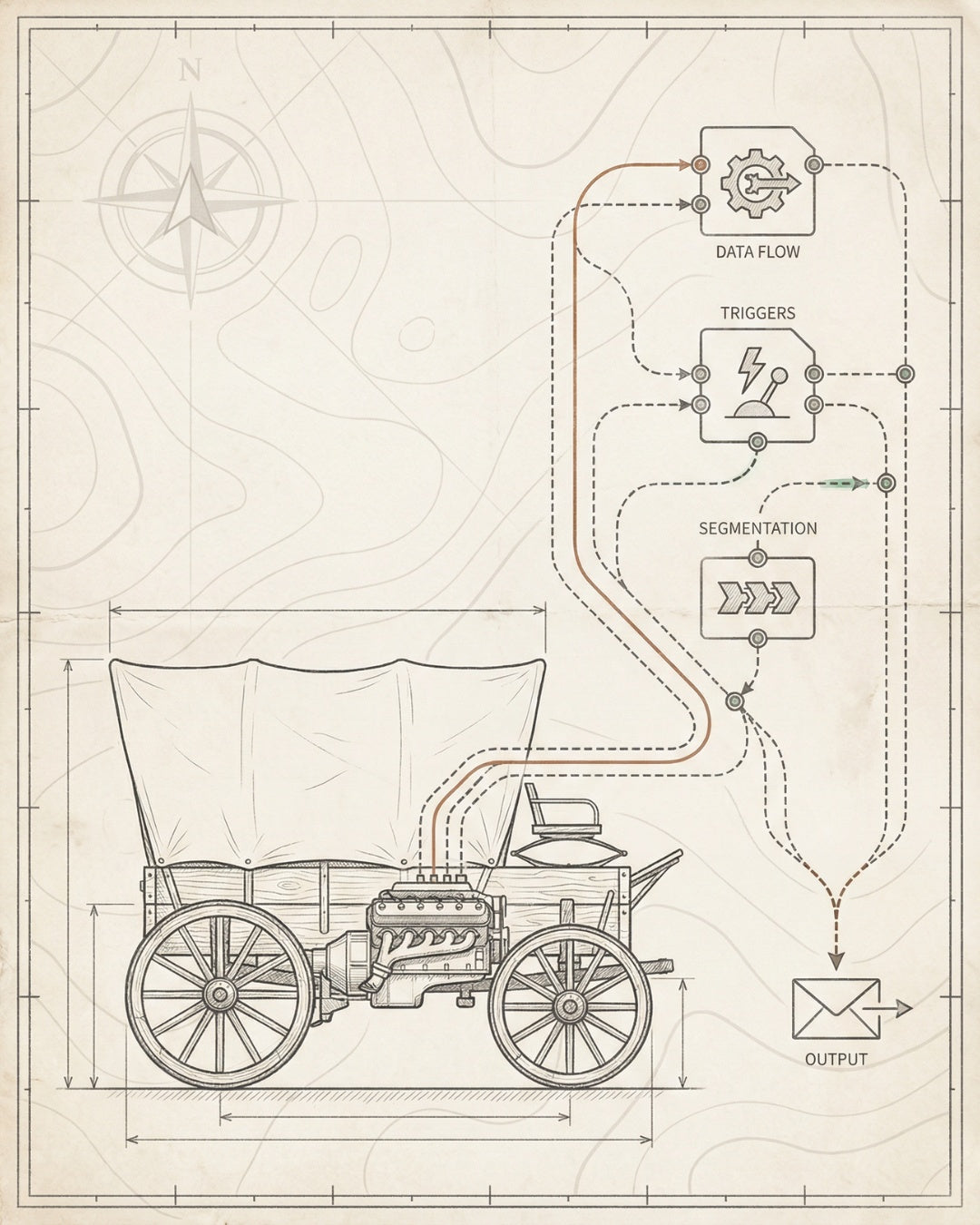
The Audit-to-Throttle Pipeline — How to Deploy Your Stack
Here’s the problem with most ecommerce SEO strategies: they start with content. Blog posts, product descriptions, category pages — all built on a broken foundation. Then six months later, nothing’s ranking and the founder asks, “Why isn’t this working?”
The answer: you skipped the infrastructure layer.
The Audit-to-Throttle Pipeline is our deployment sequence for ecommerce SEO tools. It’s how we’ve generated $30M+ in organic revenue across 50+ brands. It’s not sexy. It’s not fast. But it compounds.
Phase 1: Audit Current State (Week 1)
Before you buy a single tool or write a single piece of content, audit what’s broken. Use Screaming Frog and Search Console to document:
- Crawlability issues (robots.txt, orphaned pages, redirect chains)
- Indexation status (how many pages are indexed vs. submitted)
- Core Web Vitals baseline (LCP, INP, CLS by page group)
- Schema implementation (what’s deployed, what’s missing, what’s broken)
- Internal linking architecture (crawl depth, orphaned pages, hub-spoke gaps)
- Keyword cannibalization (multiple pages targeting the same term)
Output: A prioritized list of technical blockers. Don’t move to Phase 2 until these are documented.
Phase 2: Fix the Foundation (Weeks 2-3)
This is the technical SEO foundation. Fix what’s broken before building what’s new.
- Crawlability — Clean up robots.txt, eliminate redirect chains, fix orphaned pages, optimize crawl budget.
- Indexability — Submit updated sitemap, fix canonical tags, resolve duplicate content issues, remove low-value pages from index.
- Core Web Vitals — Compress images, eliminate render-blocking resources, implement lazy loading, set explicit dimensions on all images.
- Schema deployment — Install Product, Organization, BreadcrumbList, and Review schema on all relevant pages. Validate with Rich Results Test.
Output: A clean technical foundation. Search Console Coverage report shows increasing indexed pages. Core Web Vitals report shows green scores. Rich Results Test validates schema.
Phase 3: Build Content Architecture (Weeks 4-6)
Now you can build content — but strategically. Use Ahrefs or Semrush to create a keyword map. Prioritize high-intent, low-competition keywords. Build content clusters around hub pages (category pages) with supporting spoke pages (product pages, blog posts).
- Keyword mapping — Assign one primary keyword to each page. No cannibalization.
- Content clustering — Build topical authority by creating comprehensive coverage of a category.
- Internal linking — Connect hub pages to spokes. Use descriptive anchor text. Implement breadcrumbs.
- On-page optimization — Title tags, meta descriptions, H1-H3 structure, image alt text, schema markup.
Output: A content architecture that signals topical authority to Google. Every page has a clear ranking target and internal linking strategy. See our ecommerce SEO checklist for the full build sequence.
Phase 4: Optimize for AI Search (Weeks 7-8)
With the foundation in place, layer in AI search optimization. This is entity authority, citation-worthy content, and structured data for LLMs.
- Entity optimization — Claim Google Knowledge Panel, create Wikidata entry, deploy Organization schema.
- Citation-friendly formatting — Clear headings, concise answers, bulleted lists, tables, and FAQ sections.
- Authoritative backlinks — Earn links from industry publications and trusted directories.
- Manual AI search testing — Search target keywords in Perplexity, ChatGPT, and Google AI Overviews. Document citation sources.
Output: Citation-worthy content and entity authority signals. Your brand starts appearing in AI search results for target queries.
Phase 5: Install Velocity Tracking (Week 9)
Now that infrastructure is live, install analytics and tracking to measure what compounds.
- Google Analytics 4 — Configure enhanced ecommerce tracking, conversion events, and custom reports for organic traffic.
- Search Console — Set up weekly performance reports for clicks, impressions, CTR, and average position.
- Rank tracking — Deploy AccuRanker, SEMrush, or Ahrefs position tracking for target keywords. Track daily.
- Custom dashboards — Build a single-screen dashboard that shows ranking velocity, organic revenue, and compound visibility metrics.
Output: A real-time view of what’s working. You can see which keywords are gaining velocity, which pages drive revenue, and where to double down.
Phase 6: Throttle (Weeks 10+)
Once the infrastructure is installed and velocity is positive, you throttle. This is where you scale: more content, more internal links, more backlinks, more AI search optimization. But you’re scaling on a foundation that holds.
Throttle priorities:
- Content expansion — Publish 2-4 optimized pages per week (blog posts, category pages, product pages).
- Internal linking updates — Continuously strengthen hub-spoke architecture as you add new content.
- Backlink acquisition — Earn links to high-value pages through PR, partnerships, and content marketing.
- Conversion optimization — Test and improve organic landing page conversion rates.
Output: Compound visibility. Rankings accelerate. Organic revenue grows month-over-month. The infrastructure you built in weeks 1-9 becomes the engine that drives growth for years.
THE SEQUENCE MATTERS
Skip Phase 2 (foundation) and Phase 3 (content architecture) won’t compound. Skip Phase 5 (tracking) and you won’t know what’s working. The Audit-to-Throttle Pipeline isn’t optional — it’s how ecommerce SEO infrastructure gets built.
Tool Stack Deployment Matrix
Phase Tools Required Cost Time Investment
Audit Current State Screaming Frog, Search Console, PageSpeed Insights $259/year (Screaming Frog paid) 1 week
Fix Foundation Screaming Frog, Search Console, Rich Results Test, Cloudflare $0-20/month (Cloudflare free tier) 2-3 weeks
Build Content Architecture Ahrefs or Semrush, keyword mapping spreadsheet, LinkWhisper (optional) $99-499/month (keyword tool) 3-4 weeks
Optimize for AI Search Manual testing (Perplexity, ChatGPT), Schema App (optional) $0-200/month (Schema App) 2 weeks
Install Velocity Tracking Google Analytics 4, Search Console, AccuRanker or rank tracker $109-999/month (rank tracker) 1 week
Throttle All of the above + ongoing content/link building $200-1,500/month (tools + execution) Ongoing
Total upfront tool cost: $300-800/month depending on store size and tool selection. Total time to infrastructure:
Matt Hyder
SEO infrastructure and AI search optimization at Founding Engine.
Want SEO that actually holds?
Get a free infrastructure audit from the Founding Engine team.
Get Your Free Audit