Image SEO Guidelines for Ecommerce Products That Rank
Engineering-first image SEO guidelines for ecommerce products. Fix crawlability, optimize for AI search, and build visual discovery systems that compound over time.
**
ECOMMERCE SEO INFRASTRUCTURE
Image SEO Guidelines for Ecommerce Products That Rank
Your product images aren’t just visual assets. They’re crawlable, indexable, rankable infrastructure. Most ecommerce stores treat images like decoration — upload, insert, move on. That’s why they’re invisible in Google Images, absent from AI search results, and dragging down Core Web Vitals.
Image SEO isn’t about alt text. It’s about building a discovery system. File architecture that scales. Structured data that feeds AI. Performance optimization that compounds. This is the engineering blueprint for visual search infrastructure that holds.

01 / THE PROBLEM Most stores upload images with names like IMG_4728.jpg. Google can’t read that. AI can’t cite it. Your products stay invisible in visual search.
02 / THE FOUNDATION Image SEO follows the same 4-layer stack: Crawlability → Indexability → Rankability → Convertibility. Fix the foundation before optimizing individual files.
03 / FILE ARCHITECTURE Systematic naming conventions. Folder hierarchies that mirror site structure. CDN configuration. This is infrastructure, not one-off optimization.
04 / TECHNICAL STACK WebP for compression. Srcset for responsive delivery. Lazy loading for performance. Schema markup for AI discovery. Each layer compounds.
05 / THE RESULT Visual search traffic that scales. AI citations in ChatGPT and Perplexity. Faster page loads. Better rankings. Systems that compound over time.
Why Most Ecommerce Image SEO Fails
Google Images drives 22.6% of all web searches. For ecommerce, that number climbs higher — apparel, furniture, home goods, jewelry. Visual-first products live or die on image discovery. Yet most stores treat images like an afterthought.
The typical workflow: photographer delivers files → someone uploads them → they appear on product pages. No naming convention. No compression strategy. No structured data. No alt text system. Just files dumped into a media library.
This isn’t negligence. It’s a systems gap. Most ecommerce teams don’t have an image SEO infrastructure. They have a collection of individual images with no connective tissue. No discovery layer. No performance optimization. No AI-readable metadata.
The Infrastructure Gap:** Between uploading an image and making it discoverable, there are 12+ technical decisions that determine whether Google indexes it, AI cites it, and users find it. Most stores skip all 12.
The consequences compound:
- Crawl waste: Google discovers your images but can’t parse file names like DSC_0847_final_v3.jpg
- Performance drag: Uncompressed 4MB images tank your Largest Contentful Paint (LCP) and kill mobile rankings
- Missed citations: AI search tools can’t extract product context from images without proper schema markup
- Lost traffic: Visual search queries that should drive discovery send users to competitors with better image infrastructure
This isn’t about perfecting every image. It’s about installing a system that makes optimization automatic. When you add a new product, the image SEO happens by default — not as a manual checklist.
That’s what separates best-in-class ecommerce SEO from stores that plateau at $500K. Infrastructure scales. Individual optimizations don’t.
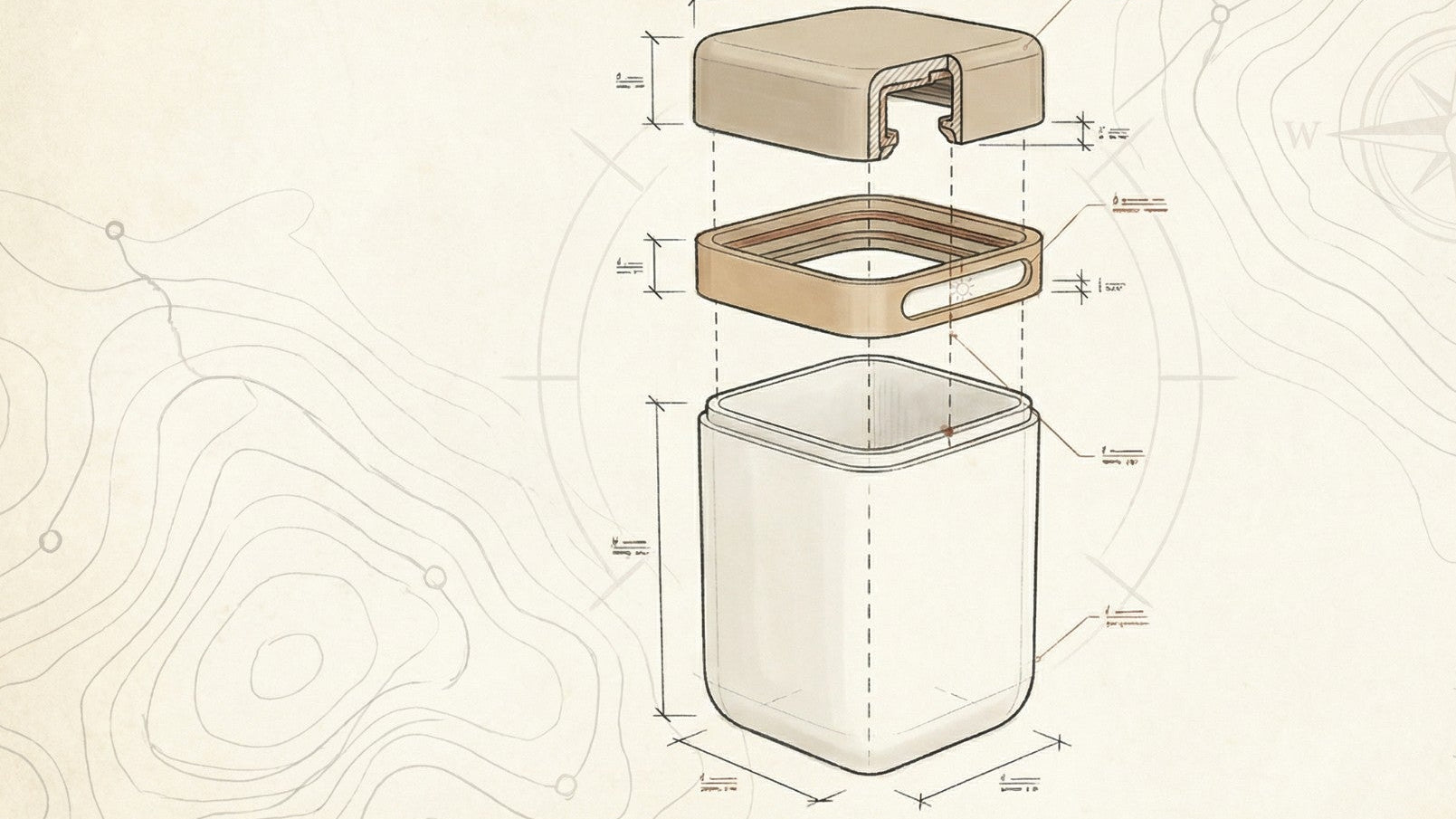
The 4-Layer Image SEO Foundation
At Founding Engine, we apply the same 4-Layer SEO Foundation to images that we use for technical SEO infrastructure: Crawlability → Indexability → Rankability → Convertibility.
Most guides skip straight to alt text (layer 3) without fixing layers 1 and 2. That’s like optimizing content for keywords before fixing your robots.txt. The foundation determines whether the optimization matters.
Layer 1: Crawlability
Can search engines discover and access your images? This layer is pure infrastructure:
- Image sitemap: Submit a dedicated XML sitemap for images so Google knows they exist
- Robots.txt configuration: Ensure you’re not accidentally blocking image crawlers or CDN paths
- Server response codes: Images should return 200 status codes, not 404s or redirects
- CDN accessibility: If you’re using a CDN, verify crawlers can access it without authentication barriers
Check Google Search Console → Settings → Crawl Stats. If you’re not seeing image crawl activity proportional to your image count, you have a Layer 1 problem.
Layer 2: Indexability
Can search engines understand what your images represent? This is where file architecture and metadata enter:
- Descriptive file names: blue-linen-throw-pillow-20x20.jpg beats IMG_4728.jpg
- Logical URL structure: /images/products/pillows/ creates categorical context
- Image format support: Modern formats (WebP, AVIF) are fully indexable — use them
- Surrounding HTML context: Images near relevant text get better semantic understanding
Use Google’s Image Search to manually search site:yourdomain.com [product category]. If your images don’t appear, indexability is broken.
Layer 3: Rankability
Can your images compete for visual search queries? Now optimization matters:
- Alt text with keyword targeting: Descriptive, keyword-rich alt attributes that match search intent
- Structured data (Product schema): ImageObject properties that tell Google this is a product image
- Image quality and relevance: High-resolution, contextually relevant images rank better
- Page authority: Images on high-authority product pages inherit ranking power
Track image impressions in Search Console → Performance → Search Appearance → Image Search. This is your rankability scoreboard.
Layer 4: Convertibility
Do your images drive clicks and conversions? This is where performance and UX intersect with SEO:
- Load time optimization: Fast LCP means users see images before bouncing
- Responsive delivery: Serve appropriately sized images for device context
- Visual clarity: Compressed but sharp — quality that converts
- Context and trust: Images that match product descriptions reduce bounce rate
Monitor bounce rate and time-on-page for image-driven landing pages. High bounce + low engagement = convertibility problem.
Systems Thinking: Each layer depends on the one below it. Optimizing alt text (Layer 3) on images that aren’t crawlable (Layer 1) is wasted effort. Build from the foundation up.
This is the same framework we use in our ecommerce SEO audits — diagnose which layer is broken, fix it, then move up the stack.
File Architecture That Scales
Most image SEO guides tell you to “use descriptive file names.” That’s not a system. That’s a suggestion. What you need is a naming convention that works at 10 products and at 10,000 products.
Naming Convention Framework
Your file names should be machine-readable, human-readable, and keyword-rich. Here’s the formula we install for ecommerce clients:
[brand]-[product-type]-[key-attribute]-[variant]-[view].extension
Examples:
- acme-yoga-mat-purple-6mm-top-view.webp
- acme-yoga-mat-purple-6mm-rolled.webp
- acme-water-bottle-stainless-32oz-front.webp
This structure gives you:
- Brand consistency: Every file starts with your brand identifier
- Product categorization: Product type creates semantic grouping
- Keyword targeting: Key attributes match search queries (e.g., “purple yoga mat 6mm”)
- Variant clarity: Color, size, material — whatever differentiates SKUs
- View specification: Front, back, top, lifestyle, detail — helps with image carousels and schema
Use hyphens, not underscores. Google treats hyphens as word separators. Underscores don’t.
Folder Structure That Mirrors Site Architecture
Your image URLs should reflect your site hierarchy. This creates categorical context for crawlers:
/images/products/[category]/[subcategory]/filename.webp
Example hierarchy:
- /images/products/apparel/mens-shirts/acme-flannel-shirt-blue-large-front.webp
- /images/products/apparel/womens-dresses/acme-linen-dress-black-medium-side.webp
- /images/products/home/pillows/acme-throw-pillow-velvet-navy-square.webp
This structure:
- Makes bulk operations easier (need to update all apparel images? Target the folder)
- Improves crawl efficiency (Google understands categorical relationships)
- Simplifies CDN cache rules (purge by directory when products update)
- Scales with your catalog (add new categories without restructuring)
CDN Configuration for Performance and Discovery
If you’re using a CDN (you should be), configure it for both speed and SEO:
✓ Enable HTTP/2 or HTTP/3: Faster image delivery improves Core Web Vitals
✓ Set proper cache headers: Long cache durations for product images (they rarely change)
✓ Use a dedicated image subdomain: images.yourdomain.com or CDN URL that’s crawlable
✓ Configure CORS headers: Allow cross-origin requests so images load properly
✓ Enable automatic format conversion: Serve WebP to supported browsers, JPEG to legacy
Shopify, for example, automatically serves images from a CDN and converts formats. If you’re on a custom stack, this is infrastructure you need to build or configure.
This file architecture becomes the foundation for product page SEO that scales. When you add 100 new products, the naming convention and folder structure handle image SEO automatically.
Technical Optimization Stack
File architecture gets you discovered. Technical optimization gets you ranked and keeps your site fast. This is where Core Web Vitals, format selection, and responsive delivery intersect with image SEO guidelines for ecommerce products.
Format Selection: WebP, AVIF, or JPEG?
Modern image formats reduce file size by 25-35% compared to JPEG without sacrificing visual quality. That’s a direct Core Web Vitals improvement — faster LCP, better rankings.
Format Compression Browser Support Use Case
WebP 25-35% smaller than JPEG 97%+ (all modern browsers) Default for ecommerce product images
AVIF 50% smaller than JPEG ~90% (growing fast) Hero images, high-impact visuals
JPEG Baseline 100% Fallback for legacy browsers
PNG Lossless (large files) 100% Logos, graphics with transparency
Our recommendation: Use WebP as your default format for product images. Implement AVIF for hero images and high-traffic product pages. Always provide a JPEG fallback using the

This gives you maximum compression with universal compatibility. Browsers load the most efficient format they support.
Compression Without Quality Loss
Compression is a balancing act. Too aggressive, and your products look blurry. Too conservative, and your LCP suffers.
Target quality settings:
- WebP:** 80-85 quality (visually identical to 95-quality JPEG, 30% smaller)
- AVIF: 65-75 quality (matches 85-quality JPEG, 50% smaller)
- JPEG: 85-90 quality (only as fallback)
Use tools like Squoosh (by Google) or ImageOptim to test compression settings visually before implementing sitewide. For automated workflows, integrate Sharp (Node.js) or Imgix (SaaS) into your build pipeline.
Most ecommerce platforms (Shopify, BigCommerce) handle compression automatically. If you’re on a custom stack, this is infrastructure you need to build.
Responsive Image Delivery with Srcset
Serving a 2400px-wide image to a mobile device is crawl waste and performance suicide. Use the srcset attribute to deliver appropriately sized images based on viewport:
<img** src=“product-800w.webp”
srcset=“product-400w.webp 400w,
product-800w.webp 800w,
product-1200w.webp 1200w”
sizes=“(max-width: 600px) 400px,
(max-width: 1200px) 800px,
1200px”
alt=“blue linen throw pillow 20x20 inches”
This tells the browser: “If the viewport is under 600px, load the 400px version. If it’s under 1200px, load the 800px version. Otherwise, load the full 1200px version.”
Result: Mobile users get a 150KB image instead of a 1.2MB image. Your LCP drops from 4 seconds to 1.2 seconds. Your mobile rankings improve.
Lazy Loading for Below-the-Fold Images
Images below the fold don’t need to load immediately. Use native lazy loading to defer them:

This is now supported in all modern browsers. It reduces initial page weight, improves LCP for above-the-fold content, and saves bandwidth.
Critical exception:** Your hero image (first product image, above the fold) should use loading=“eager” or have no loading attribute. You want that image to load immediately for LCP.
Core Web Vitals Impact: Image optimization is the fastest way to improve LCP. A 1-second LCP improvement can increase mobile rankings by 10-20 positions. This isn’t just SEO — it’s revenue infrastructure.
This technical stack is part of what we install in every ecommerce SEO optimization engagement. It’s not optional. It’s foundational.

Structured Data for Visual Discovery
Alt text tells Google what an image shows. Structured data tells Google what an image is — and how it relates to your product, brand, and inventory. This is the layer that enables AI search citations and rich results.
Product Schema with ImageObject
Every product page should have Product schema markup. Within that schema, the image property is where you declare your product images:
{** “@context”: “https://schema.org”,
“@type”: “Product”,
“name”: “Blue Linen Throw Pillow”,
“image”: [
“https://yourdomain.com/images/products/pillows/blue-linen-pillow-front.webp”,

“https://yourdomain.com/images/products/pillows/blue-linen-pillow-side.webp”,

“https://yourdomain.com/images/products/pillows/blue-linen-pillow-detail.webp”

],
“description”: “Hand-stitched blue linen throw pillow…”,
“brand”: { “@type”: “Brand”, “name”: “Acme Home” },
“offers”: { … }
}
This tells Google:
- These images represent a product (not just decorative photos)
- These images are associated with this specific product name and brand
- These images should appear in product-related searches
Google uses this data to display product images in rich results, Google Shopping, and Google Lens results. Without it, your images are just… images.
ImageObject Schema for Standalone Image Pages
If you have dedicated image gallery pages or lifestyle photography pages (common for apparel and home goods brands), use ImageObject schema:
{
“@context”: “https://schema.org”,
“@type”: “ImageObject”,
“contentUrl”: “https://yourdomain.com/images/lifestyle/living-room-setup.webp”,

“name”: “Modern Living Room with Blue Linen Pillows”,
“description”: “Styled living room featuring our blue linen throw pillows…”,
“author”: { “@type”: “Organization”, “name”: “Acme Home” },
“copyrightHolder”: { “@type”: “Organization”, “name”: “Acme Home” }
}
This is especially valuable for brands that produce original lifestyle photography. It signals ownership, improves discoverability in image search, and creates citation opportunities for AI tools.
AI Search Optimization Layer
ChatGPT, Perplexity, and Google AI Overviews increasingly cite images in their responses. They pull from structured data to understand context. If your images lack schema markup, they’re invisible to AI search.
What AI tools look for:
- Product association:** Is this image tied to a specific product entity?
- Brand attribution: Who owns this image? (Important for citation credibility)
- Descriptive metadata: Alt text + schema description creates a machine-readable narrative
- Contextual relevance: Does the image appear near relevant text content?
This is why AI search optimization isn’t separate from image SEO — it’s the same infrastructure. Structured data feeds both traditional search and AI discovery.
Validation Matters: Use Google’s Rich Results Test (search.google.com/test/rich-results) to validate your Product schema. Invalid schema is worse than no schema — it signals poor technical quality to Google.
We include schema markup in every on-page SEO build because it’s infrastructure, not an add-on. It’s the difference between images that exist and images that get cited.
Alt Text as System, Not Afterthought
Alt text is the most talked-about and least systematized part of image SEO. Most guides say “write descriptive alt text.” That’s not helpful at scale. You need a formula.
The Alt Text Formula for Ecommerce
Alt text should serve three audiences: screen readers (accessibility), search engines (SEO), and AI tools (discovery). The formula balances all three:
[Product Type] + [Key Attributes] + [Context/Use Case]
Examples:
- Bad: “Pillow”
- Better: “Blue linen throw pillow”
- Best: “Blue linen throw pillow 20x20 inches on modern gray sofa”
The “best” version includes:
- Product type: “throw pillow” (matches search queries)
- Key attributes: “blue linen” and “20x20 inches” (differentiates from other pillows)
- Context: “on modern gray sofa” (helps with lifestyle/inspiration searches)
This works for screen readers (descriptive), search engines (keyword-rich), and AI tools (contextual).
Keyword Mapping for Alt Text
Your alt text should map to your target keywords, but not force them. If your product page targets “organic cotton baby blanket,” your images should naturally include that phrase:
- Primary product image: “Organic cotton baby blanket in sage green with textured weave”
- Detail shot: “Close-up of organic cotton baby blanket showing soft texture”
- Lifestyle shot: “Organic cotton baby blanket draped over nursery crib”
Notice: The keyword appears naturally in each alt text, but the descriptions vary. This avoids keyword stuffing while maintaining relevance.
What Not to Do
Common alt text mistakes that hurt SEO and accessibility:
- Keyword stuffing: “Blue pillow, linen pillow, throw pillow, decorative pillow, 20x20 pillow” — this is spam
- Generic descriptions: “Product image” or “Image 1” — zero value
- Starting with “Image of…”: Screen readers already announce it’s an image — redundant
- Leaving it blank: Empty alt attributes signal low-quality content to Google
- Using file names: Alt text should be human-readable, not blue-linen-pillow-20x20-front.webp
Systematizing Alt Text at Scale
If you have 500 products with 4 images each (2,000 images), writing alt text manually is unsustainable. You need a system:
✓ Create an alt text template: Define the formula for primary, detail, and lifestyle images
✓ Use product data to auto-generate: Pull from product title, attributes, and category to create base alt text
✓ Add contextual modifiers: Append view type (front, side, detail) and context (on table, in use, close-up)
✓ Manual review for hero images: Top 20% of products get custom, optimized alt text
✓ Audit and iterate: Track image impressions in Search Console — optimize alt text for low-performing images
For Shopify stores, this can be automated using product metafields and Liquid templates. For custom platforms, integrate alt text generation into your product upload workflow.

Alt text isn’t decoration. It’s a rankability signal. When combined with structured data and technical optimization, it’s the layer that makes your images discoverable in visual search, AI tools, and traditional Google results.
This is part of the ecommerce SEO checklist we audit in every engagement — because it’s infrastructure that compounds over time.
Implementation Blueprint: 30-Day Image SEO Sprint
Theory doesn’t rank. Systems do. Here’s the sequenced build plan we use to install image SEO infrastructure for ecommerce clients — designed for lean teams, 30-day cycles, no retainers.
Week 1: Audit and Foundation
Day 1-2: Technical Audit
- Run a crawl with Screaming Frog or Sitebulb — identify all images on site
- Check Google Search Console → Settings → Crawl Stats for image crawl volume
- Audit file names: How many follow a naming convention vs. random strings?
- Check image formats: What % are WebP/AVIF vs. JPEG/PNG?
- Test Core Web Vitals: What’s your LCP? Is it image-driven?
Day 3-4: Indexation Check
- Use site:yourdomain.com in Google Image Search — how many images are indexed?
- Check for image sitemap in robots.txt and GSC
- Verify CDN is crawlable (not blocked by robots.txt or authentication)
- Identify orphaned images (images not linked from any page)
Day 5-7: Define System Architecture
- Create naming convention formula (use the framework from Section 3)
- Design folder structure that mirrors site hierarchy
- Document alt text template for product types
- Set compression targets (WebP quality, AVIF quality, fallback JPEG)
Week 2: Technical Infrastructure Build
Day 8-10: Format Conversion and Compression
- Convert existing product images to WebP (use bulk conversion tool or CDN feature)
- Implement
element with WebP + JPEG fallback - Test compression settings — aim for 30% file size reduction without visible quality loss
- Configure CDN to auto-serve optimal format based on browser support
Day 11-12: Responsive Delivery Setup
- Generate multiple image sizes for each product (400px, 800px, 1200px widths)
- Implement srcset and sizes attributes on product images
- Add loading=“lazy” to all below-the-fold images
- Set loading=“eager” on hero/primary product images
Day 13-14: Schema Markup Installation
- Add Product schema to all product pages (include image array)
- Implement ImageObject schema for lifestyle/gallery pages
- Validate schema with Google Rich Results Test
- Submit updated sitemap to GSC
Week 3: Content Layer Optimization
Day 15-18: Alt Text Systematization
- Audit existing alt text — identify gaps and keyword stuffing
- Generate alt text for top 100 products using keyword-mapping formula
- Automate alt text generation for remaining products (use product data + template)
- Implement alt text in CMS/platform
Day 19-21: File Renaming and URL Structure
- Rename image files using new naming convention (start with top products)
- Organize files into new folder structure
- Set up 301 redirects for old image URLs (if changing URLs)
- Update internal links to point to new image URLs
Week 4: Distribution and Monitoring
Day 22-24: Image Sitemap and Submission
- Generate dedicated XML image sitemap
- Include all product images with metadata (title, caption, geo-location if relevant)
- Submit image sitemap to Google Search Console
- Verify sitemap is being crawled (check GSC sitemap report)
Day 25-27: Core Web Vitals Testing
- Run PageSpeed Insights on top product pages — check LCP improvement
- Test mobile performance (images are the #1 mobile performance killer)
- Monitor CLS (Cumulative Layout Shift) — ensure width/height attributes are set
- Fix any remaining performance issues (lazy loading, preload hints)
Day 28-30: Monitoring Setup and Documentation
- Set up GSC monitoring for image search impressions and clicks
- Track image-driven landing page traffic in Google Analytics
- Document the system: naming convention, alt text formula, compression settings
- Create a checklist for new product launches (so image SEO happens automatically)
The Compound Effect: This 30-day sprint installs infrastructure that scales. Every new product you add inherits the system. Image SEO becomes automatic, not manual. That’s how you go from 500 indexed images to 5,000 without adding headcount.
This is the same sprint model we use at Founding Engine — no retainers, no endless “optimization,” just focused builds that create compounding visibility. If you want this installed for your store, start here.
Frequently Asked Questions
What image format is best for ecommerce product images? +
WebP is the best default format for ecommerce product images. It reduces file size by 25-35% compared to JPEG without visible quality loss, improving Core Web Vitals and page load speed. For hero images and high-traffic pages, consider AVIF (50% smaller than JPEG) with a WebP fallback. Always provide a JPEG fallback for legacy browser support using the
How do I write alt text for product images that ranks? +
Use the formula: [Product Type] + [Key Attributes] + [Context]. Example: “Blue linen throw pillow 20x20 inches on modern gray sofa” instead of just “pillow.” Include target keywords naturally, describe what makes the product unique, and add contextual details for lifestyle shots. Avoid keyword stuffing, generic descriptions like “product image,” or leaving alt text blank.
Should I use lazy loading for all product images? +
No. Use loading=“eager” or no loading attribute for your hero/primary product image (above the fold) to optimize Largest Contentful Paint (LCP). Only use loading=“lazy” for below-the-fold images. Lazy loading the hero image delays LCP and hurts Core Web Vitals, which negatively impacts rankings. The first image users see should load immediately.
What structured data do I need for product images? +
Implement Product schema (schema.org/Product) on every product page with the “image” property listing all product images. For standalone image galleries or lifestyle photography, use ImageObject schema (schema.org/ImageObject). This structured data enables rich results in Google Shopping, Google Lens, and AI search tools like Chat
Matt Hyder
SEO infrastructure and AI search optimization at Founding Engine.
Want SEO that actually holds?
Get a free infrastructure audit from the Founding Engine team.
Get Your Free Audit