On Page SEO for Ecommerce: The 4-Layer Build System
Stop patching pages. Build on-page SEO infrastructure that compounds. The 4-layer system ecommerce brands use to rank, convert, and scale organic revenue.
**
ECOMMERCE SEO INFRASTRUCTURE
On Page SEO for Ecommerce: The 4-Layer Build System
Most ecommerce stores treat on-page SEO like a punch list. Optimize this title tag. Add that meta description. Sprinkle keywords into product descriptions. Ship it.
Then they wonder why rankings don’t stick. Why traffic plateaus. Why the next algorithm update wipes out months of work.
Here’s what breaks: you’re patching pages, not building systems**. On-page SEO for ecommerce isn’t about individual optimizations — it’s about infrastructure. The architecture that makes every page crawlable, indexable, rankable, and convertible by default.
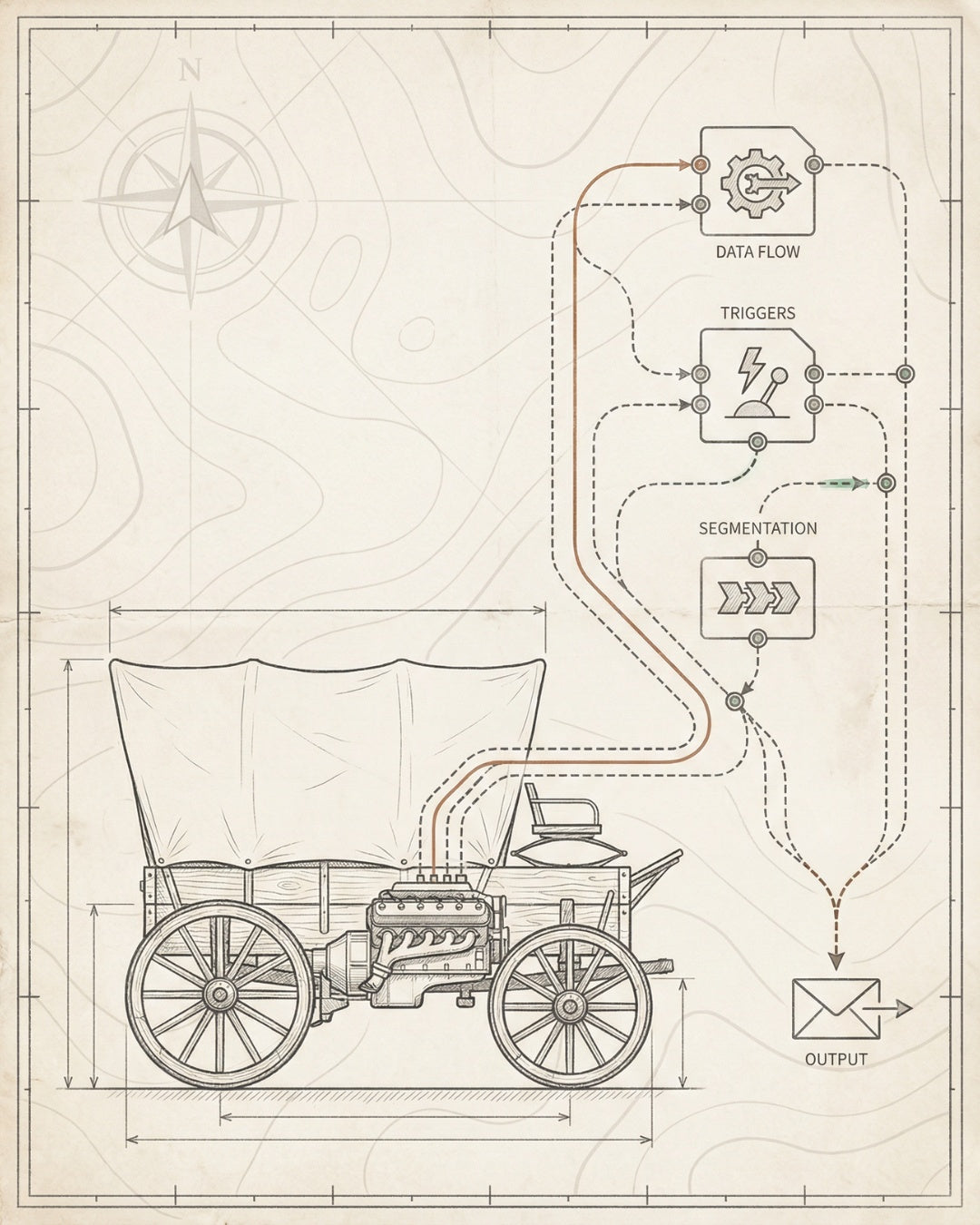
At Founding Engine, we’ve engineered on-page SEO systems for 50+ ecommerce brands that generated $30M+ in organic revenue. Not by optimizing harder — by building smarter. This is the 4-layer foundation we install before touching a single keyword.
01 / THE PROBLEM Most ecommerce stores patch individual pages. Rankings don’t compound because there’s no system underneath.
02 / THE SHIFT On-page SEO is infrastructure. Build the 4 layers — crawlability, indexability, rankability, convertibility — then scale.
03 / THE SYSTEM Product and category page templates with schema, internal linking architecture, and AI-readable structured data built in.
04 / THE RESULT Rankings that compound. Organic revenue that scales. 250% average traffic increase when you build infrastructure first.
05 / THE PLAY Audit current state, fix crawlability blockers, build page templates with schema, install performance and distribution layers.
What You’ll Learn
- The 4-Layer On-Page Foundation
- Product Page Architecture That Ranks
- Category Page Structure for Topical Authority
- Technical On-Page Elements
- Content Hierarchy and Information Architecture
- AI Search Optimization for On-Page Elements
- Implementation Blueprint
- Frequently Asked Questions
The 4-Layer On-Page Foundation
On-page SEO for ecommerce websites isn’t a checklist. It’s a stack. Four layers that build on each other. Miss one, and the entire structure wobbles.
This is what we call the 4-Layer SEO Foundation — the same framework we use at Founding Engine to engineer SEO infrastructure that holds under scale:
Layer 1: Crawlability
Can search engines access and navigate your pages? This isn’t theoretical — it’s binary. If Google can’t crawl it, nothing else matters.
For ecommerce, crawlability breaks down at:
- URL structure — deep pagination, session IDs, or parameter-heavy URLs that fragment crawl budget
- JavaScript rendering — product grids or filters that require client-side execution
- Robots.txt misconfigurations — accidentally blocking category pages or product feeds
- Orphaned pages — products with no internal link path from the homepage
The fix isn’t just technical — it’s architectural. Build a flat, logical site structure where every product is 3 clicks from the homepage. Use XML sitemaps as a crawl map, not a backup plan.
Layer 2: Indexability
Crawlable doesn’t mean indexable. Google might find your pages but choose not to index them. For ecommerce stores with thousands of SKUs, this is where most organic potential dies.
Common indexability killers:
- Duplicate content — product variants creating near-identical pages
- Thin content — manufacturer descriptions copy-pasted across 200 products
- Canonical tag errors — self-referencing canonicals pointing to the wrong URL version
- Noindex tags — leftover from staging environments or overzealous SEO plugins
The solution: strategic canonicalization. Consolidate variant pages. Use rel=canonical to point color/size variations to a master product page. Let Google index your best pages, not every permutation.

Layer 3: Rankability
Now we’re in optimization territory. This is where most ecommerce brands start — and why they struggle. Rankability only works if crawlability and indexability are already solved.
Rankability is built through:
- Keyword-optimized titles and headers — but not keyword-stuffed. Natural language that matches search intent.
- Structured data (schema markup) — Product schema, Review schema, Breadcrumb schema. Machine-readable signals that earn rich snippets.
- Internal linking architecture — passing authority from high-traffic pages to new products or underperforming categories.
- Content depth — answering the questions buyers actually ask before they convert.
This layer is where on-page SEO for ecommerce becomes strategic. You’re not just optimizing — you’re signaling topical authority and relevance to both search engines and AI systems.
Layer 4: Convertibility
Rankings without conversions are vanity metrics. The final layer connects SEO to revenue.
Convertibility is engineered through:
- Core Web Vitals optimization — LCP under 2.5s, CLS under 0.1, INP under 200ms. Speed is a ranking factor and a conversion factor.
- Mobile-first design — 70%+ of ecommerce traffic is mobile. Your on-page experience must work there first.
- Clear conversion paths — CTAs, trust signals, and friction-free checkout flows visible above the fold.
- Semantic HTML — proper heading hierarchy, descriptive alt text, and accessible navigation that works for users and bots.
When you build all four layers, on-page SEO compounds. New products inherit the infrastructure. Category pages rank faster. Organic revenue scales without linear effort.
FOUNDING ENGINE FRAMEWORK
The 4-Layer SEO Foundation isn’t a checklist — it’s a build sequence. You don’t optimize for rankability until indexability is fixed. You don’t chase conversions until pages actually rank. This is how we’ve generated $30M+ in organic revenue for ecommerce brands: by building infrastructure, not patching pages.
Product Page Architecture That Ranks
Product pages are your revenue engine. They’re also your highest-intent landing pages. When someone searches “buy [product name]” or “[product type] with [feature]”, they’re ready to convert. Your on-page SEO needs to match that intent.
But most ecommerce product pages are built for browsing, not ranking. Thin descriptions. Missing schema. No internal links. They convert traffic when it arrives, but they don’t generate it.
Here’s the architecture that does both:
Title Tag Formula
Your product page title tag is the single highest-leverage on-page element. It determines click-through rate from search results and directly impacts rankings.
The formula we use:
[Primary Keyword] | [Differentiator] | [Brand Name]
Example: “Organic Cotton T-Shirt | Heavyweight 6.5oz | [Brand]”
Why this works:
- Primary keyword first — matches search intent immediately
- Differentiator — gives a reason to click over competitors (weight, material, feature)
- Brand name last — builds recognition without sacrificing keyword priority
Keep it under 60 characters so it doesn’t truncate in search results. Every character is real estate.
H1 and Header Hierarchy
Your H1 should mirror your title tag but optimized for conversion, not just SEO. Users see the H1 after they click — it needs to confirm they’re in the right place and push them toward purchase.
Header structure for product pages:
- H1: Product name with primary keyword (e.g., “Organic Cotton Heavyweight T-Shirt”)
- H2s: Section headers — “Features,” “Specifications,” “Customer Reviews,” “Sizing Guide”
- H3s: Subsections under H2s — individual feature callouts or FAQ questions
Don’t skip heading levels. H1 → H2 → H3 is a semantic signal to search engines about content hierarchy.
Product Descriptions That Rank and Convert
Manufacturer descriptions are SEO poison. They’re duplicated across every retailer selling the same product. Google won’t rank duplicate content — and even if it did, generic descriptions don’t convert.
The fix: write original, benefit-driven descriptions that answer buyer questions.
Structure it like this:
- Opening paragraph (150-200 words): What the product is, who it’s for, and why it solves their problem. Include your primary keyword naturally in the first 100 words.
- Feature section: Bullet points or short paragraphs highlighting key features. Use H2 or H3 headers to break it up.
- Use case section: Describe how customers actually use the product. This is where you target long-tail keywords like “best [product] for [use case].”
- Specifications: Technical details in a scannable format (table or list). This satisfies bottom-of-funnel searchers who know exactly what they need.
Aim for 500-1000 words on high-priority product pages. Yes, that’s longer than most ecommerce descriptions. That’s why it works.

Schema Markup for Product Pages
Product schema is non-negotiable. It’s the structured data that powers rich snippets — star ratings, price, availability, and product images in search results.
Rich snippets increase click-through rates by 20-30%. They also future-proof your pages for AI search systems like ChatGPT and Perplexity, which prioritize structured data when generating answers.
Required schema fields for product pages:
- @type: Product
- name — product name
- image — high-res product image URL
- description — short product description (160 characters max)
- brand — your brand name
- offers — price, currency, availability (InStock, OutOfStock, PreOrder)
- aggregateRating — average star rating and review count (if you have reviews)
Test your schema with Google’s Rich Results Test. If it doesn’t validate, it won’t show in search results.
Internal Linking from Product Pages
Product pages shouldn’t be dead ends. They’re part of a larger content ecosystem — category pages, blog posts, related products, buying guides.
Internal linking strategy for product pages:
- Link to parent category pages — passes authority and helps Google understand site hierarchy
- Link to related products — “You might also like” or “Frequently bought together” sections
- Link to content — if you have a blog post or guide related to the product, link to it from the description
- Breadcrumb navigation — with Breadcrumb schema markup for enhanced search results
Use descriptive anchor text. Not “click here” — use “shop organic cotton t-shirts” or “see our sizing guide.”
For a complete breakdown of product page optimization, see our guide on SEO for ecommerce product pages.
Category Page Structure for Topical Authority
Category pages are your topical authority play. They’re how you rank for high-volume, high-intent keywords like “men’s running shoes” or “organic skincare products.”
But most ecommerce brands treat category pages like filtered product grids. No unique content. No keyword targeting. Just a list of products and some faceted navigation that creates thousands of duplicate URLs.
That’s not on-page SEO. That’s a crawl budget nightmare.
Here’s how to structure category pages that rank:
Category Page Content Strategy
Every category page needs unique, keyword-optimized content. Not just for SEO — for users who land on the page from search and need context before they scroll through products.
Structure it like this:
- Opening paragraph (200-300 words): What the category is, who it’s for, and why your products are the best choice. Include your primary keyword in the first 100 words.
- Product grid: Your standard ecommerce layout. This is where users browse.
- Extended content section (500-800 words): Below the product grid, add a content block that goes deeper. Answer buyer questions. Compare product types. Include buying guides or use case examples.
This “content below the fold” approach works because:
- It doesn’t interfere with the shopping experience
- It gives Google more keyword-rich content to index
- It targets long-tail variations (e.g., “best running shoes for flat feet” within a “running shoes” category)
Faceted Navigation and URL Parameters
Faceted navigation (filters for size, color, price, etc.) is essential for user experience. It’s also an SEO minefield.
Every filter combination can create a new URL:
- /category?color=blue
- /category?color=blue&size=large
- /category?color=blue&size=large&price=50-100
If Google crawls all these variations, you’re wasting crawl budget on duplicate content. If Google indexes them, you’re competing against yourself in search results.
The solution: strategic parameter handling.
- Use rel=canonical on filtered pages — point all filter combinations back to the main category URL
- Block filter parameters in robots.txt — or use Google Search Console’s URL Parameters tool to tell Google not to crawl them
- Noindex, follow on filter pages — if you want Google to crawl links but not index the page itself
Exception: If a filter creates a high-value subcategory (e.g., “men’s blue running shoes”), give it a clean URL (/mens-blue-running-shoes/) and treat it as a standalone category page with unique content.
Internal Linking from Category Pages
Category pages are authority hubs. They receive internal links from your homepage, main navigation, and blog content. Use that authority to boost product pages and subcategories.
Internal linking strategy for category pages:
- Link to top-performing product pages — feature bestsellers or new arrivals with keyword-rich anchor text
- Link to subcategories — if you have a “Running Shoes” category, link to “Trail Running Shoes” and “Road Running Shoes” subcategories
- Link to related content — buying guides, comparison posts, or how-to articles that support the category topic
Avoid generic anchor text like “shop now” or “learn more.” Use descriptive phrases that include keywords: “shop men’s trail running shoes” or “compare road vs. trail running shoes.”
Category Page Schema Markup
Category pages should use CollectionPage schema to signal to Google that this is a product listing page, not a blog post or informational page.
Include:
- @type: CollectionPage
- name — category name
- description — category description
- breadcrumb — structured breadcrumb navigation
If you’re featuring specific products on the category page, you can also nest Product schema within the CollectionPage markup.
For more on category page optimization, check out our ecommerce SEO checklist for a full breakdown of technical and content requirements.
Technical On-Page Elements: Schema, Internal Linking, Core Web Vitals
On-page SEO for ecommerce websites isn’t just about content. It’s about the technical scaffolding that makes content discoverable, indexable, and rankable.
These are the three technical pillars that separate stores that rank from stores that don’t:
Schema Markup (Structured Data)
We’ve covered Product and CollectionPage schema above. But ecommerce stores should be implementing multiple schema types across the site:
Schema Type Where to Use SEO Benefit
Product Product pages Rich snippets with price, availability, reviews
Review / AggregateRating Product pages with reviews Star ratings in search results (increases CTR)
Breadcrumb All pages Enhanced breadcrumb display in SERPs
Organization Homepage, About page Knowledge Graph eligibility, brand recognition
WebSite Homepage Sitelinks search box in Google results
CollectionPage Category pages Signals product listing pages to Google
Schema isn’t optional anymore. It’s how search engines and AI systems understand your content. Google uses it for rich results. ChatGPT and Perplexity use it for citations. If your competitors have schema and you don’t, they win.
For AI search optimization specifically, see our guide on AI search optimization and how structured data feeds LLM visibility.
Internal Linking Architecture
Internal linking is how you distribute authority across your site. It’s also how you signal to Google which pages are most important.
Most ecommerce stores get this wrong. They link randomly. Or they over-optimize with exact-match anchor text on every link. Or they don’t link at all.
Here’s the framework we use at Founding Engine:
Internal Linking Checklist for Ecommerce
- Homepage links to top-level categories — these should be your highest-priority pages
- Category pages link to subcategories and featured products — distribute authority down the hierarchy
- Product pages link to related products and parent categories — create a web, not a tree
- Blog content links to product and category pages — this is how you pass authority from informational content to commercial pages
- Use descriptive anchor text — include keywords naturally, but avoid over-optimization
- Link to underperforming pages — if a product page isn’t ranking, boost it with internal links from high-authority pages
Internal linking is compounding infrastructure. Every new page you publish should link to (and receive links from) existing pages. This is how topical authority scales.
For a deeper dive, see our post on technical SEO for ecommerce.
Core Web Vitals Optimization
Page speed is a ranking factor. It’s also a conversion factor. A 1-second delay in page load time can reduce conversions by 7%.
Google’s Core Web Vitals are the three metrics that matter:
- Largest Contentful Paint (LCP): How long it takes for the largest element (usually an image or hero section) to load. Target: under 2.5 seconds.
- Cumulative Layout Shift (CLS): How much the page layout shifts as it loads. Target: under 0.1.
- Interaction to Next Paint (INP): How quickly the page responds to user interactions. Target: under 200ms.
For ecommerce stores, the biggest performance killers are:
- Unoptimized images — use WebP format, lazy loading, and explicit width/height attributes
- Third-party scripts — analytics, chat widgets, and ad pixels that block rendering
- Bloated JavaScript — especially on Shopify stores with heavy themes and apps
- Slow server response times — often caused by cheap hosting or unoptimized databases
The fix: performance-first infrastructure. This is why we build ecommerce sites on performance-optimized platforms like Astro and headless Shopify. Speed isn’t a feature — it’s the foundation.
Test your Core Web Vitals at PageSpeed Insights. If you’re not in the green, you’re leaving rankings and revenue on the table.
Content Hierarchy and Information Architecture
On-page SEO isn’t just about optimizing individual pages. It’s about how those pages fit together. Your site’s information architecture — the way content is organized and linked — determines how well Google understands your topical authority.
Think of it like this: Google doesn’t just rank pages. It ranks sites based on how well they cover a topic. If your site structure is flat or chaotic, Google can’t map your expertise. If it’s hierarchical and logical, you signal authority at scale.
The Pyramid Structure for Ecommerce
Ecommerce sites should follow a pyramid content hierarchy:
- Homepage (top of pyramid): The most authoritative page. Links to top-level categories.
- Category pages (second tier): Broad topics like “Men’s Shoes” or “Skincare Products.” These target high-volume keywords.
- Subcategory pages (third tier): More specific topics like “Men’s Running Shoes” or “Anti-Aging Serums.” These target mid-volume, higher-intent keywords.
- Product pages (base of pyramid): Individual SKUs. These target long-tail, high-intent keywords like “Nike Air Zoom Pegasus 40 men’s size 10.”
Authority flows down the pyramid through internal links. The homepage passes authority to categories. Categories pass authority to subcategories and products. Products link back up to categories and related products.
This isn’t just good for SEO — it’s good for users. They can navigate from broad to specific, or jump laterally between related products. The structure mirrors how people actually shop.
URL Structure and Slug Optimization
Your URL structure should mirror your content hierarchy. Clean, descriptive URLs help Google understand page relationships and improve user trust.
Best practices for ecommerce URL structure:
- Use a flat, logical hierarchy: /category/subcategory/product-name/
- Include keywords in slugs: /mens-running-shoes/nike-air-zoom-pegasus-40/ (not /product-12345/)
- Keep URLs short: 3-5 words max. Avoid stop words like “the,” “and,” “of.”
- Use hyphens, not underscores: mens-running-shoes (not mens_running_shoes)
- Avoid parameters and session IDs: ?color=blue&size=large creates duplicate content issues
If you’re migrating from a messy URL structure, use 301 redirects to preserve authority. Don’t just change URLs and hope Google figures it out.
Breadcrumb Navigation (with Schema)
Breadcrumbs are the visual representation of your site hierarchy. They also pass authority through internal links and improve user experience.
Example breadcrumb structure:
Home > Men’s Shoes > Running Shoes > Nike Air Zoom Pegasus 40
Every page below the homepage should have breadcrumbs. And every breadcrumb should be marked up with Breadcrumb schema so Google can display it in search results.
Breadcrumbs with schema improve click-through rates by making your search result more informative and trustworthy.
Content Silos and Topic Clusters
If you’re publishing blog content alongside your ecommerce pages, use a topic cluster model to organize it.
Here’s how it works:
- Pillar page: A comprehensive guide on a broad topic (e.g., “Complete Guide to Running Shoes”)
- Cluster content: Subtopic posts that link back to the pillar (e.g., “Best Running Shoes for Flat Feet,” “How to Choose Running Shoes,” “Trail vs. Road Running Shoes”)
The pillar page targets a high-volume keyword. The cluster content targets long-tail variations. All cluster posts link to the pillar, and the pillar links to all cluster posts. This creates a content silo that signals topical authority to Google.
Then, link your pillar and cluster content to relevant category and product pages. This is how you pass authority from informational content to commercial pages.
For more on structuring content for ecommerce SEO, see our guide on ecommerce SEO strategy.
AI Search Optimization for On-Page Elements
Google isn’t the only search engine anymore. ChatGPT, Perplexity, Claude, and other AI systems are answering questions that used to send users to Google. If your on-page SEO only optimizes for traditional search, you’re invisible to the next wave of traffic.
AI search optimization isn’t a separate discipline — it’s an extension of on-page SEO. The same structured data, content hierarchy, and semantic signals that help Google also help LLMs understand and cite your content.
Here’s how to optimize on-page elements for AI search:
Entity Markup and Knowledge Graph Signals
AI systems don’t just parse keywords — they understand entities. An entity is a distinct, identifiable thing: a person, place, product, brand, or concept.
To make your brand and products recognizable as entities:
- Use Organization schema on your homepage — include your brand name, logo, social profiles, and contact information
- Use Product schema with brand and SKU fields — this helps AI systems disambiguate your products from competitors
- Claim and optimize your Google Business Profile — this feeds the Knowledge Graph and improves local entity recognition
- Get cited on authoritative sites — Wikipedia, industry publications, and review sites strengthen your entity signals
The stronger your entity signals, the more likely AI systems will cite you as a source.
Structured Data for LLMs
Large language models prioritize structured data when generating answers. They can parse JSON-LD schema faster and more accurately than unstructured HTML.
Schema types that matter most for AI search:
- Product schema — name, description, price, availability, reviews
- Review / AggregateRating schema — star ratings and review counts signal trust
- HowTo schema — step-by-step instructions that AI systems can surface as answers
- FAQ schema — question-and-answer pairs that match conversational queries
Note: Google no longer shows FAQ rich results for most sites, but AI systems still use FAQ schema to generate answers. Implement it even if it doesn’t show in Google SERPs.
Conversational Query Optimization
AI search queries are longer and more conversational than traditional Google searches. Instead of “best running shoes,” users ask “what are the best running shoes for someone with flat feet who runs on trails?”
To optimize for conversational queries:
- Write in natural language — use full sentences, not keyword-stuffed fragments
- Answer questions directly — start paragraphs with “The best [X] for [Y] is…” or “To [achieve goal], you should…”
- Use question-based H2s and H3s — “What makes a good running shoe?” or “How do I choose running shoes for flat feet?”
- Include comparison content — AI systems love “X vs. Y” content because it directly answers decision-making queries
This isn’t just for AI — it’s also how you capture Google’s AI Overviews and featured snippets.
Citation-Worthy Content
AI systems cite sources when they generate answers. To become a cited source, your content needs to be:
- Authoritative — backed by data, research, or expert opinion
- Specific — vague generalities don’t get cited. Specific facts, numbers, and examples do.
- Well-structured — use headers, lists, and tables to make content scannable for AI parsers
- Up-to-date — AI systems prioritize recent content. Update your pages regularly.
For a complete breakdown of AI search optimization, see our AI search optimization services and how we engineer visibility in ChatGPT, Perplexity, and AI Overviews.
Implementation Blueprint: How to Build On-Page SEO Infrastructure
Theory is cheap. Systems are what scale. Here’s the exact build sequence we use at Founding Engine to install on-page SEO infrastructure for ecommerce brands in 30-day cycles.
Phase 1: Audit Current State (Days 1-5)
You can’t fix what you don’t measure. Start with a technical SEO audit to identify blockers.
Audit Checklist
- Run a crawl with Screaming Frog or Sitebulb — identify crawl errors, broken links, redirect chains
- Check indexation status in Google Search Console — look for pages that should be indexed but aren’t
- Audit Core Web Vitals in PageSpeed Insights — flag pages with LCP > 2.5s or CLS > 0.1
- Review URL structure — identify parameter issues, duplicate content, or orphaned pages
- Validate existing schema markup — use Google’s Rich Results Test to catch errors
- Map internal linking structure — find pages with no internal links or broken link paths
Document everything. This audit becomes your build roadmap.
For a full audit framework, see our ecommerce SEO audit guide.
Phase 2: Fix Crawlability and Indexability (Days 6-12)
Fix the foundation before you optimize. If Google can’t crawl or index your pages, nothing else matters.
Foundation Fixes
- Fix robots.txt — ensure no critical pages are blocked
- Submit XML sitemap to Google Search Console — include only indexable pages
- Implement canonical tags — consolidate duplicate content to master URLs
- Fix redirect chains — 301 redirects should go directly to the final URL, not through multiple hops
- Add noindex tags to low-value pages — cart, checkout, search results, filter pages
- Resolve orphaned pages — add internal links to pages with no link path from the homepage
This is unglamorous work. It’s also the highest-leverage fix you can make. A single canonical tag error can prevent hundreds of pages from ranking.
Phase 3: Build Page Templates with Schema (Days 13-20)
Don’t optimize pages one by one. Build scalable templates that apply to all products and categories.
Template Build Checklist
- Create product page template — title tag formula, H1 structure, description framework, schema markup
- Create category page template — header hierarchy, content sections, internal linking structure, CollectionPage schema
- Implement breadcrumb navigation with Breadcrumb schema — on all pages below the homepage
- Add Review / AggregateRating schema to product pages — if you have customer reviews
- Build internal linking rules — automatic related product links, category links, and content links
- Optimize images — use WebP format, lazy loading, explicit width/height attributes
Templates scale. Once you build them, every new product or category inherits the infrastructure automatically.
Phase 4: Install Performance and Distribution Layers (Days 21-30)
Now that pages are crawlable, indexable, and rankable, optimize for speed and distribution.
Performance and Distribution Checklist
- Optimize Core Web Vitals — compress images, defer non-critical JavaScript, reduce server response time
- Set up Google Search Console monitoring — track impressions, clicks, and ranking changes
- Configure AI search signals — implement entity markup, FAQ schema, and conversational content
- Build content distribution plan — link to product and category pages from blog content, email, and social
- Set up conversion tracking — connect organic traffic to revenue in Google Analytics
This is the final layer of the Compound Visibility Stack. Website × Content × Technical × Distribution. When all
Matt Hyder
SEO infrastructure and AI search optimization at Founding Engine.
Want SEO that actually holds?
Get a free infrastructure audit from the Founding Engine team.
Get Your Free Audit