SEO Company for Ecommerce Site: What Founders Actually Need
Most SEO companies for ecommerce sites sell retainers. We install infrastructure. Learn what technical systems actually drive organic revenue for DTC brands.
**
INFRASTRUCTURE OVER RETAINERS
SEO Company for Ecommerce Site: What Founders Actually Need
Most SEO companies for ecommerce sites sell retainers and monthly reports. We install infrastructure that compounds. Here’s what technical systems actually drive organic revenue for DTC brands — and how to evaluate who builds them.

TL/DR: 5 Takeaways
01 / 05 Most SEO companies bill hours and deliver reports. Infrastructure-first agencies install systems that compound revenue over time.
02 / 05 Technical foundation beats content volume every time. Fix crawlability and site architecture before writing a single blog post.
03 / 05 AI search visibility is now table stakes. Your store needs to appear in ChatGPT, Perplexity, and Google AI Overviews to stay competitive.
04 / 05 30-day focused sprints replace 6-month retainers. Ship infrastructure, measure impact, iterate. No fluff, no endless monthly fees.
05 / 05 Revenue attribution matters more than vanity metrics. Track organic revenue per session, not just traffic. Build systems that convert.
What We’ll Cover
- Why Most Ecommerce SEO Companies Fail Founders
- The 4-Layer SEO Foundation Every Store Needs First
- Technical SEO vs. Content SEO: What to Build First
- AI Search Optimization for Ecommerce Stores
- The Sprint Model: 30-Day SEO Cycles That Actually Ship
- What to Evaluate When Hiring an SEO Company for Ecommerce
- Implementation Guide: Installing SEO Infrastructure in 30 Days
- Frequently Asked Questions
Why Most Ecommerce SEO Companies Fail Founders
You’ve probably talked to three SEO agencies already. They all said the same thing: “We’ll audit your site, fix technical issues, create content, and send monthly reports.” Six months later, you’re $15K poorer with a Google Doc full of recommendations and traffic that barely moved.
Here’s why that model breaks:
Retainers incentivize slow work.** When an agency bills monthly, they have zero reason to finish fast. They’ll stretch a 30-day project into six months of “ongoing optimization.” You’re paying for time, not systems.
Deliverables aren’t infrastructure. A blog post is a deliverable. A keyword-mapped internal linking architecture is infrastructure. Most agencies deliver the former because it’s easier to invoice. The latter requires actual engineering — and that’s what compounds.
They optimize for rankings, not revenue. Ranking #1 for “best running shoes” feels good until you realize the traffic converts at 0.3% because the product page has no schema markup, slow load times, and a checkout flow from 2015. Ecommerce SEO optimization isn’t about traffic volume — it’s about revenue per session.
The Founding Engine difference: We don’t bill retainers. We install infrastructure in 30-day sprints, measure impact, and move to the next system. Audit → Build → Ship → Throttle. No endless monthly fees. No deliverable theater.
The best SEO company for ecommerce site growth isn’t the one with the longest proposal — it’s the one that builds systems you own, ships them fast, and ties every change to revenue attribution.
The 4-Layer SEO Foundation Every Store Needs First
Before you write a single blog post or hire a content team, your ecommerce store needs four technical layers in place. This is the SEO infrastructure that makes rankings inevitable.

Layer 1: Crawlability
Can Google’s bots access and navigate your entire site without hitting dead ends, redirect loops, or blocked resources?
- robots.txt configured to allow critical pages, block admin/checkout
- XML sitemap with product, category, and blog URLs (under 50,000 URLs per file)
- No orphaned pages (every page reachable within 3 clicks from homepage)
- Clean URL structure (no session IDs, unnecessary parameters, or duplicate URLs)
- Server response times under 200ms (TTFB optimization)
Layer 2: Indexability
Are the right pages getting indexed, and are the wrong pages (filters, duplicates, thin content) being excluded?
- Canonical tags on all product and category pages to consolidate duplicate URLs
- Meta robots tags to noindex faceted navigation, search results, and cart pages
- Pagination handled with rel=“next” and rel=“prev” or canonical to view-all pages
- Hreflang tags if selling internationally (language/region targeting)
- Google Search Console monitoring for index coverage errors
Layer 3: Rankability
Do your pages have the on-page signals, schema markup, and content depth to compete for commercial keywords?
- Product schema markup on every product page (name, price, availability, reviews)
- Keyword-optimized title tags and meta descriptions (under 60/160 characters)
- H1 tags that match search intent (not just product names)
- Internal linking architecture that passes authority to money pages
- Core Web Vitals passing (LCP under 2.5s, FID under 100ms, CLS under 0.1)
Layer 4: Convertibility
Once you rank and drive traffic, does the page convert visitors into customers?
- Mobile-first design (60%+ of ecommerce traffic is mobile)
- Fast checkout flow (guest checkout enabled, minimal form fields)
- Trust signals (reviews, security badges, return policy)
- Clear CTAs above the fold (Add to Cart, Buy Now)
- Exit-intent email capture for abandoned sessions
This is the technical SEO for ecommerce foundation. Get this right, and content becomes a force multiplier. Skip it, and you’re building on sand.
Technical SEO vs. Content SEO: What to Build First
Most ecommerce founders ask: “Should I hire a writer or fix my site speed first?” Wrong question. The right question is: “What’s blocking my best pages from ranking right now?”
Here’s the decision framework:
Scenario Build This First Why
You have product pages but they don’t rank Technical SEO Fix crawlability, schema markup, and Core Web Vitals before adding content
You rank for brand terms but not category keywords Content + Internal Linking Build category hubs and link architecture to capture non-branded search
Your site is fast but traffic is flat Content Infrastructure You need keyword-mapped pages that target informational and commercial intent
You have traffic but low conversion rates UX + Convertibility Layer Optimize product pages, checkout flow, and trust signals before scaling traffic
You’re launching a new store (0-3 months old) Technical SEO + Schema Build the foundation before you have content to optimize
The rule: Technical SEO unlocks what you already have. Content SEO scales what’s working. If your product pages aren’t ranking, writing blog posts won’t fix it. If your product pages rank but you’re maxed out on keywords, content expands your footprint.
At Founding Engine, we follow the Audit-to-Throttle Pipeline: audit what’s broken, fix the foundation, install content infrastructure, then scale distribution. Sequential, not simultaneous.
Quick diagnostic: Run a crawl with Screaming Frog. If you have more than 50 critical errors (broken links, missing canonical tags, slow pages), fix technical first. If your crawl is clean but you’re only ranking for 20 keywords, build content.
AI Search Optimization for Ecommerce Stores
Google AI Overviews, ChatGPT search, and Perplexity are rewriting how customers discover products. If your store isn’t optimized for AI search, you’re invisible to 30-40% of future organic traffic.

Here’s what AI search optimization looks like for ecommerce:
1. Entity-Based Schema Markup
AI models don’t read HTML like humans — they parse structured data. Your product pages need schema markup that defines entities (brand, product, price, availability, reviews) in a machine-readable format.
What to implement:
- Product schema with aggregateRating and offers properties
- Organization schema with sameAs links to social profiles
- BreadcrumbList schema for category hierarchy
- FAQ schema on product pages (if you have customer questions)
2. Knowledge Graph Signals
AI models pull from Google’s Knowledge Graph to answer queries. If your brand isn’t in the graph, you won’t get cited in AI Overviews.
How to build knowledge graph presence:
- Claim and optimize your Google Business Profile
- Get listed in Wikidata (the open knowledge base that feeds AI models)
- Earn citations from authoritative sources (press, industry blogs, directories)
- Use consistent NAP (name, address, phone) across all platforms
3. Structured Content for LLMs
Large language models prefer content that’s hierarchical, scannable, and fact-dense. Write product descriptions and category pages like you’re briefing an AI assistant.
Content structure that AI models parse well:
- Clear H2/H3 headings that answer specific questions
- Bulleted lists for features, specs, and benefits
- Comparison tables (AI models love tabular data)
- Short paragraphs (2-3 sentences max) with one idea per paragraph
4. Citation Optimization
When ChatGPT or Perplexity cites a source, they link to the most authoritative, structured page on that topic. Your goal: become the default citation for your product category.
How to optimize for citations:
- Build comprehensive category pages (not just product listings)
- Include primary sources (studies, specs, manufacturer data)
- Link out to authoritative sources (builds trust signals)
- Update content regularly (freshness matters for AI models)
We track AI search visibility using tools like BloggedAI — monitoring which queries surface your brand in ChatGPT, Perplexity, and Google AI Overviews. This is the new SEO frontier, and most ecommerce stores are asleep at the wheel.
The Sprint Model: 30-Day SEO Cycles That Actually Ship
Retainers are dead. The future of ecommerce SEO is focused sprints: 30-day cycles with clear milestones, measurable impact, and no recurring fees unless you choose to continue.
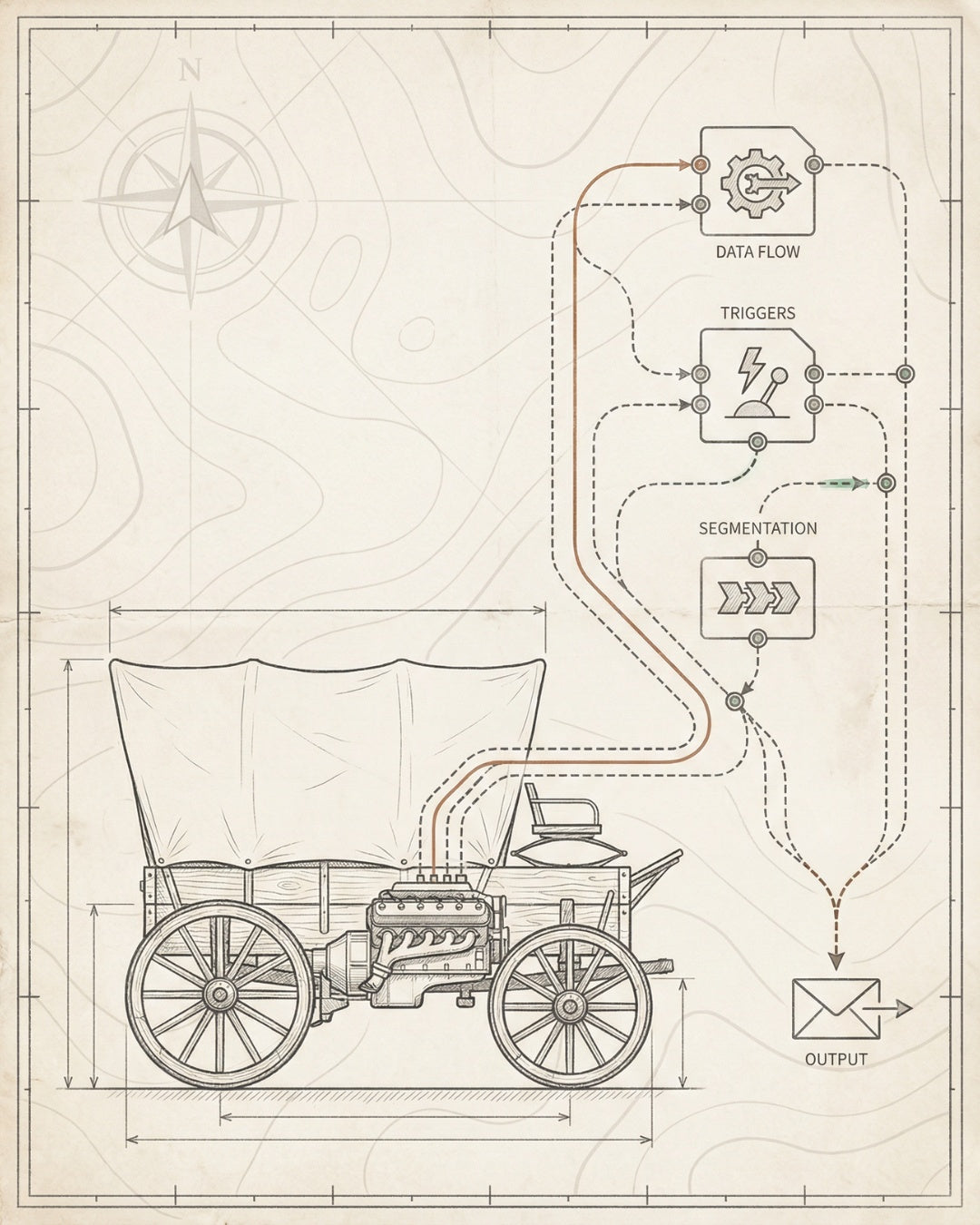
Here’s how the Founding Engine sprint model works:
Week 1: Audit
We run a full technical SEO audit using Screaming Frog, Sitebulb, and Google Search Console. Output: a prioritized list of blockers ranked by revenue impact.
What we audit:
- Crawlability (robots.txt, sitemap, server errors)
- Indexability (canonical tags, noindex issues, duplicate content)
- Core Web Vitals (LCP, FID, CLS scores)
- Schema markup (product, breadcrumb, organization)
- Internal linking structure (orphaned pages, link equity flow)
- Mobile usability (viewport, tap targets, font sizes)
Week 2: Build
We fix the foundation. No content yet — just pure infrastructure. This is where most agencies lose founders because it’s not sexy. But it’s what makes everything else work.
What we build:
- Canonical tag implementation across product and category pages
- XML sitemap restructure (separate sitemaps for products, categories, blog)
- Schema markup installation (Product, BreadcrumbList, Organization)
- Internal linking architecture (hub-and-spoke model for category pages)
- Core Web Vitals fixes (image optimization, lazy loading, code splitting)
Week 3: Ship
Changes go live. We monitor Google Search Console for indexation, run Lighthouse audits for performance, and track ranking movement for target keywords.
What we ship:
- Technical fixes deployed to production
- Schema markup validated in Google’s Rich Results Test
- Core Web Vitals passing in PageSpeed Insights
- Internal links live and crawlable
- Google Search Console monitoring active
Week 4: Throttle
We measure impact and decide what to scale. If rankings moved, we double down. If they didn’t, we diagnose why and adjust the next sprint.
What we measure:
- Ranking velocity (keywords that moved up 10+ positions)
- Organic traffic change (sessions from Google organic)
- Revenue attribution (transactions from organic sessions)
- Indexation rate (% of submitted URLs indexed by Google)
- Core Web Vitals scores (passing vs. failing URLs)
This is the ecommerce SEO strategy that replaces retainers. Audit → Build → Ship → Throttle. Repeat every 30 days. No fluff. No endless monthly fees. Just systems that compound.
What to Evaluate When Hiring an SEO Company for Ecommerce
You’re about to spend $10K-$50K on SEO. Here’s how to separate builders from billers.
Red Flags (Run Away)
- They guarantee #1 rankings (no one can guarantee this — Google’s algorithm is proprietary)
- They require 6-12 month retainers upfront (locks you in before proving value)
- They talk about “link building packages” (buying links violates Google’s guidelines)
- They can’t explain technical SEO in plain English (if they can’t teach it, they don’t understand it)
- They don’t ask about your revenue model (traffic without conversions is vanity)
- Their own site has slow load times or missing schema markup (cobbler’s shoes)
Green Flags (Keep Talking)
- They audit your site before proposing (shows they diagnose before prescribing)
- They explain the 4-layer foundation (crawlability, indexability, rankability, convertibility)
- They show case studies with revenue attribution, not just traffic graphs
- They offer sprint-based or project-based pricing (aligned incentives)
- They ask about your tech stack, CMS, and current tools (technical fluency)
- They talk about AI search optimization and schema markup (forward-thinking)
Questions to Ask Every SEO Company
- “What’s your process for the first 30 days?” — Look for: audit, prioritization, technical fixes, measurement. Avoid: “We’ll create a content calendar and start publishing.”
- “How do you measure success?” — Look for: organic revenue, ranking velocity, conversion rate. Avoid: “We’ll increase traffic by 50%.”
- “What technical SEO issues do you see on my site right now?” — They should be able to spot 3-5 issues in 10 minutes. If they can’t, they’re not technical.
- “Do you build schema markup in-house or use plugins?” — Look for: custom implementation. Avoid: “We use Yoast” (plugins are fine for blogs, not ecommerce).
- “How do you handle AI search optimization?” — Look for: entity markup, knowledge graph signals, structured data for LLMs. Avoid: “What’s AI search?”
- “Can I own the work after the engagement ends?” — Look for: yes, all code and documentation transfers to you. Avoid: “We maintain access to make updates.”
What They Say What It Means What to Do
“We’ll create high-quality content” They’re a content mill, not an SEO infrastructure firm Ask: “What technical fixes happen before content?”
“We’ll build backlinks to your site” They’re buying links or doing outreach spam Ask: “How do you earn links without buying them?”
“We need 6 months to see results” They’re slow or don’t know how to prioritize Ask: “What changes in the first 30 days?”
“We’ll send monthly reports” They’re optimizing for reporting, not results Ask: “What actions do you take based on the data?”
“We work with brands like yours” Generic pitch, no specialization Ask: “Show me a case study for an ecommerce brand in my revenue range”
The best SEO company for ecommerce site growth will diagnose your specific blockers, propose a sequential build plan, and tie every change to revenue. If they can’t do that in the first call, they’re not the one.
Implementation Guide: Installing SEO Infrastructure in 30 Days
You don’t need a $50K budget or a 12-month timeline to install ecommerce SEO infrastructure. Here’s the 30-day roadmap we use at Founding Engine for brands doing $0-$10M in revenue.

Days 1-7: Audit + Prioritization
Goal: Identify the top 10 technical blockers preventing your best pages from ranking.
Tools you’ll need:
- Screaming Frog (free up to 500 URLs, $259/year for unlimited)
- Google Search Console (free)
- PageSpeed Insights (free)
- Google’s Rich Results Test (free)
What to audit:
- Crawl your site with Screaming Frog. Export all errors: broken links, redirect chains, missing canonical tags, duplicate content.
- Check Google Search Console Coverage report. Look for excluded pages (noindex, canonical, crawl errors). If more than 20% of your pages are excluded, you have indexation issues.
- Run PageSpeed Insights on your top 10 product pages. Note Core Web Vitals scores (LCP, FID, CLS). If any page fails, prioritize speed fixes.
- Test schema markup in Google’s Rich Results Test. If your product pages don’t have Product schema, add it to the build list.
- Map your internal linking structure. Use Screaming Frog’s “Internal” tab to find orphaned pages (pages with zero internal links). These won’t rank.
Output: A prioritized spreadsheet with 3 columns: Issue | Impact (High/Medium/Low) | Effort (Hours to Fix). Tackle High Impact / Low Effort first.
Days 8-14: Fix the Foundation
Goal: Deploy technical fixes that unblock crawlability and indexability.
What to build:
- robots.txt cleanup. Allow Googlebot to crawl product and category pages. Block admin, checkout, and search result pages.
- XML sitemap restructure. Create separate sitemaps for products, categories, and blog posts. Submit to Google Search Console.
- Canonical tag implementation. Add self-referencing canonical tags to all product and category pages. Use canonical to consolidate duplicate URLs (e.g., filter pages).
- Meta robots cleanup. Noindex thin content pages (cart, checkout, search results, filter pages with <100 words).
- Redirect broken links. Fix all 404 errors with 301 redirects to relevant pages. Delete redirect chains (A → B → C should be A → C).
Pro tip: If you’re on Shopify, use the best ecommerce SEO apps like SEO Manager or Plug in SEO to automate canonical tags and meta robots. If you’re on custom builds, hardcode this into your templates.
Days 15-21: Install Schema Markup
Goal: Add structured data so Google (and AI models) can parse your products, prices, and reviews.
What to implement:
- Product schema on every product page. Include: name, image, description, brand, offers (price, currency, availability), aggregateRating (if you have reviews).
- BreadcrumbList schema on all pages. Shows category hierarchy in search results (Home > Category > Product).
- Organization schema on your homepage. Include: name, url, logo, sameAs links to social profiles.
- FAQ schema on product pages (optional). If you have customer questions, mark them up with FAQ schema. Note: Google no longer shows FAQ rich results for most sites, but AI models still parse this data.
How to add schema: Use JSON-LD format (not microdata). Add
Example Product schema:
{ “@context”: “https://schema.org”, “@type”: “Product”, “name”: “Running Shoes - Model X”, “image”: “https://example.com/shoes.jpg”, “description”: “Lightweight running shoes with carbon plate”, “brand”: { “@type”: “Brand”, “name”: “YourBrand” }, “offers”: { “@type”: “Offer”, “price”: “129.99”, “priceCurrency”: “USD”, “availability”: “https://schema.org/InStock” }, “aggregateRating”: { “@type”: “AggregateRating”, “ratingValue”: “4.8”, “reviewCount”: “247” } }

Days 22-28: Build Internal Linking Architecture
Goal: Create a hub-and-spoke linking structure that passes authority from high-traffic pages to money pages.
What to build:
- Category hub pages. Turn category pages into comprehensive guides (not just product grids). Add 500-1000 words of keyword-targeted content above the product listings.
- Internal links from blog to products. Every blog post should link to 2-3 relevant product or category pages with keyword-rich anchor text.
- Related products module. Add “You might also like” sections on product pages with internal links to complementary products.
- Breadcrumb navigation. Install breadcrumbs on all pages (Home > Category > Subcategory > Product). This creates automatic internal links and improves UX.
Pro tip: Use Screaming Frog’s “Internal” report to find pages with high PageRank (lots of inbound links) but low traffic. These are authority hubs — link from them to your money pages.
Days 29-30: Monitor + Measure
Goal: Track indexation, rankings, and traffic to measure impact.
What to monitor:
- Google Search Console Coverage report. Check that newly fixed pages are getting indexed (green line should trend up).
- Ranking velocity. Use a rank tracker (Ahrefs, SEMrush, or SERPWatcher) to monitor keywords that moved up 10+ positions.
- Organic sessions. Google Analytics 4 → Acquisition → Traffic Acquisition → Organic Search. Compare week-over-week.
- Revenue attribution. GA4 → Monetization → Ecommerce Purchases → filter by organic traffic. Track revenue per session, not just traffic.
What good looks like after 30 days:
- Indexation rate increases by 10-20%
- 5-10 keywords move into top 20 positions
- Organic sessions increase by 15-30% (if you had existing traffic)
- Core Web Vitals scores improve (more pages passing)
This is the ecommerce SEO checklist we run for every brand. It’s not magic — it’s sequential infrastructure. Audit → Fix → Install → Measure. Repeat every 30 days.
Need help executing this? We install this exact infrastructure in 30-day sprints at Founding Engine. No retainers. No fluff. Just systems that compound. Book a free audit call to see what’s blocking your store right now.
Frequently Asked Questions
How much does an SEO company for ecommerce sites cost? ▼
Retainer-based SEO agencies charge $3K-$10K/month with 6-12 month minimums ($18K-$120K total). Project-based or sprint-based agencies like Founding Engine charge $5K-$25K per 30-day sprint with no recurring fees. The best value is sprint-based pricing because you pay for systems, not time. You can pause after one sprint or continue if you see ROI. For ecommerce SEO pricing benchmarks, expect $10K-$15K for a full technical foundation (audit, schema markup, internal linking, Core Web Vitals fixes).
What’s the difference between ecommerce SEO and regular SEO? ▼
Ecommerce SEO focuses on product pages, category pages, and transactional keywords (e.g., “buy running shoes online”). Regular SEO (for blogs or service sites) focuses on informational content and lead generation. Ecommerce SEO requires Product schema markup, faceted navigation optimization, and conversion-focused UX. The goal isn’t just traffic — it’s revenue per session. You’re optimizing for commercial intent, not informational queries.
How long does it take to see results from ecommerce SEO? ▼
Technical fixes (schema markup, canonical tags, Core Web Vitals) can show ranking movement in 2-4 weeks. Content-based SEO (blog posts, category pages) takes 8-12 weeks to rank. New domains take longer (3-6 months) because they lack domain authority. The fastest wins come from fixing existing pages that are already indexed but underperforming. If you’re ranking #15 for a keyword, technical optimization can push you to #5 in 30 days. If you’re not ranking at all, expect 60-90 days for new content to gain traction.
Do I need an SEO agency or can I do it in-house? ▼
You can DIY ecommerce SEO if you have: (1) technical skills to edit code and install schema markup, (2) 10-15 hours/week to dedicate to SEO, and (3) tools like Screaming Frog, Ahrefs, and Google Search Console. Most founders don’t have all three. Hiring an agency makes sense when SEO is a revenue channel you want to own but don’t have time to build. The ROI threshold: if you’re doing $50K+/month in revenue, an SEO agency should pay for itself in 3-6 months through organic traffic growth. Below $50K/month, consider ecommerce SEO services on a project basis instead of retainers.
What technical SEO issues hurt ecommerce stores most? ▼
The top 5 technical SEO killers for ecommerce: (1) Duplicate content from faceted navigation — filter pages create thousands of duplicate URLs that dilute authority. (2) Missing or incorrect canonical tags — Google indexes the wrong version of your product pages. (3) Slow Core Web Vitals — LCP over 2.5s kills mobile rankings. (4) Missing Product schema markup — you lose rich results (star ratings, price, availability) in search. (5) Orphaned pages — product pages with zero internal links won’t rank. Fix these five issues first before touching content. See our ecommerce SEO audit guide for a full diagnostic checklist.
Should I focus on product page SEO or blog content first? ▼
Product pages first. Always. Product pages drive revenue. Blog posts drive traffic. If your product pages aren’t optimized (schema markup, keyword-targeted titles, fast load times), blog traffic won’t convert. The sequence: (1) Fix technical SEO on product and category pages. (2) Optimize SEO for ecommerce product pages (schema, internal links, UX). (3) Build category hub pages with keyword-targeted content. (4) Add blog content to capture informational queries and link back to products. Blog content is a force multiplier, not a foundation. Build the foundation first.
How does AI search optimization work for ecommerce? ▼
AI search optimization makes your store visible in ChatGPT, Perplexity, and Google AI Overviews. It works through: (1) Entity-based schema markup — AI models parse structured data (Product schema, Organization schema) to understand your brand and products. (2) Knowledge graph signals — getting listed in Wikidata and earning citations from authoritative sources. (3) Structured content — writing product descriptions and category pages with clear headings, bullet lists,
Matt Hyder
SEO infrastructure and AI search optimization at Founding Engine.
Want SEO that actually holds?
Get a free infrastructure audit from the Founding Engine team.
Get Your Free Audit