SEO Ecommerce Site Architecture: The Foundation That Scales
Build an SEO ecommerce site that compounds revenue over time. Technical architecture, AI search signals, and infrastructure that makes rankings inevitable.
**

Foundation First
Your SEO ecommerce site needs crawlability, indexability, rankability, and convertibility — in that order. Skip a layer and the whole stack collapses. Build the foundation before touching content.
Architecture > Content
Site structure determines how search engines distribute authority. Hub-and-spoke models with strategic internal linking make rankings inevitable. Content without architecture is just noise.
Schema = AI Visibility
Product, Organization, and entity schema aren’t optional anymore. AI search pulls from structured data. If your ecommerce site isn’t machine-readable, you’re invisible to ChatGPT and Perplexity.
Core Web Vitals at Scale
LCP under 2.5s, INP under 200ms, CLS under 0.1 — these aren’t suggestions. Page experience is a ranking factor. Optimize performance before adding features or your site won’t rank regardless of content.
30-Day Infrastructure Sprint
Audit, fix foundation, implement schema, build linking architecture, optimize vitals, configure monitoring. Systematic execution beats endless retainers. Build once, scale forever.
The 4-Layer Foundation Every SEO Ecommerce Site Needs
Most ecommerce brands start with content. They hire writers, publish blog posts, and wonder why rankings don’t move. The problem isn’t the content — it’s the missing foundation underneath it.
An SEO ecommerce site that generates compound organic revenue is built on four sequential layers. Skip one, and the entire stack becomes unstable. Here’s the framework we use at Founding Engine for every ecommerce SEO engagement:
The 4-Layer SEO Foundation
- Crawlability** — Can search engines access and navigate your site efficiently?
- Indexability — Are the right pages being indexed and the wrong ones blocked?
- Rankability — Does your site have the technical and content signals to compete?
- Convertibility — Are organic visitors turning into revenue?
Layer 1: Crawlability
If Google can’t crawl your site efficiently, nothing else matters. Crawlability issues are the silent killer of ecommerce SEO. You can have perfect content and never rank because search engines are wasting crawl budget on duplicate pages, infinite scroll loops, or broken internal links.
Start with a comprehensive technical SEO audit that checks:
- robots.txt configuration — Are you accidentally blocking important pages or wasting crawl budget on faceted navigation?
- XML sitemap structure — Is your sitemap clean, prioritized, and submitted to Search Console?
- Internal linking patterns — Can crawlers reach every product page within 3 clicks from the homepage?
- Server response codes — Are you serving clean 200s, proper 301s, and avoiding soft 404s?
- Crawl budget allocation — For stores with 10,000+ products, are you directing crawl budget to high-value pages?
Layer 2: Indexability
Crawlability gets search engines to your pages. Indexability determines which pages make it into the search index. For ecommerce, this is where most sites leak potential.
Common indexability problems we fix in the first week:
- Canonical tag chaos — Product pages with multiple URLs (sorting, filtering, tracking parameters) need canonical tags pointing to the primary version
- Duplicate content at scale — Manufacturer descriptions copied across 500 products signal low quality to Google
- Thin content product pages — Pages with only a title and “Add to Cart” button won’t rank
- Noindex tags on money pages — We’ve seen stores accidentally noindexing entire category sections
- Orphaned product pages — Products with zero internal links are invisible to crawlers
Run a Search Console index coverage report. If you have more than 10% of your pages excluded or showing errors, you have an indexability problem — not a content problem.
Layer 3: Rankability
Once pages are crawlable and indexable, rankability determines whether they can compete. This layer combines technical SEO signals, content quality, and authority indicators.
For an SEO ecommerce site, rankability depends on:
- Page speed and Core Web Vitals — LCP, INP, and CLS scores directly impact rankings (we’ll cover this in detail below)
- Mobile optimization — Mobile-first indexing means your mobile experience is your ranking experience
- Structured data implementation — Product schema, breadcrumbs, and organization markup give search engines context
- Content depth and uniqueness — Product pages need unique descriptions, use cases, and supporting content
- Internal linking architecture — Strategic links distribute authority and establish topical relevance

Layer 4: Convertibility
Rankings without revenue are vanity metrics. The fourth layer connects organic visibility to business outcomes. This is where ecommerce SEO optimization becomes a revenue engine instead of a traffic game.
Convertibility optimization for ecommerce:
- Search intent alignment — Are you ranking for keywords that match buyer intent, or just high-volume vanity terms?
- Product page UX — Clear CTAs, trust signals, product imagery, and technical specs reduce bounce rate
- Site speed under load — A 1-second delay in page load time reduces conversions by 7%
- Revenue attribution — Connect organic sessions to transactions in GA4 to measure actual ROI
The Sequential Build Rule: You can’t optimize for rankability if you have indexability issues. You can’t fix indexability if crawlability is broken. Build the foundation in order, or you’re optimizing on top of a cracked slab.
Site Architecture That Makes Internal Linking Inevitable
Site architecture is the skeleton of your SEO ecommerce site. It determines how search engines understand your catalog, how authority flows between pages, and how users navigate your store. Bad architecture makes internal linking manual and fragile. Good architecture makes it automatic and scalable.
The Hub-and-Spoke Content Model
Most ecommerce sites organize products by category and call it a day. That’s a flat hierarchy that wastes authority. A hub-and-spoke model creates topical clusters that signal expertise and distribute link equity strategically.
Here’s how it works:
- Hub pages — High-level category or topic pages that target broad keywords (e.g., “running shoes,” “organic coffee beans”)
- Spoke pages — Individual product pages or subcategory pages that target long-tail variations
- Supporting content — Buying guides, comparison posts, and how-to articles that link to both hubs and spokes
Every spoke links back to its hub. Every hub links to relevant spokes. Supporting content links to multiple hubs and spokes based on semantic relevance. This creates a self-reinforcing internal linking structure that scales with your catalog.
URL Structure and Hierarchy
Your URL structure should mirror your site architecture. Search engines use URL patterns to understand page relationships and content hierarchy. A clean, logical URL structure makes crawling efficient and helps users understand where they are in your catalog.
URL Pattern Purpose Example
domain.com/category/ Main category hub store.com/running-shoes/
domain.com/category/subcategory/ Subcategory hub store.com/running-shoes/trail/
domain.com/category/product-name/ Product page store.com/running-shoes/ultra-trail-pro/
domain.com/blog/topic/ Supporting content store.com/blog/trail-running-guide/
Avoid deep nesting (more than 3 levels) and dynamic parameters in URLs. Keep URLs short, descriptive, and keyword-rich without keyword stuffing.
Category Page Optimization
Category pages are the most underutilized asset in ecommerce SEO. Most brands treat them as product listing pages with minimal content. That’s a missed opportunity. Optimized category pages should:
- Target high-volume category keywords — “Men’s running shoes” gets more search volume than any individual product
- Include 300-500 words of unique content — Explain the category, buying considerations, and use cases
- Feature strategic internal links — Link to subcategories, featured products, and relevant blog content
- Implement faceted navigation correctly — Use canonical tags or noindex on filter combinations to avoid duplicate content
- Add schema markup — BreadcrumbList and CollectionPage schema help search engines understand the hierarchy
We’ve seen ecommerce brands increase organic traffic by 150% just by optimizing category pages with proper content and internal linking architecture.
Internal Linking Automation
Manual internal linking doesn’t scale. For stores with hundreds or thousands of products, you need systematic rules that create links automatically based on relationships.
Internal linking automation strategies:
- Related products by category — Automatically link products in the same category or subcategory
- Complementary products — Link products frequently purchased together
- Keyword-based linking — Use anchor text variation to link to category pages from blog content
- Breadcrumb navigation — Every product page should have breadcrumbs linking back to parent categories
- Recently viewed / trending — Dynamic modules that create fresh internal links based on user behavior
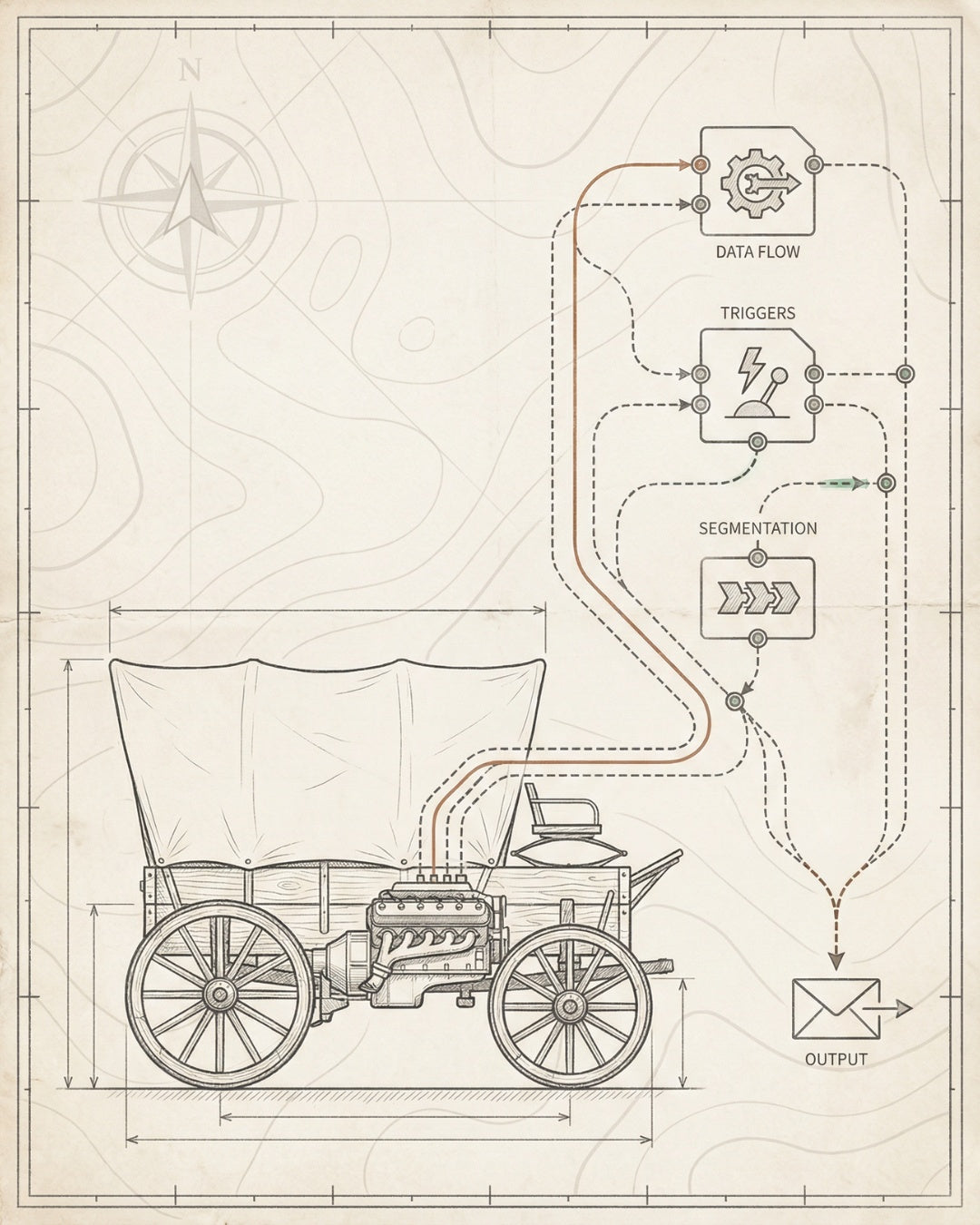
The goal is to ensure every product page receives internal links from at least 3-5 other pages without manual intervention. This distributes authority, improves crawlability, and creates a self-healing link structure as you add new products.
Architecture Principle: Good site architecture makes the right linking patterns inevitable. If you’re manually adding internal links every time you publish content, your architecture is broken.
Schema Markup for Ecommerce: Product, Organization, and AI Signals
Schema markup is the language your SEO ecommerce site uses to communicate with search engines and AI systems. Without it, you’re forcing algorithms to guess what your content means. With it, you’re providing machine-readable context that unlocks rich results, knowledge graph inclusion, and AI search visibility.
Why Schema Matters More Now
Traditional SEO focused on keywords and links. AI search focuses on entities and structured data. When someone asks ChatGPT or Perplexity for product recommendations, the AI pulls from structured data sources. If your ecommerce site doesn’t have proper schema, you’re invisible to AI search — regardless of your keyword rankings.
Schema also powers rich results in Google Search. Product schema can display star ratings, price, and availability directly in search results. BreadcrumbList schema shows your site hierarchy. Organization schema connects your brand to knowledge graph entities.
Essential Schema Types for Ecommerce
Every SEO ecommerce site should implement these schema types at minimum:
1. Product Schema
Product schema is non-negotiable for ecommerce. It tells search engines the name, description, price, availability, SKU, brand, and review data for each product. This powers rich snippets and AI search citations.
Required Product schema properties:
- name — Product title
- description — Unique product description (not manufacturer copy)
- image — High-quality product image URL
- sku — Stock keeping unit identifier
- brand — Brand name (creates entity connection)
- offers — Price, currency, availability status
- aggregateRating — Average rating and review count (if you have reviews)
Product schema should be implemented on every product page. Use JSON-LD format in the section for clean, crawlable markup.
2. Organization Schema
Organization schema establishes your brand as an entity in Google’s knowledge graph. This helps with brand searches, AI citations, and rich result eligibility. Implement it on your homepage and link to it from other schema types using the brand property.
Organization schema should include:
- name — Your brand name
- url — Homepage URL
- logo — Brand logo image URL
- sameAs — Social media profile URLs (establishes entity connections)
- contactPoint — Customer service contact information
3. BreadcrumbList Schema
BreadcrumbList schema shows your site hierarchy in search results. It improves click-through rates by giving users context about where a page sits in your catalog structure.
Implement BreadcrumbList on every page below the homepage. Each level should link back to its parent category, creating a clear path from product → subcategory → category → home.
4. FAQ Schema (Use Strategically)
FAQ schema used to power rich results for any site. As of 2023, Google restricted FAQ rich results to government and health sites. However, FAQ schema still helps with AI search optimization and provides structured Q&A data for LLMs.
Use FAQ schema on:
- Product pages with common questions about specs, sizing, or usage
- Category pages addressing buying considerations
- Support or help center pages
Schema for AI Search Optimization
AI search systems like ChatGPT, Perplexity, and Google AI Overviews pull from structured data sources. To optimize for AI search visibility, your schema needs to go beyond basic implementation.
Advanced schema strategies for AI optimization:
- Entity linking — Use sameAs properties to link your products and brand to Wikidata, Wikipedia, and other entity databases
- Detailed product properties — Add material, color, size, and other specific attributes that AI systems use for filtering
- Review schema with quotes — Include actual review text in schema to provide AI systems with sentiment data
- HowTo schema for product guides — Structured instructions help AI systems answer “how to use” queries
- Video schema for product demos — Video content with proper schema gets cited in AI search results

Schema Implementation Checklist
Use this checklist to audit your current schema implementation:
- Run your pages through Google’s Rich Results Test — fix any errors or warnings
- Validate JSON-LD syntax — no trailing commas, no comments, proper escaping
- Implement Product schema on 100% of product pages
- Add Organization schema to your homepage
- Install BreadcrumbList on all pages below the homepage
- Check Search Console for schema errors or unparseable structured data
- Monitor rich result impressions in Search Console to track impact
Schema Implementation Rule: Schema isn’t a one-time setup. As you add products, update prices, or change site structure, your schema needs to update automatically. Use dynamic schema generation tied to your product database — not hardcoded markup.
Core Web Vitals for Ecommerce at Scale
Page speed isn’t just a user experience issue — it’s a ranking factor. Google’s Core Web Vitals (LCP, INP, CLS) directly impact your SEO ecommerce site’s ability to rank. A technically perfect site with slow load times will lose to a faster competitor every time.
The Three Core Web Vitals Metrics
Google measures page experience through three core metrics. Each has specific thresholds that determine whether your pages are “good,” “needs improvement,” or “poor.”
Metric What It Measures Good Threshold
LCP (Largest Contentful Paint) How long it takes for the main content to load < 2.5 seconds
INP (Interaction to Next Paint) How quickly the page responds to user interactions < 200 milliseconds
CLS (Cumulative Layout Shift) How much the page layout shifts during loading < 0.1
Your SEO ecommerce site needs to hit “good” thresholds on at least 75% of page views. Anything below that and you’re giving competitors a ranking advantage.
Optimizing LCP for Product Pages
Largest Contentful Paint measures how quickly your main content loads. For ecommerce, this is usually the hero product image. Slow LCP kills conversions and rankings.
LCP optimization strategies:
- Optimize hero images — Compress images without quality loss (WebP format, 80% quality), serve responsive images with srcset
- Preload critical resources — Use for hero images and critical fonts
- Lazy load below-the-fold images — Only the hero image should load immediately; everything else should lazy load
- Use a CDN — Serve images from edge locations close to users to reduce latency
- Minimize render-blocking resources — Defer non-critical JavaScript and inline critical CSS
- Optimize server response time — Time to First Byte (TTFB) should be under 600ms; upgrade hosting if needed
For Shopify stores, LCP optimization often means switching to a performance-focused theme or implementing custom liquid optimizations. We’ve reduced LCP from 4.5s to 1.8s on Shopify stores by optimizing image delivery and removing render-blocking apps.
Reducing INP (Interaction to Next Paint)
INP replaced First Input Delay (FID) as the interactivity metric in 2024. It measures how long it takes for the page to respond to user clicks, taps, and keyboard inputs. High INP means users are clicking buttons and nothing happens — terrible for conversions and rankings.
INP optimization tactics:
- Minimize JavaScript execution time — Use Chrome DevTools to identify long tasks (over 50ms) and break them into smaller chunks
- Remove unused JavaScript — Audit third-party scripts and remove anything that doesn’t directly impact revenue
- Use web workers for heavy computation — Move intensive tasks off the main thread
- Optimize event handlers — Debounce scroll and resize handlers to reduce unnecessary processing
- Lazy load non-critical scripts — Defer analytics, chat widgets, and social media embeds until after page interaction
Ecommerce sites often have INP problems because of bloated product page JavaScript — image zoom libraries, size selectors, add-to-cart interactions, and third-party review widgets. Audit every script and ask: “Does this directly increase conversions?” If not, remove it or defer it.
Fixing CLS (Cumulative Layout Shift)
Cumulative Layout Shift measures visual stability. If elements move around as the page loads (images popping in, fonts swapping, ads pushing content), users have a terrible experience and your rankings suffer.
CLS fixes for ecommerce:
- Set explicit dimensions on images — Every
tag needs width and height attributes to reserve space
- Reserve space for ads and dynamic content — Use min-height CSS to prevent layout shifts when content loads
- Optimize font loading — Use font-display: swap or font-display: optional to prevent invisible text and layout shifts
- Avoid inserting content above existing content — Don’t inject banners, notifications, or cookie consent above the fold after page load
- Preload fonts — Use for critical web fonts
The biggest CLS culprit on ecommerce sites is images without dimensions. If you’re using a CMS or ecommerce platform that auto-generates product pages, make sure it automatically adds width and height attributes to all images.
Monitoring Core Web Vitals
Core Web Vitals optimization isn’t a one-time project — it’s ongoing monitoring. Use these tools to track performance:
- Google Search Console — Core Web Vitals report shows which pages fail thresholds
- PageSpeed Insights — Tests individual URLs and provides specific optimization recommendations
- Chrome User Experience Report (CrUX) — Real user data for your domain
- Lighthouse CI — Automated performance testing in your deployment pipeline
Set up alerts in Search Console when Core Web Vitals issues spike. Performance regressions often happen after theme updates, new app installations, or marketing campaign deployments. Catch them early before they impact rankings.
Performance Budget Rule: Before adding any new feature, script, or app to your ecommerce site, measure the performance impact. If it adds more than 100ms to LCP or INP, it needs to justify that cost with measurable revenue increase.
AI Search Optimization for Ecommerce Stores
Traditional SEO optimizes for Google’s 10 blue links. AI search optimization targets ChatGPT, Perplexity, Google AI Overviews, and other LLM-powered interfaces. These systems don’t rank pages — they synthesize answers from structured data sources and cite the most authoritative, machine-readable content.
If your SEO ecommerce site isn’t optimized for AI search, you’re invisible to the fastest-growing search interface. Here’s how to fix that.
How AI Search Systems Work
AI search systems use large language models (LLMs) to understand queries and generate answers. Unlike traditional search, which matches keywords to documents, AI search:
- Pulls from structured data sources — Schema markup, knowledge graphs, and databases
- Synthesizes information from multiple sources — Combines data to create comprehensive answers
- Prioritizes authoritative entities — Brands with strong entity signals get cited more often
- Evaluates semantic relevance — Understands context and intent, not just keyword matches
To optimize for AI search, you need to make your ecommerce site machine-readable and establish your brand as an authoritative entity in your niche.
Entity Optimization for Ecommerce Brands
AI systems think in entities, not keywords. An entity is a distinct, well-defined thing — a brand, product, person, or concept. Google’s knowledge graph contains billions of entities and their relationships.
To optimize your SEO ecommerce site for entity recognition:
- Create a Wikipedia page — If your brand is notable enough, a Wikipedia page is the strongest entity signal
- Claim your Wikidata entry — Wikidata is the structured database behind Wikipedia; create or edit your brand’s entry
- Implement Organization schema — Link your schema to Wikidata and Wikipedia using sameAs properties
- Build consistent NAP citations — Name, Address, Phone should be identical across all platforms
- Connect social profiles — Link all social media accounts in your Organization schema
Entity optimization is how Founding Engine helps brands appear in AI Overview citations and ChatGPT recommendations. It’s not about gaming algorithms — it’s about establishing clear, verifiable entity relationships.
Structured Data for LLM Consumption
LLMs consume structured data more effectively than unstructured text. Your product descriptions, specifications, and reviews need to be formatted in a way that AI systems can parse and synthesize.
LLM-friendly structured data strategies:
- Use semantic HTML — Proper heading hierarchy, lists, tables, and definition lists help LLMs understand content structure
- Implement detailed Product schema — Include every available property: material, color, size, weight, dimensions, care instructions
- Add FAQ schema to product pages — Structured Q&A data feeds AI-generated answers
- Use table markup for specifications — Tables are easier for LLMs to parse than prose descriptions
- Include review schema with full text — AI systems analyze review sentiment and quote reviews in answers

Optimizing for Google AI Overviews
Google AI Overviews (formerly Search Generative Experience) appear at the top of search results for many queries. They synthesize answers from multiple sources and cite the pages used. Getting cited in AI Overviews drives high-intent traffic.
AI Overview optimization tactics:
- Target question-based queries — AI Overviews appear most often for “how,” “what,” “why,” and “best” queries
- Create comparison content — “X vs Y” content gets cited frequently in AI-generated comparisons
- Use clear, concise definitions — Start sections with 1-2 sentence definitions that AI can extract
- Include data and statistics — AI Overviews cite specific numbers and research
- Optimize for featured snippets — Content that ranks for featured snippets often gets cited in AI Overviews
Perplexity and ChatGPT Visibility Strategies
Perplexity and ChatGPT use different data sources than Google. Perplexity crawls the web in real-time and cites sources directly. ChatGPT (with web browsing enabled) pulls from Bing’s index and prioritizes high-authority domains.
To increase visibility in Perplexity and ChatGPT:
- Build topical authority — Publish comprehensive content on a narrow topic cluster rather than surface-level content on many topics
- Earn backlinks from authoritative domains — Domain authority still matters for AI citation selection
- Optimize for Bing — ChatGPT pulls from Bing’s index; submit your sitemap to Bing Webmaster Tools
- Create citable statistics — Original research and data get cited frequently by AI systems
- Use clear attribution — Make it easy for AI to cite your content with clear authorship and publication dates
AI Search Principle: AI systems reward clarity, structure, and authority. Write for humans, but format for machines. Use schema, semantic HTML, and entity signals to make your content machine-readable without sacrificing user experience.
Implementation Blueprint: 30-Day SEO Infrastructure Sprint
Most SEO agencies sell retainers. You pay monthly, they deliver reports, and nothing compounds. At Founding Engine, we build SEO infrastructure in focused 30-day sprints. You get a complete system, not a to-do list.
Here’s the exact blueprint we use to build an SEO ecommerce site that generates compound organic revenue.
Week 1: Audit and Foundation Fixes
The first week is diagnostic. We’re identifying every technical blocker that’s preventing your site from being crawled, indexed, and ranked. No content work happens until the foundation is solid.
Day 1-2: Technical SEO Audit
- Run full site crawl using Screaming Frog or Sitebulb
- Analyze Search Console for indexation issues, crawl errors, and Core Web Vitals
- Audit robots.txt, XML sitemap, and canonical tag implementation
- Check site architecture and internal linking patterns
- Document all technical blockers in priority order
Day 3-5: Foundation Layer Fixes
- Fix robots.txt to allow proper crawling while blocking low-value pages
- Regenerate XML sitemap with priority and change frequency signals
- Implement canonical tags on all product and category pages
- Fix broken internal links and redirect chains
- Resolve duplicate content issues with 301 redirects or noindex tags
- Set up proper URL structure for new products and categories
By the end of week 1, your site should pass the crawlability and indexability tests. Search Console should show declining errors and increasing valid pages.
Week 2: Schema Implementation and Core Web Vitals
Week 2 focuses on rankability signals: structured data and page performance. This is where we make your site eligible for rich results and AI citations.
Day 6-8: Schema Markup Implementation
- Install Product schema on all product pages (name, description, price, availability, SKU, brand, reviews)
- Add Organization schema to homepage with brand entity signals
- Implement BreadcrumbList schema on all pages below homepage
- Add FAQ schema to product pages and category pages where relevant
- Validate all schema using Google’s Rich Results Test
- Submit schema-enhanced pages to Search Console for re-indexing
Day 9-12: Core Web Vitals Optimization
- Compress and optimize all product images (WebP format, responsive images)
- Implement lazy loading for below-the-fold images
- Preload critical resources (hero images, fonts)
- Defer non-critical JavaScript
- Add explicit width and height to all images to prevent CLS
- Optimize font loading with font-display and preload
- Run PageSpeed Insights tests and fix remaining issues
By the end of week 2, your site should have complete schema coverage and pass Core Web Vitals thresholds on key pages.
Week 3: Content Architecture and Internal Linking
Week 3 builds the content infrastructure that makes rankings inevitable. We’re creating hub-and-spoke architecture and strategic internal linking patterns.
Day 13-15: Site Architecture Optimization
- Map keyword clusters to category hierarchy Optimize category page content
Matt Hyder
SEO infrastructure and AI search optimization at Founding Engine.
Want SEO that actually holds?
Get a free infrastructure audit from the Founding Engine team.
Get Your Free Audit