SEO for Ecommerce Products: The 4-Layer Build System
Stop optimizing pages. Start building product SEO infrastructure. The systems-first approach to ecommerce product visibility that compounds over time.
**
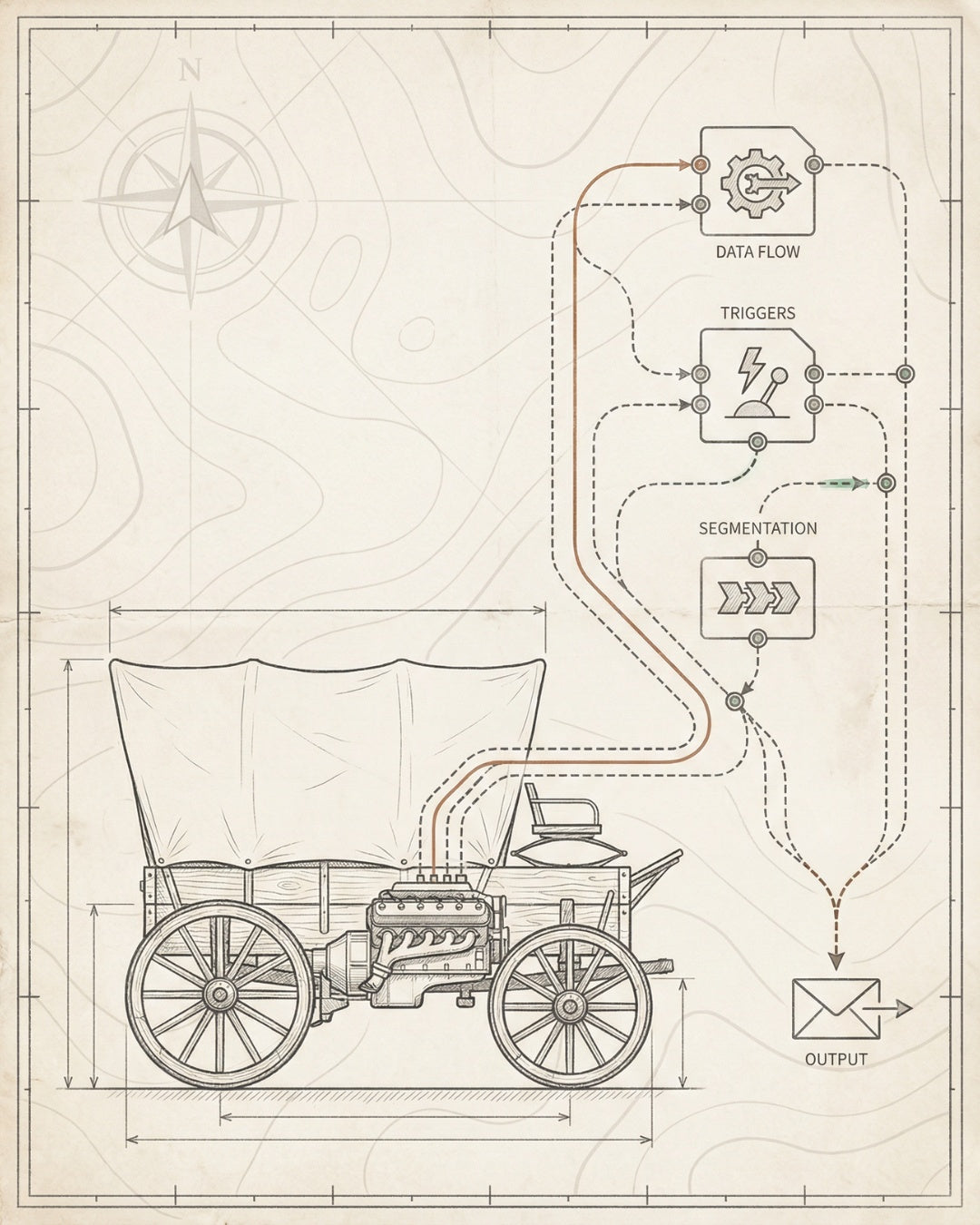
TL;DR — THE BUILD SEQUENCE
Slide 1: The Revenue Leak
Your product pages generate revenue — but most are invisible to search. The problem isn’t your products. It’s your infrastructure.
Slide 2: Layer 1 — Crawlability
Before Google can rank your products, it needs to find them. Fix crawl budget waste, orphaned pages, and broken internal links first.
Slide 3: Layers 2-4 — The Stack
Indexability clarifies signals. Rankability builds authority. Convertibility turns traffic into revenue. Each layer compounds the one before it.
Slide 4: The 30-Day Sprint
Audit current state. Fix foundation. Install schema and internal linking. Monitor velocity. No retainers. Just systematic builds.
Slide 5: Build Once, Scale Forever
Product SEO isn’t a campaign. It’s infrastructure. When the foundation holds, every new product inherits the system. Traction, then throttle.
What You’ll Learn
- Why Most Product Pages Never Rank
- The 4-Layer Product SEO Foundation
- Product Schema: The AI Search Multiplier
- Internal Linking Architecture for Product Discovery
- Core Web Vitals for Product Pages
- The 30-Day Product SEO Build Sprint
- Frequently Asked Questions
Why Most Product Pages Never Rank (The Architecture Problem)
You’ve got great products. Strong photography. Competitive pricing. But when you check Google Search Console, your product pages have impressions in the hundreds — not thousands. Clicks are a trickle. Revenue from organic search is a rounding error.
The problem isn’t your product descriptions. It’s not your meta tags. It’s not even your backlinks.
It’s your infrastructure.**
Most ecommerce stores treat SEO for ecommerce products as a content problem. They hire writers to “optimize” product pages. They tweak titles. They add keywords to alt text. And they wonder why nothing changes.
Here’s what’s actually happening:
- Crawl budget waste: Google crawls your site, but spends 60% of its time on duplicate pages, faceted navigation URLs, and out-of-stock products. Your new arrivals? Never crawled.
- Orphaned products: 30-40% of your product pages have zero internal links pointing to them. If Google can’t find them through internal navigation, they don’t exist.
- Missing schema: Your competitors are feeding Google structured data — price, availability, reviews, SKU. You’re not. Google shows their products in rich results. Yours get text snippets.
- Slow page speed: Your product images are 2MB each. LCP is 4.5 seconds. Google’s Core Web Vitals report is red across the board. You’re losing rankings before anyone even sees your content.
This isn’t a content problem. It’s an architecture problem. And architecture problems require infrastructure solutions.
The Founding Engine Approach: We don’t start with keywords. We start with the 4-Layer SEO Foundation — Crawlability → Indexability → Rankability → Convertibility. Every product page needs all four layers. Most stores have none.

The 4-Layer Product SEO Foundation
Every product page that ranks consistently — and generates revenue over time — has the same underlying structure. We call it the 4-Layer SEO Foundation. It’s sequential. You can’t skip layers. And once it’s installed, it compounds.
Layer 1: Crawlability (Technical Access)
Before Google can rank your products, it needs to find them. Crawlability is about making sure every product page is discoverable, accessible, and prioritized in Google’s crawl budget.
What breaks crawlability for product pages:
- Orphaned pages: Products with no internal links. Common in stores with 500+ SKUs where new products are added via bulk upload but never linked from categories or related products.
- Robots.txt misconfiguration: Accidentally blocking /products/ or key category pages. We’ve seen this on 15% of ecommerce audits.
- Faceted navigation chaos: Every filter combination creates a new URL. Google crawls 10,000 URLs but only 200 are actual products. The rest is noise.
- Broken internal links: Products get discontinued, URLs change, but old links persist. Google hits 404s and stops trusting your site structure.
How to fix it:
- Run a crawl audit using Screaming Frog or Sitebulb. Identify orphaned products (pages with zero inlinks).
- Implement a technical SEO architecture that ensures every product is linked from at least 2-3 internal sources (category page, related products, breadcrumbs).
- Use canonical tags and robots meta directives to consolidate faceted navigation. Block parameter URLs in robots.txt if they don’t serve unique content.
- Set up XML sitemaps for products only. Submit to Google Search Console. Monitor crawl stats weekly.
Crawl Budget Reality: Google doesn’t crawl your entire site every day. For a 5,000-product store, Google might crawl 200-500 URLs per day. If 80% of those are duplicates or filtered URLs, your new products wait weeks to get discovered. Fix crawlability first.
Layer 2: Indexability (Signal Clarity)
Crawlability gets Google to your product pages. Indexability determines whether Google understands what it’s looking at — and whether it’s worth indexing.
What breaks indexability:
- Duplicate content: Multiple products with identical descriptions (common in apparel with size/color variants).
- Thin content: Product pages with 50-word descriptions and no unique value. Google sees them as low-quality.
- Canonical confusion: Self-referencing canonicals that point to the wrong URL, or missing canonicals entirely.
- Meta robots blocks: Accidentally setting noindex on product templates. We’ve seen this tank entire catalogs overnight.
How to fix it:
- Audit all product pages for duplicate content. Use Siteliner or Copyscape. Rewrite or consolidate duplicates.
- Ensure every product has a unique title tag (50-60 characters), meta description (150-160 characters), and H1 that includes the target keyword naturally.
- Set canonical tags correctly. Every product page should have a self-referencing canonical unless it’s a true duplicate (e.g., color variant).
- Check Google Search Console’s Coverage report. Filter for “Excluded” pages. Investigate why products aren’t being indexed.
Indexability is where on-page SEO for ecommerce starts to matter. But it only works if Layer 1 is solid. You can’t index what Google can’t crawl.
Layer 3: Rankability (Authority & Relevance)
Your products are crawlable. They’re indexed. Now the question is: Why should Google rank you over the 50 other stores selling the same product?
Rankability is where most ecommerce SEO strategies focus. It’s about building topical authority, earning backlinks, and optimizing for user intent.
What drives rankability for product pages:
- Internal linking architecture: How you link from category pages, blog content, and related products to your target product pages. This distributes PageRank and signals relevance.
- Product schema markup: Structured data that tells Google (and AI search engines) exactly what you’re selling, at what price, with what availability and reviews.
- Content depth: Not fluff. Real information gain. Specs, use cases, comparisons, FAQs. The kind of content that answers search intent better than your competitors.
- Backlinks: External links from relevant sites (blogs, review sites, industry publications) that signal trust and authority.
How to build it:
- Implement a hub-and-spoke internal linking model. Category pages link to top products. Products link to related products. Blog content links to relevant products with keyword-rich anchor text.
- Install Product schema on every product page (more on this below). Include price, availability, aggregateRating, and review data.
- Write product descriptions that target long-tail keywords and answer buyer questions. Use FAQ schema for common questions.
- Build backlinks through product reviews, partnerships, and digital PR. Focus on relevance over volume.
This is where advanced ecommerce SEO techniques start to separate winners from everyone else. Rankability compounds over time. Every new backlink, every internal link, every schema update makes the next ranking easier.
Layer 4: Convertibility (Revenue Optimization)
You’ve got rankings. You’ve got traffic. Now the question is: Does this traffic convert?
Convertibility is about turning organic visitors into customers. It’s where SEO meets CRO (conversion rate optimization). And it’s the layer most SEO agencies ignore.
What drives convertibility:
- Core Web Vitals: Fast page speed, minimal layout shift, responsive interactions. If your product page takes 5 seconds to load, 53% of mobile users bounce before they see it.
- Trust signals: Reviews, ratings, trust badges, clear return policies. Google uses these as ranking signals. Users use them as buying signals.
- Clear CTAs: “Add to Cart” buttons that are visible, accessible, and friction-free. A/B test placement, color, and copy.
- Mobile optimization: 70% of ecommerce traffic is mobile. If your product images don’t load or your checkout is broken on mobile, you’re losing revenue.
How to optimize it:
- Run a Core Web Vitals audit using PageSpeed Insights or WebPageTest. Target LCP under 2.5s, FID under 100ms, CLS under 0.1.
- Compress product images (use WebP format, lazy loading, and a CDN). Images are the #1 cause of slow product pages.
- Add trust signals: display review counts, star ratings, and “free shipping” badges above the fold.
- Test your mobile experience. Use Google’s Mobile-Friendly Test. Check that images, buttons, and forms work on iOS and Android.
Convertibility is the final layer. But it’s also the multiplier. A 10% increase in conversion rate on a product page ranking #3 generates more revenue than ranking #1 with a 2% conversion rate. The math is simple: Traffic × Conversion Rate = Revenue.
The Compound Effect: Each layer of the foundation makes the next layer more effective. Crawlability enables indexability. Indexability enables rankability. Rankability drives traffic. Convertibility turns traffic into revenue. Build the stack in order. Don’t skip steps.
Product Schema: The AI Search Multiplier
If you’re not using Product schema markup, you’re invisible to AI search. Not just Google AI Overviews — also ChatGPT, Perplexity, and every other LLM that’s crawling the web for structured product data.
Product schema is structured data that tells search engines exactly what you’re selling. It’s machine-readable. It’s parseable. And it’s the difference between showing up in rich results and getting buried in blue links.
What Product schema includes:
- name: The product name (should match your H1 and title tag)
- image: High-quality product image URL (required for rich results)
- description: A concise product description (150-200 characters)
- sku: Stock Keeping Unit (helps Google understand product variants)
- brand: Your brand name (builds entity recognition)
- offers: Price, currency, availability (in stock / out of stock), and URL
- aggregateRating: Average star rating and review count (powers review stars in search results)
- review: Individual customer reviews (optional but valuable for trust signals)
Why it matters for SEO and AI search:
- Rich results: Products with valid schema can appear with star ratings, price, and availability directly in Google search results. CTR increases 20-30%.
- Google Shopping integration: Product schema feeds into Google Merchant Center and Shopping ads (even if you’re not running paid campaigns, it builds entity recognition).
- AI Overview citations: When Google’s AI Overview recommends products, it pulls from structured data. No schema = no citation.
- Voice search: Alexa, Siri, and Google Assistant parse Product schema to answer “What’s the price of [product]?” queries.
Here’s a minimal Product schema example (JSON-LD format):
How to implement it:**
- If you’re on Shopify, use apps like JSON-LD for SEO or Schema Plus for Shopify. Most themes include basic Product schema, but it’s often incomplete.
- If you’re on a custom platform, add JSON-LD schema directly to your product page template (in the or ).
- Validate your schema using Google’s Rich Results Test. Fix any errors or warnings.
- Monitor Google Search Console’s “Enhancements” report for Product schema errors. Google will flag missing required fields or invalid data.
Product schema isn’t optional anymore. It’s infrastructure. And if you’re serious about AI search optimization, it’s the foundation of your entire visibility strategy.
AI Search Reality: ChatGPT, Perplexity, and Google’s AI Overviews don’t rank websites. They cite sources. And they prioritize sources with clean, structured data. If your product data is locked in HTML paragraphs, LLMs can’t parse it. Schema makes you citeable.
Internal Linking Architecture for Product Discovery
Internal linking is the most underrated lever in ecommerce SEO. It’s free. It’s under your control. And it directly impacts crawlability, rankability, and revenue.
Here’s the problem: most ecommerce stores have random internal linking. Products link to “related products” algorithmically (based on tags or categories). Category pages link to products in alphabetical order. Blog posts don’t link to products at all.
The result? Your best products — the ones with the highest margins, the best reviews, the most search volume — get the same internal linking treatment as your worst products. Google doesn’t know which products matter. So it ranks them all equally poorly.
The fix: Strategic internal linking architecture.
The Hub-and-Spoke Model
Think of your site as a hub-and-spoke system:
- Hub pages: Category pages, landing pages, and high-authority blog posts. These are your distribution nodes.
- Spoke pages: Individual product pages. These are your revenue generators.
The goal is to flow PageRank (and crawl priority) from hub pages to spoke pages. Here’s how:
1. Category-to-Product Links
Your category pages should link to your top 10-20 products first (not alphabetically). Prioritize products by:
- Search volume (products with the highest keyword demand)
- Margin (products with the best profit per sale)
- Conversion rate (products that convert best from organic traffic)
Use descriptive anchor text. Instead of “View Product,” use “Shop Wireless Noise-Canceling Headphones” (includes target keyword).
2. Product-to-Product Links
Every product page should link to 3-5 related products. But don’t use algorithmic “related products” widgets. Manually curate links based on:
- Complementary products: “Customers who bought X also bought Y” (upsell logic)
- Alternative products: “If you like this, you might also like…” (cross-sell logic)
- Higher-tier products: Link from mid-tier products to premium versions (revenue optimization)
Use keyword-rich anchor text. Instead of “See more,” use “Compare with Premium Wireless Headphones.”
3. Blog-to-Product Links
This is where most stores miss massive opportunities. Your blog content should be a distribution engine for product pages.
Example: You sell fitness equipment. You write a blog post titled “The Best Home Gym Setup for Small Spaces.” That post should link to:
- Your compact weight bench (product page)
- Your adjustable dumbbells (product page)
- Your resistance bands (product page)
Use natural, descriptive anchor text: “Our compact weight bench is designed for apartments and small home gyms.”
This does three things:
- Flows PageRank from your blog (which might rank for informational keywords) to your products (which target transactional keywords)
- Increases crawl frequency for product pages (Google follows internal links)
- Improves conversion rates (blog readers who click through to products are warm leads)
4. Breadcrumb Navigation
Every product page should have breadcrumb navigation (Home > Category > Subcategory > Product). This creates a hierarchical linking structure that Google can parse.
Implement BreadcrumbList schema (we covered this in the schema section above). Google uses breadcrumbs in search results, which improves CTR.
Internal Linking Audit Checklist
Audit Item What to Check Fix Priority
Orphaned Products Products with zero internal links High
Broken Internal Links 404 errors from internal links High
Anchor Text Quality Generic anchors (“Click here”) vs. descriptive anchors Medium
Category Link Priority Are top products linked first on category pages? Medium
Blog-to-Product Links Does blog content link to relevant products? Medium
Breadcrumb Navigation Are breadcrumbs present and schema-marked? Low
Internal linking is infrastructure. Build it once, maintain it quarterly, and it compounds. Every new product you add inherits the system. Every new blog post you publish distributes PageRank. Over time, this becomes your unfair advantage.
For a full breakdown of how to structure internal linking for ecommerce, check out our ecommerce SEO checklist.

Core Web Vitals for Product Pages
Google uses Core Web Vitals as a ranking signal. But more importantly, your customers use page speed as a buying signal.
Here’s the data:
- 53% of mobile users abandon a page that takes longer than 3 seconds to load (Google research)
- A 1-second delay in page load time reduces conversions by 7% (Akamai)
- Pages that meet Core Web Vitals thresholds see 24% lower abandonment rates (Google)
For ecommerce product pages, Core Web Vitals aren’t just an SEO metric. They’re a revenue metric.
The Three Core Web Vitals
1. Largest Contentful Paint (LCP) — Loading Performance
LCP measures how long it takes for the largest visible element on the page to load. For product pages, this is usually the hero product image.
Target: LCP under 2.5 seconds
What breaks LCP on product pages:
- Uncompressed product images (2-5MB JPEGs instead of optimized WebP files)
- No lazy loading (all images load at once, even below the fold)
- Slow server response time (TTFB over 600ms)
- Render-blocking JavaScript or CSS (scripts that delay image rendering)
How to fix it:
- Compress product images using TinyPNG or Squoosh. Convert to WebP format (30-50% smaller than JPEG with no quality loss).
- Implement lazy loading for images below the fold. Use loading=“lazy” attribute on all
tags except the hero image.
- Use a CDN (Cloudflare, Fastly, or your platform’s built-in CDN) to serve images from edge servers closer to users.
- Preload the hero image using in the .
2. First Input Delay (FID) — Interactivity
FID measures how long it takes for the page to respond to the first user interaction (e.g., clicking “Add to Cart”).
Target: FID under 100ms
What breaks FID:
- Heavy JavaScript execution (analytics scripts, chat widgets, A/B testing tools)
- Third-party scripts that block the main thread (Facebook Pixel, Google Tag Manager)
- Unoptimized event listeners (poorly coded add-to-cart buttons)
How to fix it:
- Defer non-critical JavaScript using defer or async attributes.
- Audit third-party scripts. Remove or delay scripts that aren’t essential for above-the-fold functionality.
- Use web workers for heavy JavaScript tasks (offload computation from the main thread).
- Test FID using Chrome DevTools or WebPageTest. Identify long tasks (over 50ms) and optimize them.
3. Cumulative Layout Shift (CLS) — Visual Stability
CLS measures how much the page layout shifts during loading. For product pages, this is often caused by images or ads that load late and push content down.
Target: CLS under 0.1
What causes layout shift on product pages:
- Images without explicit width and height attributes (browser doesn’t reserve space, so content shifts when images load)
- Dynamically injected content (banners, pop-ups, chat widgets that appear after page load)
- Web fonts that load late (FOUT — Flash of Unstyled Text)
How to fix it:
- Add explicit width and height attributes to all
tags. This tells the browser to reserve space before the image loads.
- Use font-display: swap in your CSS to prevent layout shift from web fonts.
- Reserve space for dynamically injected content (e.g., set a min-height for banner slots).
- Test CLS using PageSpeed Insights. Look for elements with high shift scores and fix them.
Core Web Vitals Audit Process
- Run PageSpeed Insights for 5-10 of your top product pages. Note LCP, FID, and CLS scores.
- Check Google Search Console → Core Web Vitals report. Identify URLs that fail thresholds.
- Use WebPageTest to get detailed waterfall charts. Identify render-blocking resources.
- Fix the foundation first: Image compression, lazy loading, and explicit dimensions. These fixes impact 80% of Core Web Vitals issues.
- Test on mobile. 70% of ecommerce traffic is mobile. Use a real device or Chrome DevTools device emulation.
- Monitor monthly. Core Web Vitals can degrade over time as you add new scripts, images, or features.
Core Web Vitals optimization is part of Layer 4 (Convertibility) in the 4-Layer SEO Foundation. It’s the last layer, but it’s the multiplier. Fast product pages rank better and convert better. Slow product pages lose on both fronts.
The 30-Day Product SEO Build Sprint
Most agencies sell SEO as a 6-12 month retainer. You pay monthly. They send reports. Rankings maybe improve. Revenue is a question mark.
We don’t work that way. At Founding Engine, we run 30-day focused cycles. No retainers. No fluff. Just systematic builds that generate traction.
Here’s the sprint model we use for product SEO infrastructure:
Week 1: Audit Current State
Goal: Identify what’s broken, what’s missing, and where the biggest leverage points are.
Deliverables:
- Technical crawl audit (Screaming Frog or Sitebulb): orphaned products, broken links, crawl budget waste
- Google Search Console analysis: indexation status, coverage errors, Core Web Vitals baseline
- Schema audit: which product pages have valid Product schema, which don’t
- Internal linking audit: how are products linked from categories, blog, and related products
- Core Web Vitals audit: LCP, FID, CLS scores for top 10 product pages
Output: A prioritized build plan. What gets fixed first (high-impact, low-effort) and what gets deferred.
Week 2: Fix the Foundation (Layers 1 & 2)
Goal: Make sure every product is crawlable and indexable. No orphaned pages. No duplicate content. No technical blockers.
Tasks:
- Fix robots.txt and XML sitemaps (ensure products are included, not blocked)
- Add internal links to orphaned products (from category pages, related products, breadcrumbs)
- Set canonical tags correctly (self-referencing canonicals for unique products)
- Rewrite duplicate product descriptions (or consolidate variants)
- Audit and fix meta robots directives (remove accidental noindex tags)
Validation: Re-crawl the site. Confirm zero orphaned products. Submit updated sitemap to Google Search Console.
Week 3: Build Rankability (Layer 3)
Goal: Install the infrastructure that makes rankings inevitable. Schema, internal linking, content optimization.
Tasks:
- Implement Product schema on all product pages (name, image, price, availability, reviews)
- Validate schema using Google Rich Results Test (fix errors and warnings)
- Build internal linking architecture: category-to-product, product-to-product, blog-to-product
- Optimize product titles and meta descriptions (include target keywords, stay within character limits)
- Add FAQ schema to high-value product pages (target “People Also Ask” queries)
Validation: Check Google Search Console for schema errors. Monitor impressions and clicks for target products.
Week 4: Optimize Convertibility (Layer 4) & Monitor
Goal: Make sure product pages load fast, convert well, and are ready to scale.
Tasks:
- Compress and optimize product images (WebP format, lazy loading, CDN)
- Fix Core Web Vitals issues (target LCP under 2.5s, FID under 100ms, CLS under 0.1)
- Add trust signals: review counts, star ratings, “free shipping” badges
- Test mobile experience (iOS and Android)
- Set up monitoring: Google Search Console, Google Analytics, Core Web Vitals tracking
Validation: Run PageSpeed Insights on top 10 products. Confirm all pass Core Web Vitals thresholds.
Post-Sprint: Traction, Then Throttle
After 30 days, you have:
- A crawlable, indexable product catalog
- Valid Product schema on every product page
- Strategic internal linking architecture
- Fast-loading product pages that meet Core Web Vitals thresholds
Now you monitor. Track impressions, clicks, and rankings in Google Search Console. Identify products with high impressions but low clicks (optimize titles and descriptions). Identify products ranking #5-#10 (build backlinks to push them to page 1).
This is traction. Once you have it, you can throttle — add more products, publish more content, build more backlinks. The infrastructure holds.
Why 30 Days? Because most SEO work is front-loaded. You fix the foundation once. You install schema once. You build internal linking once. After that, it’s maintenance and scaling. We don’t charge you monthly for work that’s already done. We build, we hand it off, and you own it.
If you want to see how we’ve executed this for brands generating $30M+ in organic revenue, check out our ecommerce SEO case study.
Matt Hyder
SEO infrastructure and AI search optimization at Founding Engine.
Want SEO that actually holds?
Get a free infrastructure audit from the Founding Engine team.
Get Your Free Audit