Technical SEO Ecommerce: Infrastructure Before Keywords
Most ecommerce stores optimize content before fixing their foundation. Here's the technical SEO infrastructure that makes rankings inevitable for DTC brands.
**
SEO Infrastructure
Technical SEO Ecommerce: Infrastructure Before Keywords
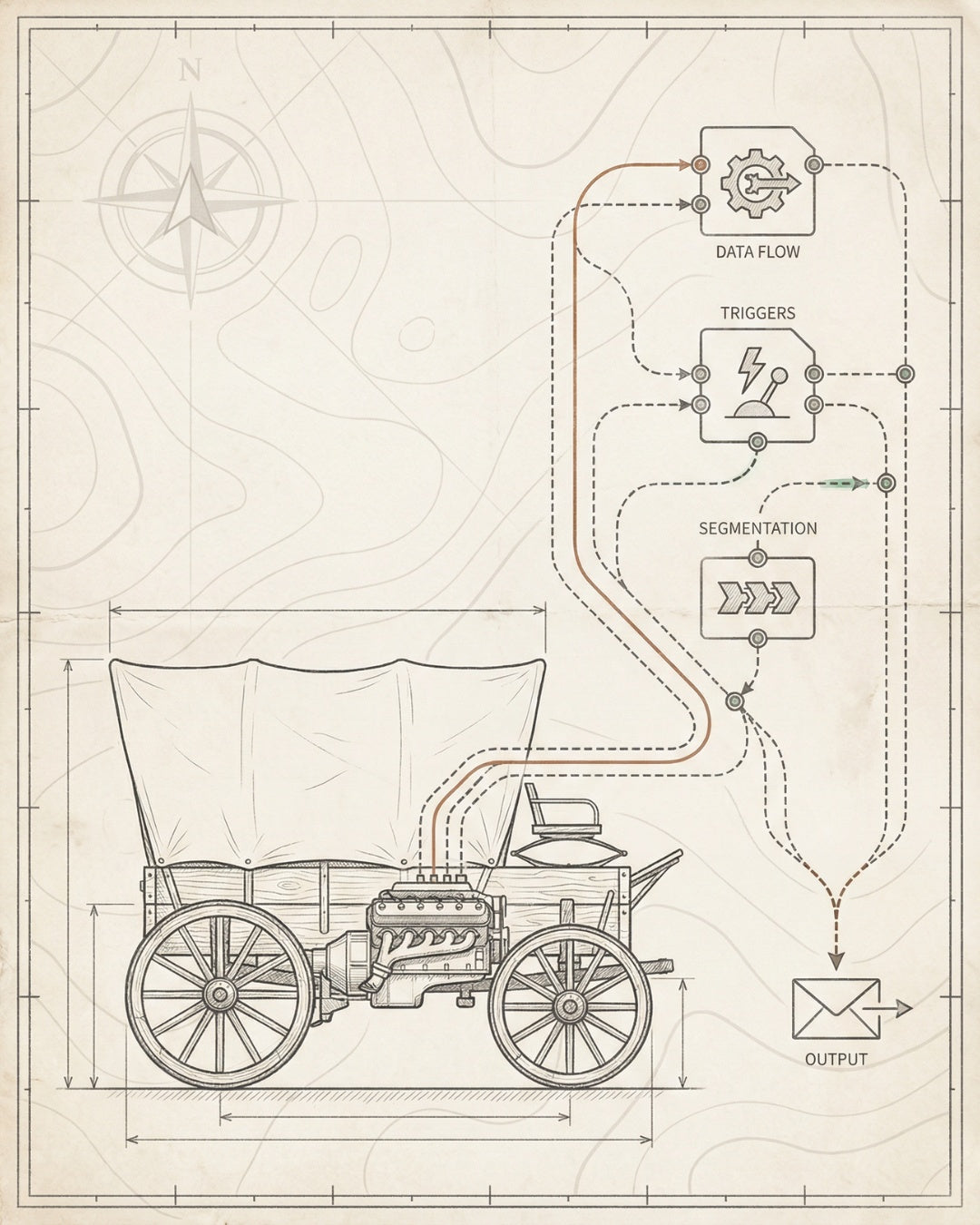
Most ecommerce brands start with content. Blog posts. Product descriptions. Category copy. They hire writers before they fix their robots.txt file. They optimize meta descriptions before they address their crawl budget problem.
This is backwards.
Content without infrastructure is like pouring water into a cracked foundation. It doesn’t compound. It leaks.
Technical SEO for ecommerce isn’t about checking boxes in an audit. It’s about building the architecture that makes rankings inevitable. The systems that turn organic traffic into a revenue channel that compounds over time, not a campaign that peaks and plateaus.
At Founding Engine, we’ve generated over $30M in organic revenue across 50+ brands by installing SEO infrastructure before touching a single keyword. Here’s the technical foundation every ecommerce store needs — and the exact order to build it.
Build Foundation First
Technical SEO ecommerce infrastructure comes before content. Fix crawlability, indexability, and site architecture before writing a single product description.
4-Layer System
Crawlability → Indexability → Rankability → Convertibility. Each layer builds on the last. Skip one and the entire system fails to compound.
Core Web Vitals Matter
LCP under 2.5s, INP under 200ms, CLS under 0.1. Performance is a ranking factor. Slow stores don’t rank, even with perfect content.
Schema Drives Rich Results
Product schema, Review markup, and BreadcrumbList create rich snippets. Structured data feeds AI search engines and increases click-through rates.
30-Day Sprint Model
Install technical SEO infrastructure in focused 30-day cycles. Audit, fix, build, measure. No retainers. No endless optimization. Just systems that hold.
What You’ll Learn
- The 4-Layer Technical Foundation Every Ecommerce Store Needs
- Site Architecture: How Product Taxonomy Impacts Crawl Budget
- Core Web Vitals for Ecommerce: The Performance Baseline
- Schema Markup That Drives Rich Results
- Technical SEO Audit Framework: What to Fix First
- AI Search Optimization for Ecommerce
- Implementation: 30-Day Technical SEO Sprint
The 4-Layer Technical Foundation Every Ecommerce Store Needs
Technical SEO ecommerce isn’t a single task. It’s a stack. Four layers that build on each other in a specific sequence. Skip a layer and the entire system collapses.
This is the 4-Layer SEO Foundation** we install before we touch content strategy:
Layer 1: Crawlability
Can Google’s bots access and navigate your site efficiently? Crawlability is about making sure search engines can discover every page that should rank — and ignore everything that shouldn’t.
- robots.txt configuration: Block admin pages, checkout flows, and duplicate parameter URLs. Allow product pages, collections, and blog content.
- XML sitemap optimization: Submit clean sitemaps with only indexable URLs. Separate sitemaps for products, collections, and blog posts. Update dynamically as inventory changes.
- Internal linking architecture: Every product should be reachable within 3 clicks from the homepage. Use breadcrumbs, related products, and category navigation to create multiple crawl paths.
- Crawl budget preservation: For stores with 10,000+ SKUs, use noindex on filtered pages, paginated archives beyond page 3, and out-of-stock products older than 90 days.
Most ecommerce platforms (Shopify, WooCommerce, BigCommerce) waste crawl budget on faceted navigation. Every filter combination creates a new URL. Google crawls thousands of near-duplicate pages instead of your revenue-driving product pages.
Fix this with URL parameter handling in Google Search Console and rel=“canonical” tags on filtered views.
Layer 2: Indexability
Crawlability gets bots to your pages. Indexability determines whether Google stores them in its index and considers them for rankings.
- Canonical tag implementation: Every product page should have a self-referencing canonical. Variant URLs (color, size) should canonicalize to the parent product.
- Duplicate content resolution: Consolidate manufacturer descriptions. Add unique value propositions, use cases, and specifications to every product page.
- Noindex strategy: Apply noindex to login pages, cart pages, customer account pages, search result pages, and any page that doesn’t drive organic revenue.
- HTTPS migration: Ensure every page loads over HTTPS. Mixed content warnings kill trust and rankings.
Check Google Search Console’s Coverage report. If you have 5,000 products but only 2,000 indexed pages, you have an indexability problem. Common culprits: incorrect canonical tags, soft 404s on out-of-stock products, or thin content that triggers Google’s quality filters.
Layer 3: Rankability
Once Google can crawl and index your pages, rankability determines where they appear in search results. This layer combines on-page optimization, technical performance, and user experience signals.
- Title tag optimization: Front-load primary keywords. Include brand name for branded search equity. Stay under 60 characters to avoid truncation.
- Meta description strategy: Write for click-through rate, not keyword density. Include a clear value proposition and call-to-action. 150-160 characters.
- Header hierarchy: One H1 per page (product name or category title). Use H2s for sections, H3s for subsections. Semantic structure helps Google understand page topics.
- Image optimization: Descriptive filenames (blue-running-shoes-mens.jpg not IMG_1234.jpg). Alt text that describes the image and includes relevant keywords. WebP format for smaller file sizes.
- Internal linking: Link from high-authority pages (homepage, top collections) to products you want to rank. Use descriptive anchor text that includes target keywords.
Rankability is where on-page SEO for ecommerce intersects with technical infrastructure. You can’t rank without crawlability and indexability, but those alone won’t move the needle. Rankability is the layer where optimization starts to compound.
Layer 4: Convertibility
Rankings without revenue are vanity metrics. Convertibility ensures that organic traffic turns into customers.
- Page speed optimization: Core Web Vitals compliance (detailed in next section). Fast pages rank higher and convert better.
- Mobile-first design: 70%+ of ecommerce traffic is mobile. Responsive design isn’t optional — it’s the baseline.
- Trust signals: Reviews, security badges, clear return policies, and visible contact information reduce friction and increase conversion rates.
- Clear CTAs: Every product page should have an obvious “Add to Cart” button above the fold. Reduce decision fatigue with limited options and clear product hierarchies.
This is the layer most agencies ignore. They deliver rankings but not revenue. At Founding Engine, we track organic revenue attribution from day one. If technical SEO doesn’t increase the bottom line, it’s not infrastructure — it’s just overhead.

Site Architecture: How Product Taxonomy Impacts Crawl Budget
Site architecture is the invisible foundation of technical SEO ecommerce. Get it wrong and you waste crawl budget, dilute PageRank, and confuse both users and search engines.
Get it right and your site becomes a self-reinforcing system where every new product strengthens the entire structure.
The Shallow Hierarchy Principle
Every product should be reachable within 3 clicks from the homepage. Deep hierarchies bury products where Google rarely crawls and users never find them.
Bad architecture (5+ clicks to product):
Home → Shop → Men’s → Clothing → Outerwear → Jackets → Waterproof → Product
Good architecture (3 clicks to product):
Home → Men’s Jackets → Waterproof Jackets → Product
Flatten your category structure. Use filters and facets for granular navigation, but keep the URL structure simple. This preserves crawl equity and distributes PageRank more efficiently.
URL Structure Best Practices
URLs are permanent. Changing them later requires redirects, which leak PageRank and risk broken links. Design your URL structure once, correctly.
- Use descriptive slugs: /mens-waterproof-running-jacket not /product-12345
- Include category context: /jackets/mens-waterproof-running-jacket helps Google understand product taxonomy
- Avoid deep nesting: Keep URLs under 5 segments. /category/subcategory/product is the ideal structure
- Use hyphens, not underscores: Google treats hyphens as word separators. Underscores don’t separate words in URLs.
- Lowercase only: Avoid mixed case. /Mens-Jackets and /mens-jackets are technically different URLs.
Faceted Navigation and Crawl Budget
Faceted navigation (filters for size, color, price, brand) is essential for user experience but catastrophic for crawl budget if implemented incorrectly.
Every filter combination creates a new URL:
- /jackets?color=blue
- /jackets?color=blue&size=large
- /jackets?color=blue&size=large&price=100-200
A store with 10 filters and 5 options per filter can generate millions of URL combinations. Google wastes crawl budget on near-duplicate pages instead of your core product catalog.
Solution: Use URL parameter handling in Google Search Console to tell Google which parameters to ignore. Add rel=“canonical” tags to filtered pages pointing back to the main category page. For high-value filter combinations (e.g., “blue running jackets”), create dedicated landing pages with unique content.
Internal Linking Architecture
Internal links distribute PageRank and create crawl paths. Strategic internal linking turns your site into a network where high-authority pages (homepage, top categories) pass equity to products you want to rank.
- Breadcrumbs on every page: Helps users navigate and creates structured internal links. Implement BreadcrumbList schema for rich results.
- Related products: Link to complementary items on every product page. “Customers also bought” and “Similar items” create natural internal link networks.
- Category cross-linking: Link from “Men’s Jackets” to “Women’s Jackets” and “Kids’ Jackets” to create topic clusters.
- Blog-to-product links: Every blog post should link to 3-5 relevant products with descriptive anchor text. This passes authority from content to commerce pages.
Use tools like Screaming Frog to audit internal link distribution. If your homepage has 500 internal links but your best-selling product has 3, you have an architecture problem. Redistribute link equity to revenue-driving pages.
Core Web Vitals for Ecommerce: The Performance Baseline
Page speed isn’t a nice-to-have. It’s a ranking factor. Google’s Core Web Vitals measure real user experience across three dimensions: loading performance, interactivity, and visual stability.
For ecommerce, slow pages cost you twice: lower rankings and lower conversion rates. Amazon found that every 100ms of latency costs them 1% in sales. For a $1M/year store, that’s $10,000 lost to slow page loads.
The Three Core Web Vitals
Metric What It Measures Target Ecommerce Impact
LCP**(Largest Contentful Paint) How fast the largest element (hero image, product photo) loads < 2.5 seconds Slow LCP = users bounce before seeing products
INP****(Interaction to Next Paint) How fast the page responds to user interactions (clicks, taps) < 200ms High INP = frustrating UX, abandoned carts
CLS****(Cumulative Layout Shift) How much the page layout shifts during loading < 0.1 High CLS = users accidentally click wrong buttons
Optimizing LCP for Product Pages
The largest element on a product page is usually the hero image. If that image takes 5 seconds to load, your LCP fails — regardless of how fast the rest of the page is.
- Compress images:** Use WebP format. Aim for under 100KB per product image without visible quality loss. Tools: Squoosh, ImageOptim, TinyPNG.
- Lazy load below the fold: Only the hero image should load immediately. Use loading=“lazy” on all other images.
- Preload critical resources: Add to the for above-the-fold images.
- Use a CDN: Serve images from edge servers close to users. Cloudflare, Fastly, or platform-native CDNs (Shopify CDN) reduce latency.
- Responsive images: Serve different image sizes based on device. Use srcset to deliver mobile-optimized images to mobile users.
Reducing INP (Interaction to Next Paint)
INP replaced FID (First Input Delay) in 2024. It measures the delay between user interaction and visual response across the entire page lifecycle, not just the first click.
High INP is usually caused by heavy JavaScript execution blocking the main thread.
- Minimize JavaScript: Remove unused scripts. Defer non-critical JS with defer or async attributes.
- Code-split large bundles: Don’t load your entire app.js on every page. Split code by route and load only what’s needed.
- Avoid long tasks: Break up JavaScript execution into smaller chunks. Tasks over 50ms block user interactions.
- Optimize third-party scripts: Analytics, chat widgets, and marketing pixels are often the worst offenders. Load them asynchronously or delay until after user interaction.
For Shopify stores, apps are the primary culprit. Every app injects JavaScript. Install 20 apps and your INP balloons. Audit your app stack quarterly and remove anything that doesn’t directly drive revenue.
Fixing CLS (Cumulative Layout Shift)
Layout shift happens when elements move after the page loads. The most common causes in ecommerce: images without dimensions, web fonts loading late, and dynamic content injected above the fold.
- Set explicit dimensions: Every
tag needs width and height attributes. This reserves space and prevents reflow.
- Use font-display: swap: Prevents invisible text while web fonts load, but can cause layout shift. Better: use system fonts or preload custom fonts.
- Reserve space for ads and embeds: If you inject content dynamically (reviews, chat widgets), reserve space with a placeholder to prevent shifts.
- Avoid inserting content above existing content: Don’t inject banners or notifications at the top of the page after load. Use fixed positioning or append to the bottom.
Test Core Web Vitals using Google’s PageSpeed Insights, Chrome User Experience Report, or Search Console’s Core Web Vitals report. Fix the worst-performing pages first — usually product pages and collections with the highest traffic.

Schema Markup That Drives Rich Results
Schema markup is structured data that tells search engines exactly what your content means. It’s the difference between Google guessing what your page is about and Google knowing what your page is about.
For ecommerce, schema unlocks rich results: star ratings in search, price displays, availability status, and product carousels. These rich snippets increase click-through rates by 20-30% compared to standard blue links.
More importantly, schema feeds AI search engines. ChatGPT, Perplexity, and Google’s AI Overviews parse structured data to understand entities, relationships, and facts. If your product data isn’t structured, AI can’t cite you.
Essential Schema Types for Ecommerce
1. Product Schema
Every product page needs Product schema. This tells Google the product name, image, description, price, availability, and SKU.
Minimum required fields:
- name — Product name
- image — Product image URL
- description — Product description
- offers — Price, currency, availability
Optional but recommended:
- brand — Brand name
- sku — Stock keeping unit
- gtin — Global Trade Item Number (UPC, EAN, ISBN)
- aggregateRating — Average star rating
- review — Individual customer reviews
2. Review Schema
Product reviews drive conversions. Review schema makes those ratings visible in search results — the gold stars you see under product listings.
Google requires at least 5 reviews before displaying aggregate ratings. Use platforms like Yotpo, Judge.me, or Stamped.io to collect reviews, then implement Review schema to display them in search.
3. BreadcrumbList Schema
Breadcrumbs help users navigate and create a visual hierarchy in search results. BreadcrumbList schema turns this:
yourstore.com/products/mens-running-shoes
Into this in search results:
Home > Men’s Shoes > Running Shoes > Product Name
This increases click-through rate by showing users exactly where they’ll land.
4. Organization Schema
Organization schema tells Google who you are as a brand. Include your logo, social profiles, contact information, and founding date. This feeds Google’s Knowledge Graph and helps your brand appear in branded search results with rich panels.
Schema Implementation Best Practices
- Use JSON-LD format: Cleaner than microdata, easier to maintain, and Google’s recommended format.
- Validate before deploying: Use Google’s Rich Results Test to catch errors. Invalid schema is worse than no schema — it can trigger manual penalties.
- Keep schema in sync with visible content: If your page says “$49.99” but your schema says “$59.99”, Google will ignore the markup.
- Implement schema site-wide: Don’t just add it to your homepage. Every product, category, and blog post should have appropriate schema.
- Update dynamically: When prices change or products go out of stock, update the schema immediately. Stale data kills trust.
Most ecommerce platforms (Shopify, WooCommerce, BigCommerce) generate basic Product schema automatically. But they often miss Review schema, BreadcrumbList, and Organization markup. Audit your schema using Screaming Frog or Schema Markup Validator, then fill the gaps manually or with apps.
Schema for AI Search Optimization
Schema isn’t just for Google’s traditional search. It’s the data layer that AI search engines parse to generate answers.
When someone asks ChatGPT “What’s the best waterproof running jacket under $100?” — the AI looks for structured data to extract product names, prices, features, and reviews. If your product data is buried in unstructured HTML, AI can’t cite you.
This is where AI search optimization intersects with technical SEO. Schema creates machine-readable data that LLMs can parse, understand, and cite. It’s the bridge between your content and AI-generated answers.
Technical SEO Audit Framework: What to Fix First
Every ecommerce store has technical debt. Broken links. Duplicate content. Slow pages. Crawl errors. The question isn’t whether you have issues — it’s which issues to fix first.
Most agencies deliver 50-page audit reports with 200 issues ranked by severity. High. Medium. Low. No prioritization based on revenue impact. No build sequence. Just a list.
This is where the Audit-to-Throttle Pipeline comes in. It’s a systematic framework for identifying, prioritizing, and fixing technical SEO issues in order of compound impact.
Phase 1: Crawl and Index Blockers (Fix Immediately)
These issues prevent Google from accessing or indexing your pages. Fix these first, before anything else. No point optimizing content that Google can’t see.
- Robots.txt errors: Accidentally blocking product pages or entire sections. Check yoursite.com/robots.txt and verify you’re not blocking /products/ or /collections/.
- Noindex tags on indexable pages: Products or categories accidentally marked noindex. Common on Shopify when developers use noindex during staging and forget to remove it.
- Server errors (5xx): Pages returning 500 or 503 errors. These pages are uncrawlable. Fix server issues before touching SEO.
- Redirect chains: URL A → URL B → URL C. Google may not follow chains longer than 3 hops. Consolidate to direct redirects.
- Broken internal links: Links pointing to 404 pages. These waste crawl budget and frustrate users. Fix or remove.
Phase 2: Duplicate Content and Canonicalization (Fix Within 7 Days)
Duplicate content dilutes PageRank and confuses Google about which version to rank. Canonicalization tells Google which version is the authoritative source.
- Missing canonical tags: Every page needs a canonical. Self-referencing for unique pages, consolidating for duplicates.
- Incorrect canonical tags: Variant URLs (e.g., /product?color=blue) should canonicalize to the parent product, not themselves.
- Manufacturer content: Copy-pasted product descriptions from suppliers. Google sees this as duplicate content. Add unique value: use cases, specifications, comparisons.
- Paginated content: Category pages with pagination (Page 1, Page 2, Page 3). Use rel=“prev” and rel=“next” or consolidate with “View All” pages.
Phase 3: Performance and Core Web Vitals (Fix Within 14 Days)
Slow pages rank lower and convert worse. Prioritize the highest-traffic pages first — usually homepage, top categories, and best-selling products.
- LCP optimization: Compress images, implement lazy loading, preload critical resources.
- INP reduction: Minimize JavaScript, defer non-critical scripts, remove unused apps.
- CLS fixes: Set explicit image dimensions, reserve space for dynamic content, optimize font loading.
Phase 4: On-Page Optimization (Ongoing)
Once the foundation is solid, optimize for rankability. This is where content strategy, keyword targeting, and internal linking come into play.
- Title and meta description optimization: Front-load keywords, write for CTR, stay within character limits.
- Header hierarchy: One H1 per page, logical H2/H3 structure, semantic HTML.
- Internal linking: Link from high-authority pages to products you want to rank. Use descriptive anchor text.
- Content depth: Add specifications, FAQs, use cases, and comparisons to thin product pages.
Phase 5: Schema and Rich Results (Ongoing)
Implement Product, Review, BreadcrumbList, and Organization schema. Validate with Google’s Rich Results Test. Monitor for rich result eligibility in Search Console.
This phased approach ensures you fix blockers before optimizing for performance, and fix performance before optimizing for rankings. It’s a build sequence, not a checklist. Each phase compounds on the last.
For a deeper dive into the audit process, see our guide on ecommerce SEO audits.
AI Search Optimization for Ecommerce
Google’s AI Overviews now appear on 15-20% of searches. ChatGPT has 100M+ weekly active users. Perplexity is growing 10% month-over-month. AI search isn’t coming — it’s here.
And most ecommerce stores are invisible to it.
AI search engines don’t crawl and rank like traditional search. They parse structured data, extract entities, and generate answers by synthesizing information from multiple sources. If your product data isn’t structured for machine readability, AI can’t cite you.
How AI Search Engines Understand Ecommerce Content
LLMs (Large Language Models) don’t “read” your website the way humans do. They parse structured data, identify entities (products, brands, categories), and extract relationships (this product is made by this brand, costs this much, has these features).
Three layers of AI-readable data:
1. Structured Data (Schema Markup)
Product schema, Review schema, and Organization schema create machine-readable facts. When ChatGPT or Perplexity looks for “best waterproof running jackets,” it parses Product schema to extract names, prices, ratings, and availability.
2. Entity Optimization
Entities are people, places, products, and brands that search engines recognize as distinct concepts. Google’s Knowledge Graph contains billions of entities and their relationships.
To optimize for entity recognition:
- Use consistent brand names across all pages
- Include product names in title tags, headers, and image alt text
- Link to authoritative sources (manufacturer sites, industry publications)
- Implement Organization schema with brand identifiers (logo, social profiles, Wikipedia link if available)
3. Citation-Worthy Content
AI search engines cite sources that provide clear, factual, well-structured information. To become citation-worthy:
- Write definitive product guides (e.g., “Complete Guide to Waterproof Running Jackets”)
- Include specifications in tables (easier for LLMs to parse than paragraphs)
- Add comparison charts (Product A vs. Product B)
- Use FAQ sections with clear questions and concise answers
Optimizing Product Pages for AI Overviews
Google’s AI Overviews pull from pages that answer specific questions with structured, factual content. To optimize product pages for AI Overview inclusion:
- Answer questions explicitly: “Is this jacket waterproof?” → “Yes, this jacket is 100% waterproof with a 10,000mm waterproof rating.”
- Use tables for specifications: Material, weight, waterproof rating, breathability, warranty — all in a structured table.
- Include use cases: “Best for trail running in wet conditions” helps AI understand context and intent.
- Add FAQ sections: Common questions about sizing, care instructions, and performance. Use FAQ schema (though it no longer generates rich results, it still helps AI parse content).
Building for Perplexity and ChatGPT
Perplexity and ChatGPT don’t have their own crawlers (yet). They rely on existing search indexes and structured data. To increase visibility:
- Optimize for featured snippets: AI engines often pull from Google’s featured snippets. Answer questions concisely in 40-60 words.
- Create comparison content: “Product A vs. Product B” content is highly cite-able because it provides clear, comparative facts.
- Use bullet points and lists: Easier for LLMs to parse than dense paragraphs.
- Link to authoritative sources: Citing industry standards, certifications, or third-party reviews increases trust and citation likelihood.
AI search optimization isn’t a separate strategy from technical SEO — it’s an extension of it. The same structured data, entity optimization, and content architecture that helps Google rank you also helps AI cite you.
For more on this, see our full breakdown of AI search optimization for ecommerce.

Implementation: 30-Day Technical SEO Sprint
Most agencies sell retainers. Monthly fees. Endless optimization. No clear endpoint.
At Founding Engine, we work in 30-day sprints. Focused cycles with clear deliverables, measurable outcomes, and a defined build sequence. No retainers. No fluff. Just infrastructure that holds.
Here’s the exact 30-day sprint we use to install technical SEO infrastructure for ecommerce brands.
Days 1-5: Audit and Baseline
Before you build, you need to know what’s broken. We run a comprehensive technical audit using Screaming Frog, Google Search Console, and PageSpeed Insights.
Deliverables:
- Crawl report (broken links, redirect chains, orphan pages)
- Indexation analysis (indexed vs. indexable pages)
- Core Web Vitals baseline (LCP, INP, CLS for top 20 pages)
- Schema audit (missing or invalid structured data)
- Site architecture map (URL structure, internal linking, crawl depth)
Output: A prioritized list of issues ranked by revenue impact, not severity. We fix what moves the needle first.
Days 6-10: Fix Crawl and Index Blockers
This is the foundation layer. We fix anything preventing Google from crawling or indexing your pages.
Tasks:
- Correct robots.txt configuration
- Remove noindex tags from indexable pages
- Fix redirect chains and consolidate to direct redirects
- Repair broken internal links
- Submit updated XML sitemaps to Google Search Console
Success metric: Increase in indexed pages within 7 days (tracked in Search Console).
Days 11-15: Canonicalization and Duplicate Content
Once Google can crawl and index your pages, we ensure it knows which version to rank.
Tasks:
- Implement canonical tags site-wide
- Consolidate variant URLs (color, size filters) to parent products
- Rewrite manufacturer product descriptions with unique content
- Set up URL parameter handling in Search Console for faceted navigation
Success metric: Reduction in duplicate content warnings in Search Console.
Days
Matt Hyder
SEO infrastructure and AI search optimization at Founding Engine.
Want SEO that actually holds?
Get a free infrastructure audit from the Founding Engine team.
Get Your Free Audit